Quick Hands-On: Super Resolution in the Windows 11 Photos App
- Paul Thurrott
- Oct 22, 2024
-
2
Three weeks ago, Microsoft announced new AI-based features for Copilot+ PCs. Among them is a new Super Resolution feature for the Windows 11 Photos app.
“Reimagine and enhance your lower-resolution and older photos into high-quality images without worrying they’ll look blurry or pixelated,” Microsoft wrote at the time. “You no longer have to deal with a distorted, pixelated photo after increasing its size. Using powerful on-device AI, super resolution in Photos will transform your old or lower-quality images into reimagined memories. Simply use the slider to increase the resolution by up to 8X, and precisely control and adjust the output. And this work won’t take all night. With the power of the 40+ TOPS NPU, super resolution in photos can upscale a photo up to 4K within seconds, for free.”
At the time, Microsoft said that this and the other new features would begin rolling out “to select devices and markets” in the Windows Insider Program beginning in November. But today, the Windows Insider Program announced that Super Resolution started rolling out today across all Insider channels.
“This update brings a preview of super resolution to Windows Insiders on Snapdragon-powered Copilot+ PCs,” Microsoft’s Alyssa Dunn writes. “Super resolution is perfect for improving low-quality photos, preparing photos for large prints or displays, and tight cropping without giving up image resolution to zero into the content you want to focus on. Super resolution leverages the Neural Processing Unit (NPU) on the Copilot+ PC to deliver enhancements quickly and efficiently, all done locally on your PC. You can access super resolution from the Photos Editor to enhance your images within seconds.”
I brought my Snapdragon X-powered Surface Laptop to Mexico specifically because I knew this and the other new features were coming ahead of the announcement date. But my Surface Laptop isn’t in the Insider Program, it’s in stable. And I just checked for app updates in the Microsoft Store, and I already have the Super Resolution feature. I also happen to have a ton of old, low-resolution photos to test with. So I was curious to see how it works.
Long story short, it’s not great. Super Resolution does upsize low resolution images into much larger resolution versions. But it doesn’t do a thing for the quality: A low-quality, low resolution photo will be upsized into a low-quality, high resolution image.
I tried this will several images, but this one is representative. Plus, check out at that outfit.
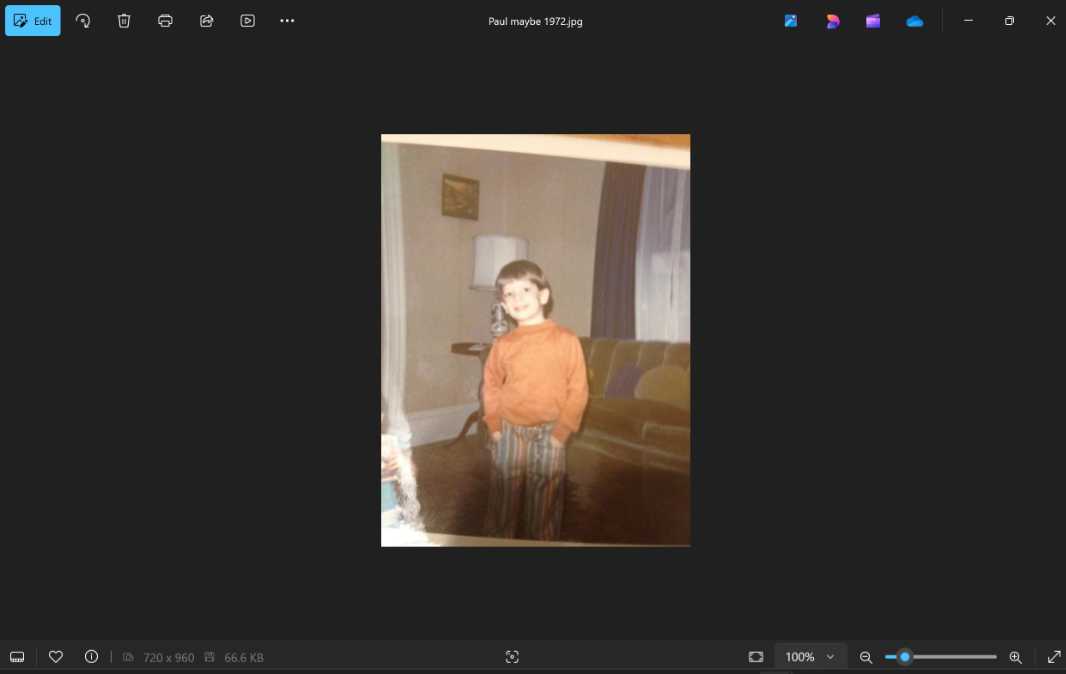
This photo survived a 1987 house fire (as you can see from the damage in the lower left). But it didn’t survive my father, who scanned it to a terrible low resolution of just 720 x 960 pixels. Opening it in the Photos editor, I see there’s a new command in the toolbar, for Super Resolution.

There’s not much by way of options. There’s just a slider that can upscale the image from 1X to 8X. I tried an interim value and a divider appeared, so I could see the before and after.

There’s a fun little color animation while it does its work. This process took 5 or 10 seconds for this image, but bigger images took quite a bit more. I upscaled an 1866 x 1978 image by 5X, and it took over two minutes to do its thing. Not that it matters: The results, as noted, aren’t great. Each just seems like a zoomed-in version of the low-res original.

It’s still useful for upsizing. But maybe this will improve in time.