Windows 11’s Microsoft Store Gets Smarter Search and Copilot Integration
- Laurent Giret
- Jun 05, 2025
-
0
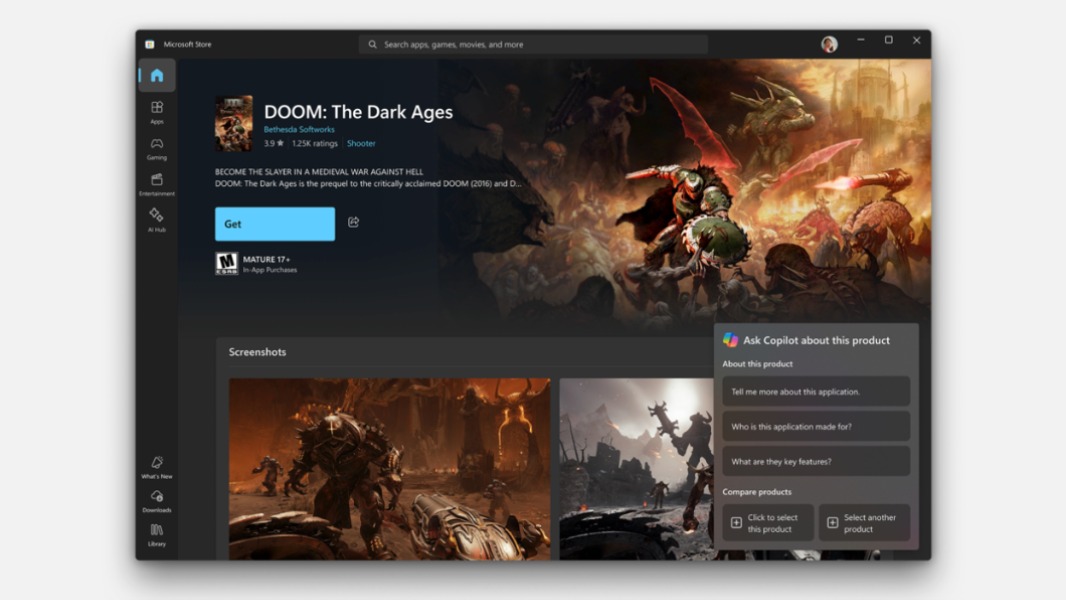
The Microsoft Store on Windows 11 is getting a revamped search experience and new product page badges to highlight apps with AI features. In the US, the digital storefront is also adding a new Copilot button on product pages to let users ask questions about the apps they’re viewing and more.
First of all, Microsoft says that it has “re-architected” the search experience to make it smarter. “It is now more intent-aware, leverages signals like app updates and ratings more diligently for ranking and addresses language-specific nuances. This translates to results that are more relevant to what you are looking for,” explained Giorgio Sardo, Vice President, Microsoft Store.
Product pages on the Microsoft Store are also adding a new “Discover More” section with related content that may be of interest. For US users, the new Copilot button will appear at the bottom right corner of store listings. Clicking will open a pop-up window with suggested questions about the product in view, and it’s also possible to select two products for comparison.
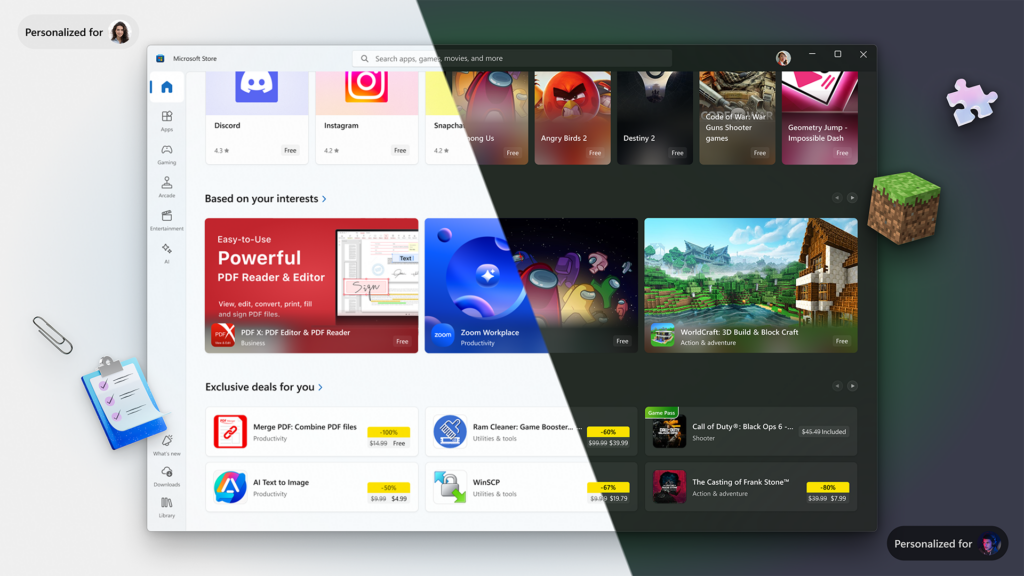
In the coming weeks, the Microsoft Store will also introduce personalized home pages based on users’ habits, local trends, and recent deals. “ Whether you’re a gamer chasing the next big hit, a productivity enthusiast looking for time-hacks or a developer in search of tools, the newly redesigned homepage will elevate the content most meaningful to you,” Sardo explained.
Lastly, Microsoft improved how Microsoft Store apps are integrated into Windows Search. It’s now possible to install apps and games directly from Windows Search results. Microsoft is also testing new app suggestions in the “Open with” context menu that shows up when users need to select an app to open a specific file. This new experience is currently available for Insiders on the Beta Channel.