Xbox Ally’s Full-Screen Xbox Experience is Coming to Other Windows Handhelds
- Laurent Giret
- Jun 10, 2025
-
4
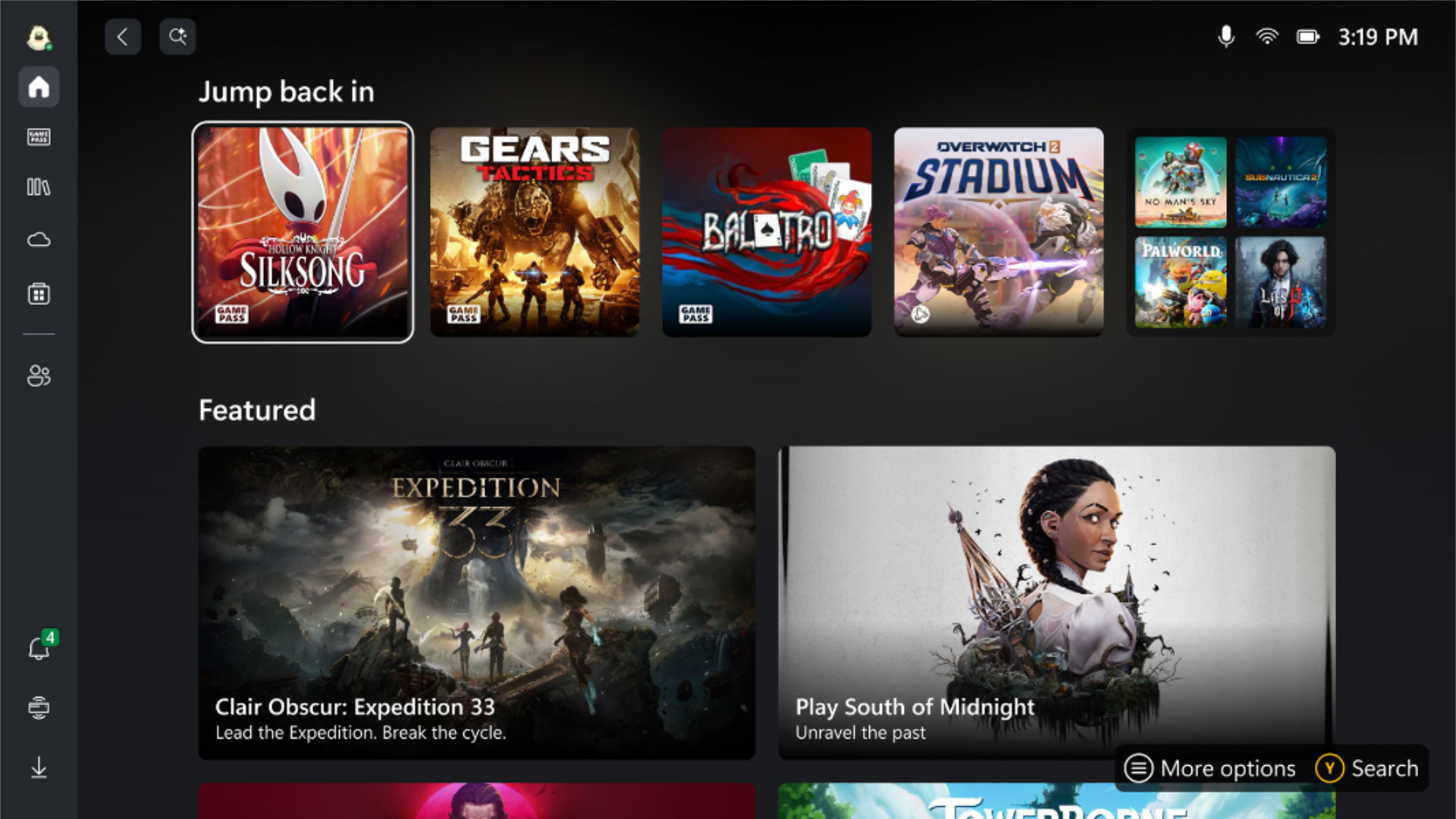
The new ROG Xbox Ally and Ally X Microsoft announced during its Xbox Games Showcase on Sunday will be the first Windows-based gaming handhelds to launch with a full-screen Xbox experience that completely hides the Windows desktop. This new experience will also disable non-essential tasks to deliver better gaming performance compared to other handhelds running the regular version of Windows 11.
This new Xbox Experience, which looks similar to the existing compact mode for the Xbox app on PC, won’t be exclusive to the Xbox Ally, however. Speaking with The Verge, Roanne Sones, CVP Gaming Devices and Ecosystem at Xbox, said that it would be coming to other Windows handhelds, starting with the non-Xbox-branded Asus ROG Ally and ROG Ally X.
“The Xbox full-screen experience will first come to the ROG Xbox Ally and the ROG Xbox Ally X, and our next focus will be updating the in-market ROG Ally and the ROG Ally X,” says Sones. “Similar full-screen Xbox experiences will be rolling out to other Windows handhelds, starting next year.”
This is interesting because the regular version of Windows 11 isn’t really optimized for gaming handhelds with small screens. A recent video from YouTuber Dave2D also revealed that Valve’s SteamOS offers much better gaming performance on gaming handhelds than Windows 11, even though SteamOS is running Windows-based games via Valve’s Proton compatibility layer.
Brianna Potvin, a principal software engineering lead at Xbox who also spoke with The Verge explained what happens under the hood when the Xbox Ally’s full-screen Xbox experience is running. “Some of our early testing with the components we’ve turned off in Windows, we get about 2GB of memory going back to the games while running in the full-screen experience,” Potvin said. “If you’re booting your device into the full-screen experience and you’re putting it down and it’s going to sleep, it draws one third of the idle power draw than if it was booting the same device into the [Windows] desktop experience,” she added.
It will still be possible to exit this full-screen Xbox experience on the Xbox Ally (and soon, other Windows-based handhelds) and access the traditional Windows desktop. However, the desktop wallpaper, the taskbar, and various background processes are disabled by default to optimize performance. Microsoft also reduced many notifications and pop-ups when the full-screen Xbox experience is running.
It’s not clear yet if it will eventually be possible to load this full-screen Xbox experience on all Windows 11 PCs, not just Windows-based handhelds. In the meantime, the aggregated gaming library that will debut on the Xbox Ally is also coming to the Xbox app on PC. This will allow Windows 11 users to see all of their PC games from Steam, Battle.net, the Epic Games Store, GOG, and Ubisoft Connect right from the Xbox app.