Microsoft Issues New Insider Preview Builds for Beta and Dev Channels
- Paul Thurrott
- Jul 14, 2025
-
0
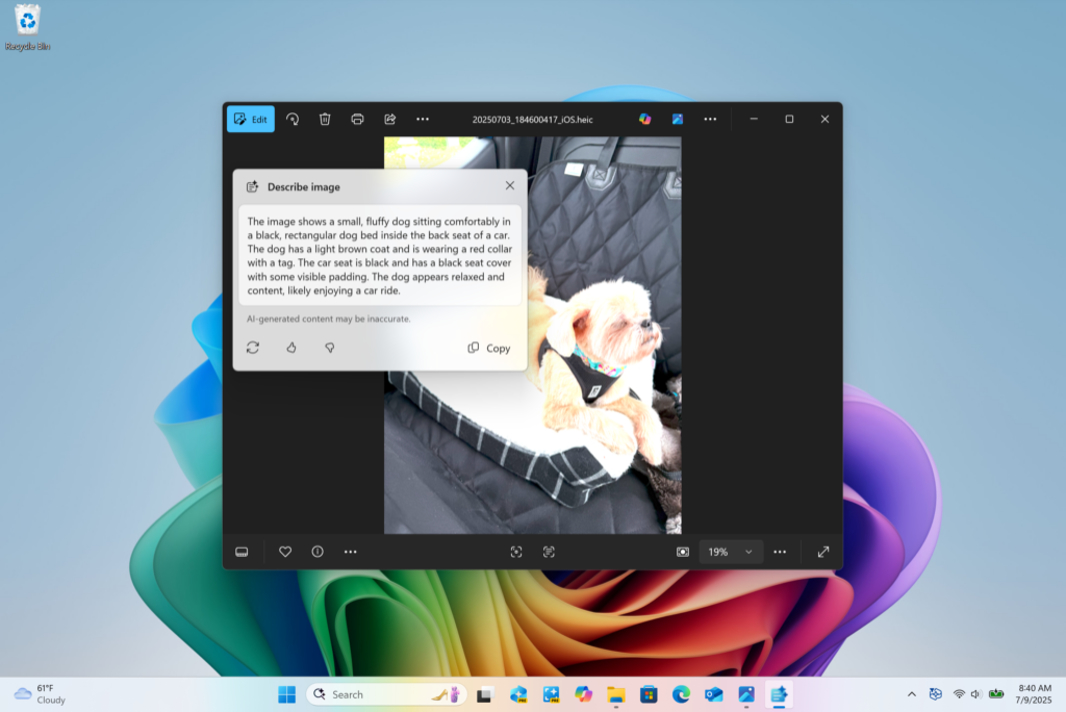
If you have a PC enrolled in the Beta or Dev channels of the Windows Insider Program, it’s time for another update.
Those in the Beta channel can install cumulative update KB5062651 to upgrade Windows 11 version 24H2 to build 26120.4733. And those in the Dev channel can install KB5062653 to upgrade Windows 11 25H2 to build 26200.5702. Both of these builds include:
New Copilot+ PC experience. Click to Do is getting a new “Describe image” action to get detailed descriptions of images, charts and graphs. As always, this is rolling out to Snapdragon X-based Copilot+ PCs only at first, with x64 PC support comin soon.
Administrator protection. This upcoming platform security feature in Windows 11 is now available to Insiders, but it’s disabled by default. You can enable it in Windows Security > Account protection.
App permission dialog update. App permission dialogs will now appear as a system modal dialog so that you can’t do anything else in the app window until you’ve addressed the dialog.
Fixes. These builds also include fixes for issues with the Taskbar, Search, File Explorer, Live Captions, Dynamic Lighting, Graphics, Settings, and more.