Qualcomm-Powered PCs Can Now Download PC Games from the Xbox App
- Laurent Giret
- Aug 13, 2025
-
4
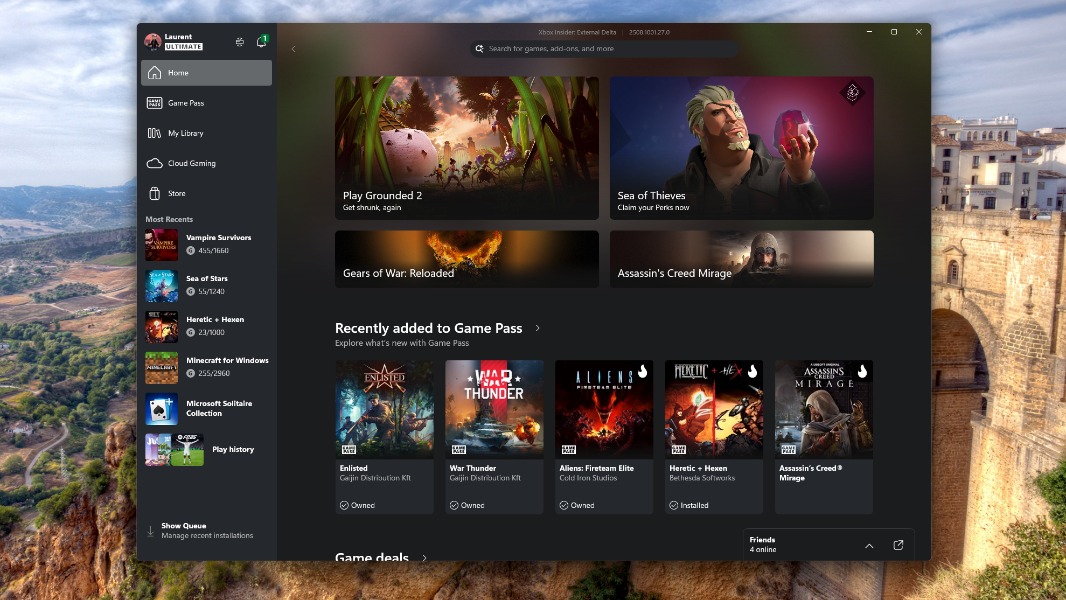
Microsoft is finally making it possible to download PC games from the Xbox app on Windows on ARM devices. A new update for the Xbox app that’s now rolling out to Insiders enables game downloads on Qualcomm-powered PCs. Until now, the app only displayed cloud-enabled games to Windows on ARM users.
The Xbox app treating Qualcomm-powered PCs as second-class devices that can’t download and run PC games locally has always been strange. That’s probably because most of the games on this digital storefront use the x64 architecture, with Minecraft: Bedrock Edition being one of the rare native ARM64 games available there. The app doesn’t have a filter to surface ARM64 titles yet, but x64 games should still work fine thanks to Microsoft’s Prism emulator.
I don’t have a Qualcomm-powered PC here, but I tested a couple of x64 games on my Windows on ARM virtual machine running on an Apple Silicon Mac. Pixel art-style games like Vampire Survivors and Sea of Stars run flawlessly, but the recent Heretic + Hexen crashes at launch. Still, this should be an exciting update for owners of Qualcomm-powered PCs.
Games that can now be installed on Windows on ARM PCs include PC games purchased from the Xbox app, Xbox Play Anywhere titles, and PC Game Pass games. “Windows and Xbox are working closely together to ensure compatibility across the catalog, and we’re developing new features that will enable more games to be played on Arm®-based Windows 11 PCs in the coming months,” the Windows Insider team said today.
To test this new Xbox PC app experience on a Qualcomm-powered PC, you’ll need to be a Windows Insider and join the PC Gaming Preview from the Xbox Insider Hub app. You should also make sure to download the version 1001.27.0 of the Xbox app from the Microsoft Store.