Microsoft Will Soon Fix One of the Biggest Problems with Word
- Paul Thurrott
- Aug 26, 2025
-
12
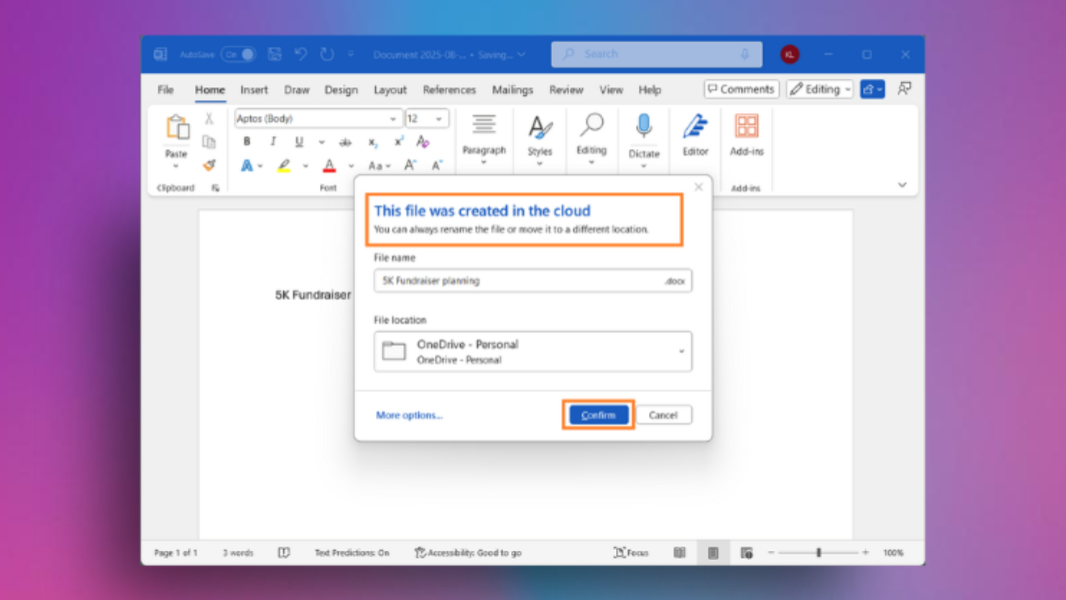
Microsoft Word has long supported an auto-save feature, but only if you use the app with OneDrive. But it looks like the next Windows version of the app, which is part of the Office/Microsoft 365 suite, will support a more sophisticated auto-save feature that works with other cloud services too.
“We are modernizing the way files are created and stored in Word for Windows,” Microsoft Office product manager Raul Munoz writes. “Now you don’t have to worry about saving your documents: Anything new you create will be saved automatically to OneDrive or your preferred cloud destination.”
Or your preferred cloud destination. Interesting.
This updated auto-save feature requires Word for Windows version 2509 (build 19221.20000) or later, and it’s coming to Excel and PowerPoint for Windows later this year. I’m currently on version 2508 in stable, and that’s the latest version for now. But I am curious about this.
According to Munoz, Word will now auto-save all new documents by default, regardless of where you choose to save them by default. These auto-saved documents support collaboration with others, Copilot, and agents, and basically just work normally. No matter where you decide to save documents.
Finally?