Xbox August Update Brings Cross-Device Play History, My Apps, and More
- Paul Thurrott
- Aug 28, 2025
-
0
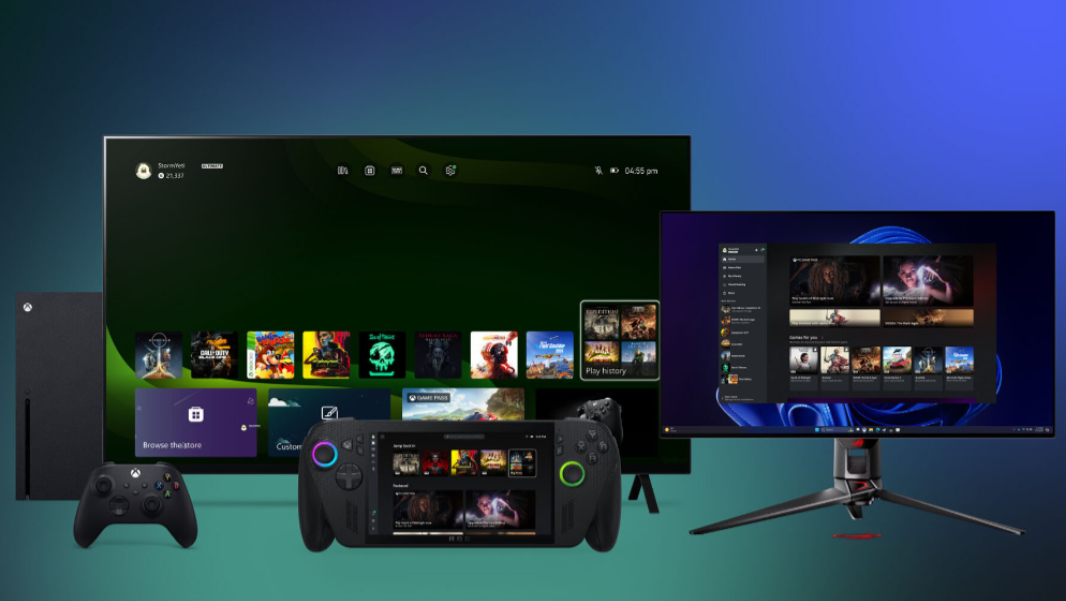
Microsoft has released the August Update for Xbox, adding four major new features to the platform, two in stable and two for Insiders.
“As part of our continuing effort at Xbox to deliver more meaningful and fun gaming moments, however you play, we’re bringing some exciting improvements across devices in this month’s update,” Microsoft product marketing manager Dean Shimabukuro writes.
Here’s what’s new.
Cross-device and cloud-playable play history. Now rolling out, this new feature makes it easier to continue playing your games across Xbox, no matter which devices you use. Your play history will now appear in Most Recent in the Xbox app on Windows and in the Play history tile on an Xbox console, letting you pick a game back up from either device. If a game in your play history is cloud-playable–which can include OG Xbox, Xbox 360, Xbox One, and Xbox Series X|S titles–you will see that as well, so you can stream it to any compatible device with an Xbox Game Pass subscription.
My apps. Available no to Xbox Insiders, this feature appears as a new tab in the Xbox app for Windows so you can quickly access third-party game launchers and stores (Steam, Epic Games, and so on), key apps like web browsers, and other key apps right from your library. “This builds on our work with the aggregated gaming library, making it easier to find, download, and launch your games from multiple storefronts directly from the Xbox PC app,” Shimabukuro notes. “Whether you’re on a Windows 11 PC or a handheld gaming device, My apps help streamline your setup so you can spend more time playing and less time searching.”
Gaming Copilot (Beta). Now available to Xbox Insiders who enrolled in the PC Gaming Preview, this feature appears as a new widget in Game Bar on Windows 11 and lets you access Copilot while playing a game, so you can get help when you need it.
Improved controller navigation in the Xbox app for Windows. Microsoft has updated the Xbox app so you can move between keyboard, mouse/touchpad, and controller navigation at any time and, in the latter case, get a more intuitive, Xbox-like experience. You can tap A to select, B to go back, and Y to search, the triggers and bumper actions are smoother, scrolling is faster, and the app handles memory better.
In addition to these updates, Xbox also noted the following:
- Xbox Play Anywhere supports well over 1,000 titles, and over 20 new games were added in July alone.
- There are now over 450 titles in the Stream Your Own Games collection in Xbox Cloud Gaming for those who subscribe to Game Pass Ultimate, including about a dozen new games that were recently added.
- Microsoft added six more titles to its Retro Classics collection for all Game Pass subscribers, including Caesar 3, Climber 5, Oystron, Private Eye, Shootin’ Gallery, The Colonel’s Bequest, and Wing War, bringing the total to well over 100.
- Microsoft has added mouse and keyboard controls to 12 new games, including Grounded 2 and Heretic + Hexen. And it added touch controls to Grounded 2.