Microsoft 365 Copilot App for iOS is Losing the Ability to Edit Office Files
- Laurent Giret
- Sep 17, 2025
-
10
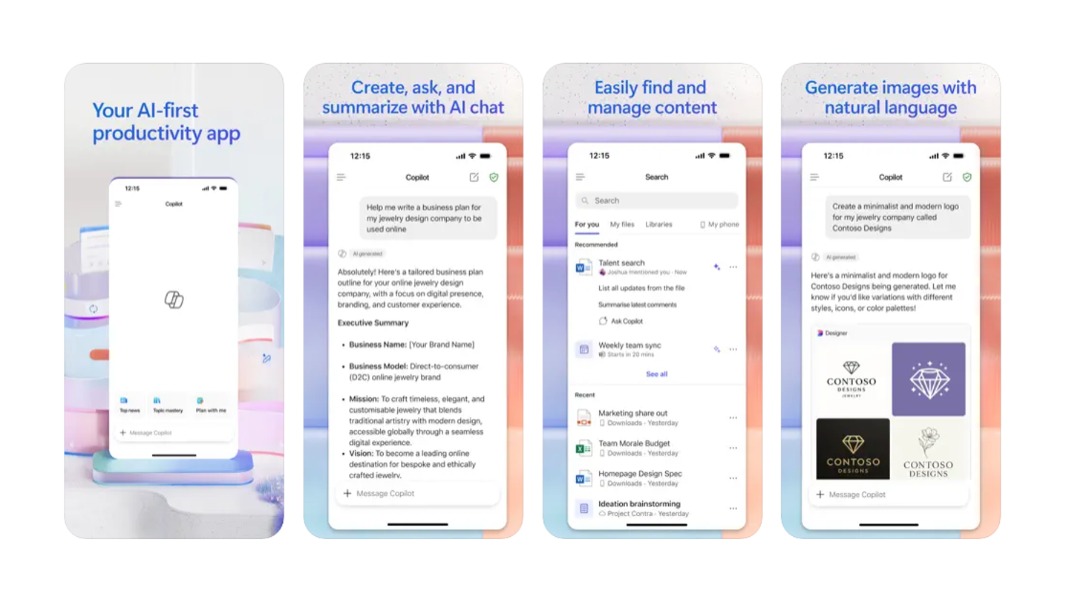
Microsoft is about to change how its Microsoft 365 Copilot app for iOS works in a pretty big way. This app, which used to be simply called “Office”, then “Microsoft 365,” then “Microsoft 365 Copilot,” will soon lose the ability to edit Office files, forcing iOS users to install the standalone Word, Excel, and PowerPoint apps along the way.
This change is happening because Microsoft is turning this app into a Copilot-focused productivity hub that will still let users create new Office documents with AI. However, Copilot-powered file previews will soon replace the ability to edit existing Office documents in the app.
“Consumption of all your files, including Word, Excel, and PowerPoint files, in the Microsoft 365 Copilot app will be powered by an in-context preview, with the ability to ask Copilot for assistance on the file. To edit the contents in a document, you will now be prompted to switch to the Word, Excel, and PowerPoint apps,” the Office team explained in the announcement.
The ability to browse and manage OneDrive files will also disappear from the Microsoft 365 Copilot app, forcing users to use the standalone OneDrive app for most file management tasks. OneDrive files will remain searchable from the Microsoft 365 Copilot app, however.
The Office team also mentioned that the Outlook, OneDrive, and Teams apps for iOS will lose the ability to open Office files in the Microsoft 365 Copilot app. These apps will only display file previews unless the standalone Word, Excel, or PowerPoint apps are installed.
I’m sure I won’t be alone in missing the simple, all-in-one Office app that went through several rebrandings before the Copilot invasion began. The Microsoft 365 Copilot app for iOS now defaults to a chat interface, with search and Office file creation hidden in the left sliding panel. This app may now be more useful for enterprise users with a Premium Copilot license, as that will let them search for any of their organizational content using natural language prompts.