New OneDrive App for Windows With Copilot Integration and Photos Features Leaks
- Laurent Giret
- Oct 03, 2025
-
1
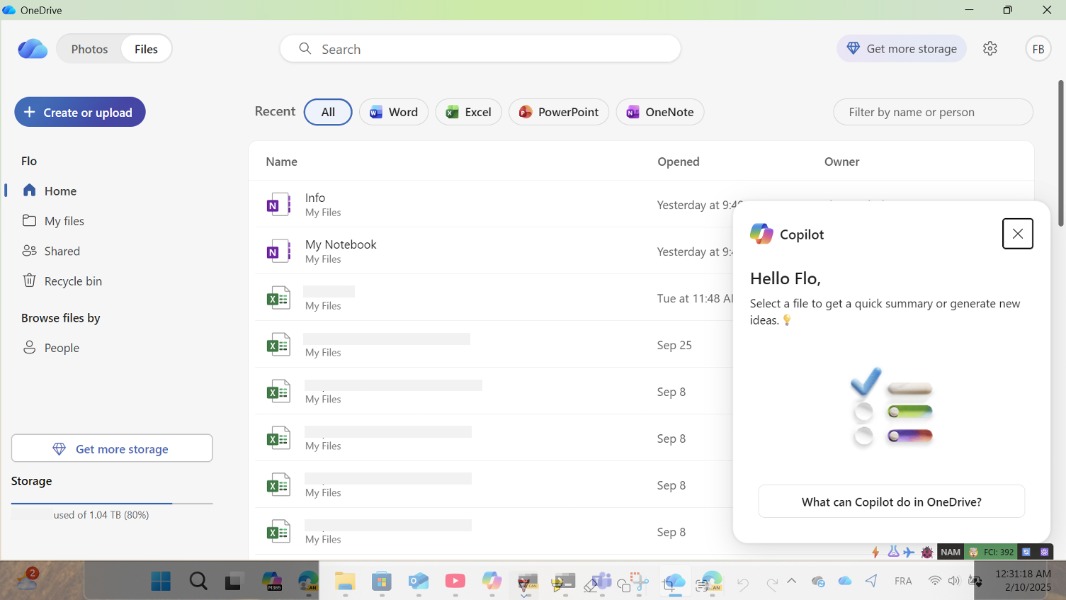
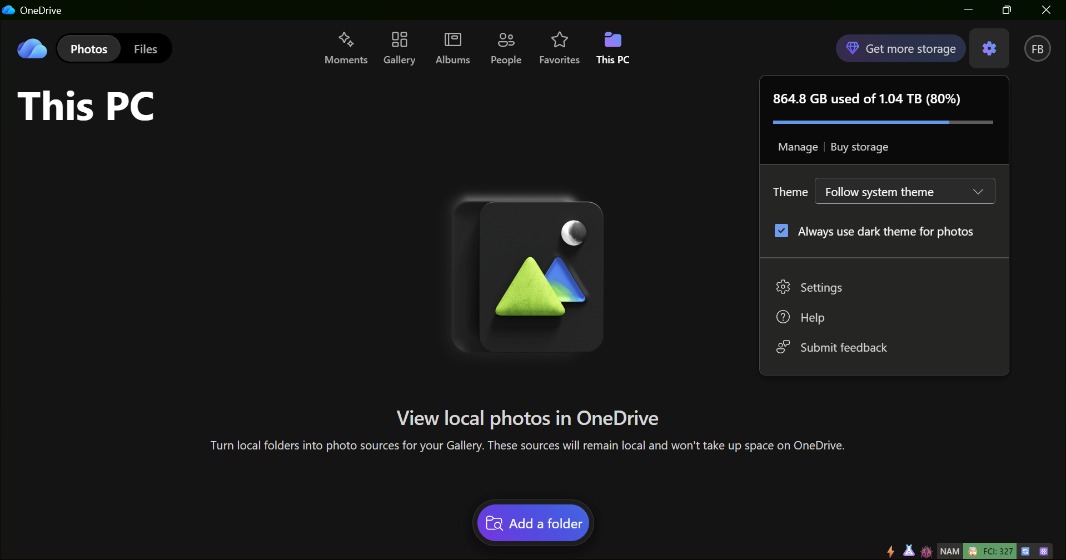
Microsoft is testing a new version of its OneDrive app for Windows 11 with a built-in photo gallery and Copilot integration. The new app has two separate tabs for managing Files and Photos, just like the OneDrive mobile apps, and the photo viewer also works with local photos.
My friend Florian tipped me about this new version earlier this week, but I haven’t been able to try it as it’s not compatible with Windows on ARM. While Microsoft hasn’t officially announced the app yet, Windows Central found a way to download the installer from Microsoft’s servers.
This new OneDrive client features the new icon style for Microsoft 365 apps that Microsoft announced alongside its new Microsoft 365 Premium Plan earlier this week. In the Files view, the Copilot integration can summarize files (it also works with local files) and help users generate new ideas. OneDrive is already integrated into File Explorer, however, and most users will likely stick with that to manage their OneDrive files.
The Photos view lets users search for photos, organize them, and relive memories created by OneDrive. There are shortcuts for Moments, Albums, People, and Favorites, just like on the OneDrive mobile apps.
Overall, this new OneDrive with its file browsing capabilities and Copilot integration offers much more than the current sync client. However, if you’re used to accessing OneDrive from File Explorer and the OneDrive web app, you may well think that this new OneDrive app won’t be quite useful to you. Microsoft will be holding a Copilot + OneDrive event next week on October 8, and we’ll likely hear more about this new Windows app on this occasion.