OpenAI Launches ChatGPT for PowerPoint Add-in in Beta
- Laurent Giret
- May 22, 2026
-
1
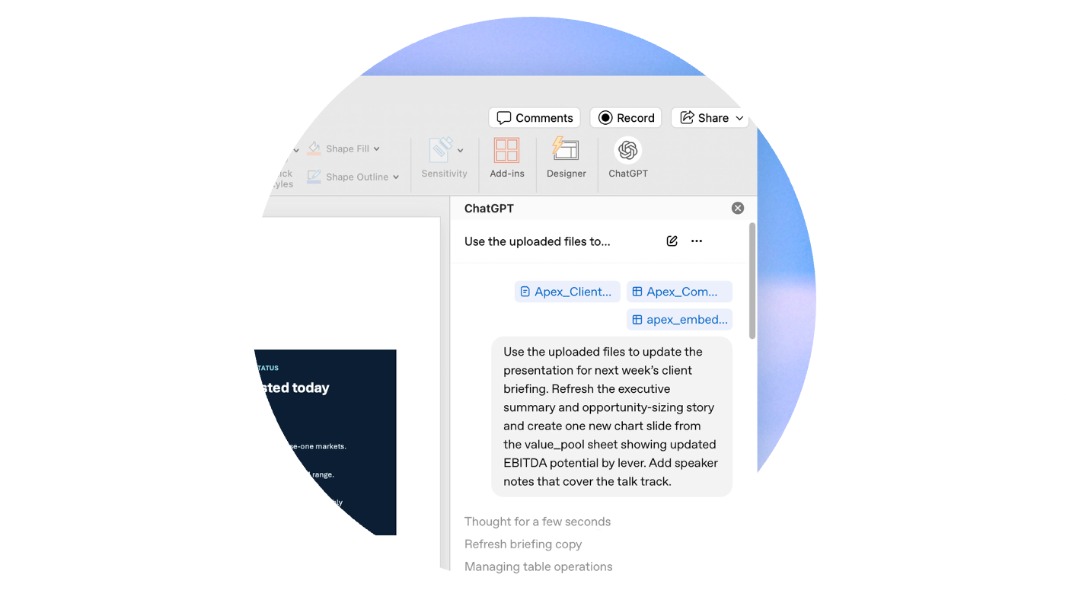
OpenAI launched yesterday a new ChatGPT integration in Microsoft PowerPoint in beta. It’s available for free and paid ChatGPT users, and it can be used to turn chat conversations into full-fledged presentations. PowerPoint users can also upload documents or an existing deck that ChatGPT will use to create its slides.
The AI startup already offers a similar ChatGPT integration into Microsoft Excel, but to my knowledge, it’s not available in Word yet. To add the new ChatGPT add-in, PowerPoint users will need to go to Home > Add-ins, then search for ChatGPT and sign in with their OpenAI account.
Have you ever thought to yourself: I really don't want to make this PowerPoint.
Good news: ChatGPT can now create and edit presentations directly in PowerPoint.
Build, update, understand, and polish presentations directly in PowerPoint while keeping slides editable.
Now in… pic.twitter.com/q3rTN24AHh
— ChatGPT (@ChatGPTapp) May 21, 2026
ChatGPT in PowerPoint can also be used to create images and connect to third-party apps linked to users’ ChatGPT accounts. However, the integration of the chatbot has some limitations: In an FAQ, OpenAI said that “some advanced PowerPoint capabilities may not be supported yet, including complex formatting like template or font handling.
Because this ChatGPT add-in is in beta, OpenAI recommends that PowerPoint users always review its changes. By default, OpenAI won’t use data shared with ChatGPT from Business, Enterprise, and Edu users to improve its models, but you may want to review your data sharing settings anyway.
Earlier this week, OpenAI announced a couple of other updates for ChatGPT, including a new flight and package tracker, the ability to store and reuse files for Free and Go users, as well as more visual answers for Free users.