Gemini on Google TV Can Now Adjust Picture and Sound Settings on Select TCL Smart TVs
- Laurent Giret
- Jun 11, 2026
-
0
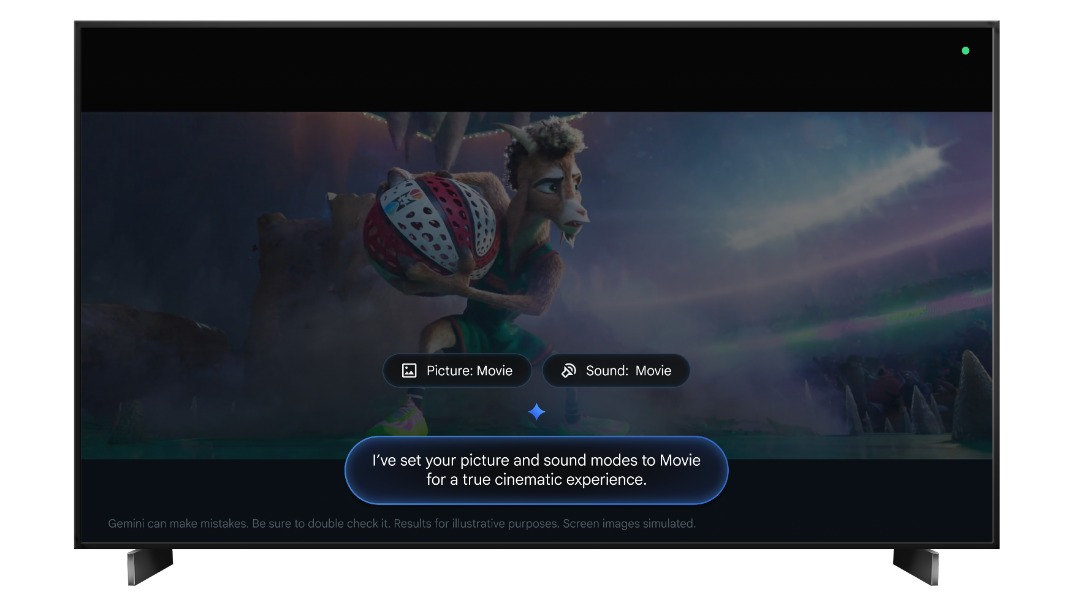
The new Gemini for Google TV experience that will be replacing the Google Assistant on Google TV smart TVs is now capable of controlling TV settings. Users of select Gemini-enabled TCL smart TVs will soon be able to use the chatbot to adjust audio and video settings, troubleshoot picture and sound issues, and more.
“You no longer have to dig through settings menus to optimize your viewing experience—just press and hold the microphone button on your remote (or say “Hey Google”) to chat with Gemini and get the help you need,” the Google TV team explained today.
Gemini on Google TV will be capable of adjusting brightness, contrast, and other picture settings, changing sound modes, or just applying the best video and audio settings for the mood or time of day. When users want to access specific TV settings without using their TV remote, Gemini will also be able to find and display them.
These new Gemini for Google TV capabilities will be rolling out to US customers with the TCL QM9K, X11L, QM9L, QM8L, and RM9L smart TV models. Gemini for Google TV is also available in Canada in English and French, but those users will have to wait.
Lastly, Google is also rolling out a new FIFA World Cup Hub on Google TV with information about live games, upcoming matches, plus game summaries and post-game content from YouTube. This is available from the Sports topic page starting today.