Windows 10

Windows 10 Technical Preview 2 Tip: Toggle the Dark Theme
- Paul Thurrott
- Feb 06, 2015
-
0
comment
One coming feature that appears to be missing in Windows 10 Technical Preview is a…

Word for Windows 10 Preview
- Paul Thurrott
- Feb 05, 2015
-
0
comment
Like many of you, I was quite happily surprised by this week’s unexpected preview releases…

Microsoft Releases Update Rollup for Windows 10 Technical Preview 2
- Paul Thurrott
- Feb 04, 2015
-
0
comment
Every month, it seems, Microsoft changes the way it updates the current pre-release version of…

Preview Versions of Word, Excel and PowerPoint for Windows 10 are Now Available
- Paul Thurrott
- Feb 04, 2015
-
0
comment
Just weeks after revealing that it would deliver universal app versions of its Office apps…

Windows 10 Technical Preview 2 Tip: Enable an Alternate Lock Screen Background
- Paul Thurrott
- Jan 30, 2015
-
0
comment
As you may know, Windows 10 Technical Preview 2 ships with a number of attractive…

Windows 10 Technical Preview 2: The Mini-Tablet Experience
- Paul Thurrott
- Jan 30, 2015
-
0
comment
Well, it’s been an interesting 24 hours. I spent most of yesterday afternoon—and much of…

Windows 10 Technical Preview 2 Gallery: Clean Install
- Paul Thurrott
- Jan 29, 2015
-
0
comment
Here is a screenshot gallery showing the Windows 10 Technical Preview 2 clean install process.

Windows 10: Desktop or No Desktop?
- Paul Thurrott
- Jan 27, 2015
-
0
comment
At least week's Windows 10, Microsoft clearly communicated which Windows 10 devices will be able…

Windows 10 Technical Preview 2 Tip: Enable Spartan’s Rendering Engine in Internet Explorer
- Paul Thurrott
- Jan 26, 2015
-
0
comment
As you may know, Windows 10 will ship with two browsers: Internet Explorer for legacy…

Thinking About the Windows 10 Field Guide
- Paul Thurrott
- Jan 26, 2015
-
0
comment
Note: This was cross-posted from the Field Guide Books web site. If you’re not familiar with…

Windows 10 Technical Preview 2 App Focus: OneNote Preview
- Paul Thurrott
- Jan 26, 2015
-
0
comment
Windows 10 Technical Preview 2 users gain access to an interesting peek at Microsoft’s coming…

Windows 10 Technical Preview 2 Tip: Enable Tablet Mode
- Paul Thurrott
- Jan 26, 2015
-
0
comment
Windows 10 Technical Preview 2 is the first pre-release version of Microsoft’s next OS to…

Windows 10 Technical Preview 2 Tip: Download the ISOs
- Paul Thurrott
- Jan 26, 2015
-
0
comment
If you’re using a previous build of Windows 10, you can use the PC Settings…
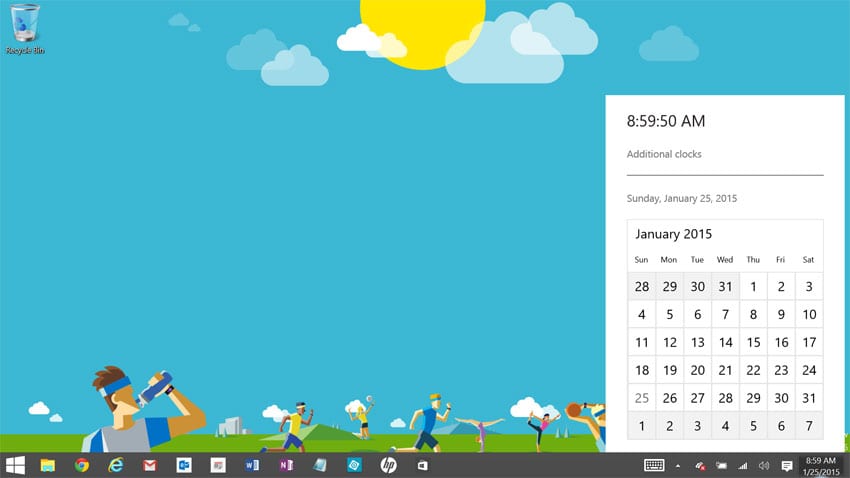
Windows 10 Technical Preview 2 Tip: Enable the New Clock and Calendar Flyout
- Paul Thurrott
- Jan 25, 2015
-
0
comment
Hidden in Windows 10 Technical Preview 2 is a new clock and calendar you can…

Windows 10 Technical Preview 2 App Focus: Maps
- Paul Thurrott
- Jan 25, 2015
-
0
comment
In Windows 10 Technical Preview 2, the built-in Maps app is remade as a universal…
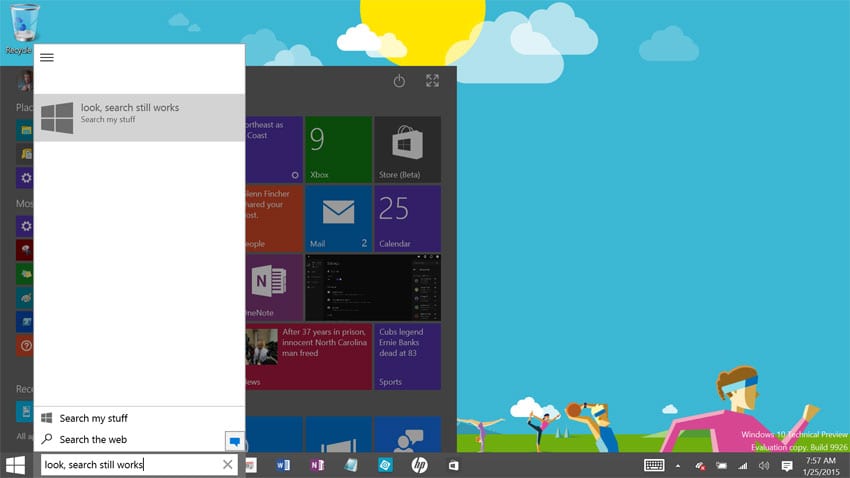
Windows 10 Technical Preview 2 Tip: Reclaim Wasted Space on Your Taskbar
- Paul Thurrott
- Jan 25, 2015
-
0
comment
In Windows 10 Technical Preview 2, Microsoft has configured the taskbar with two huge wastes…