Lenovo Yoga 9i 2-in-1 14 Gen 9 Review
- Paul Thurrott
- Jun 02, 2024
-
11
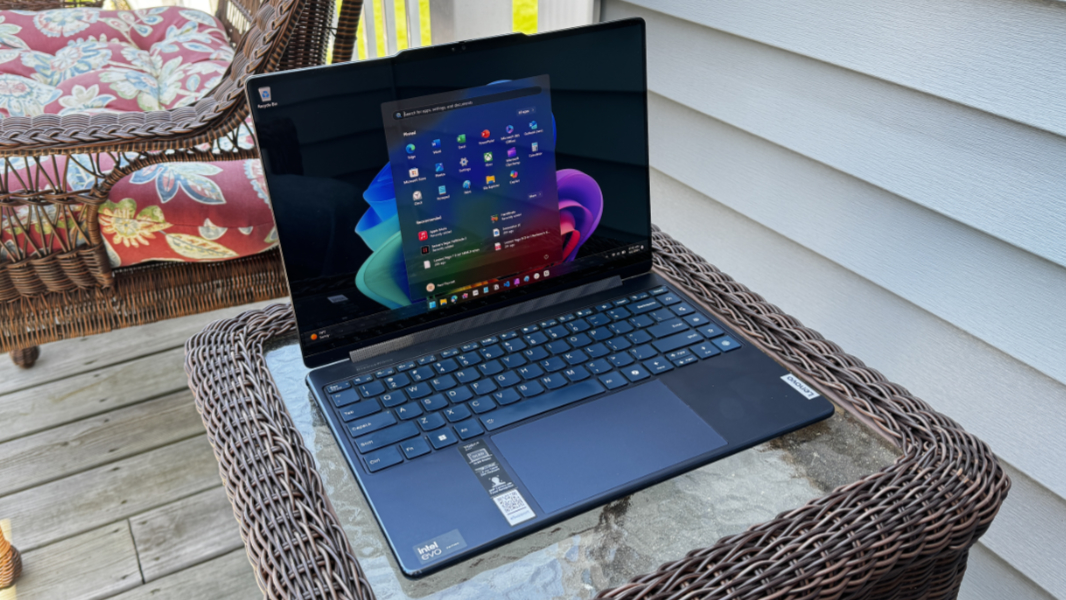
The Lenovo Yoga 9i 14 offers a thin and light premium PC experience with a versatile convertible design and a stunning 16:10 OLED display.
Design
The first thing you notice about the Yoga 9i 14 is that it almost exudes a premium level of quality, with its aluminum construction, finely rounded edges, and, in the Cosmic Blue of the review unit, its unique color. (The other option is Luna Grey.) The second thing you notice continues that trend: When you power it on, the Yoga’s incredible OLED display springs to life with a contrast-rich color rendition of the Yoga logo that nicely hints at the visual splendor to come.
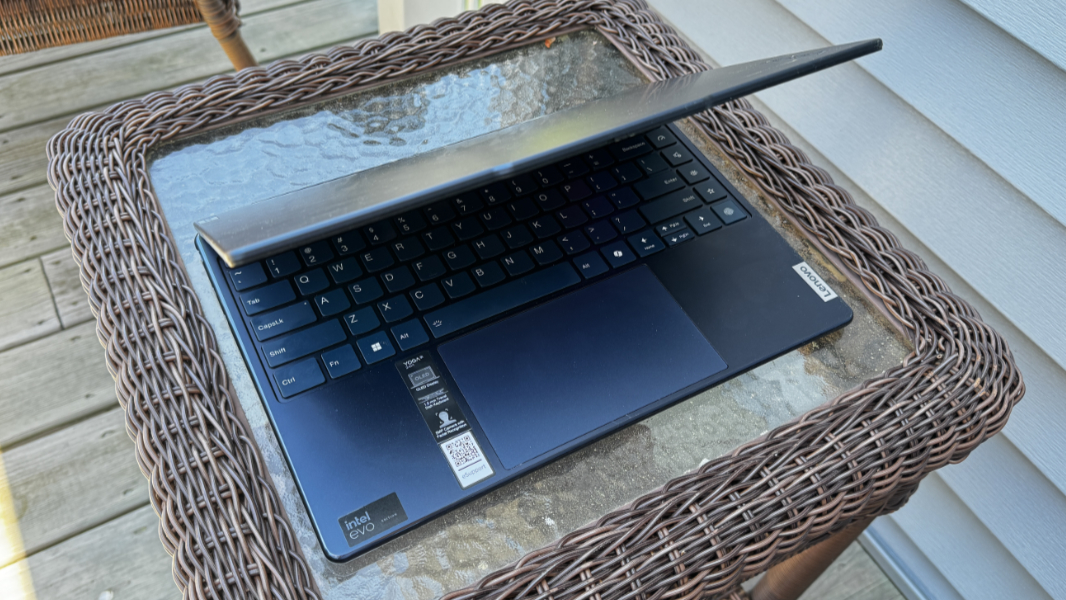
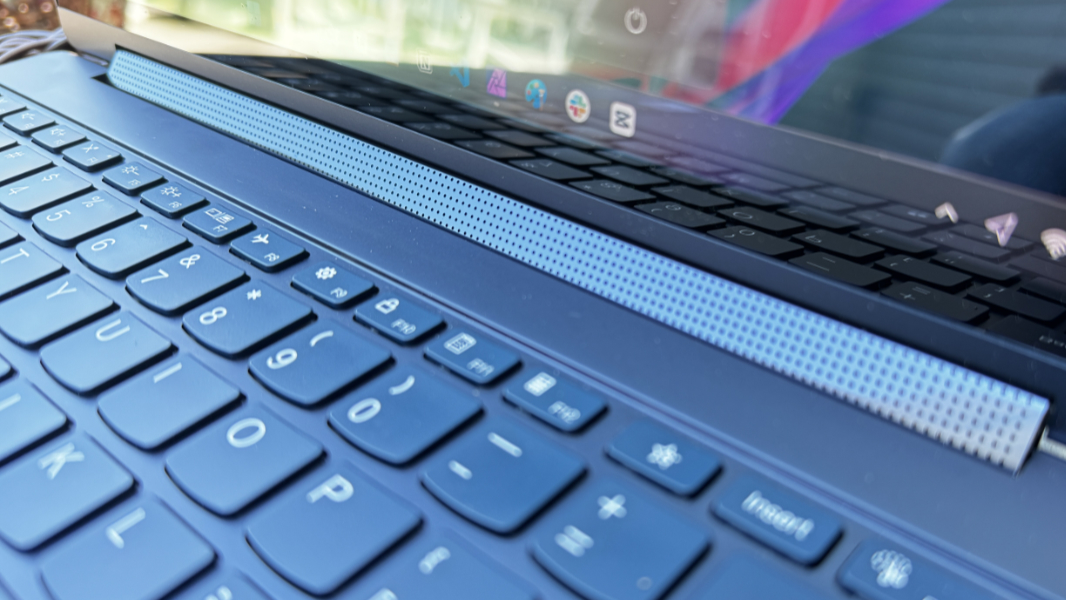
I’m a fan of the modern Lenovo look and feel, with the squared-off Lenovo logo on the display lid and keyboard deck, the stylized and reflective YOGA logo on the display lid, the communications bar (a sort of reverse notch) on the top of the display lid, and, in this case, the unique rotating soundbar covering the display hinge.
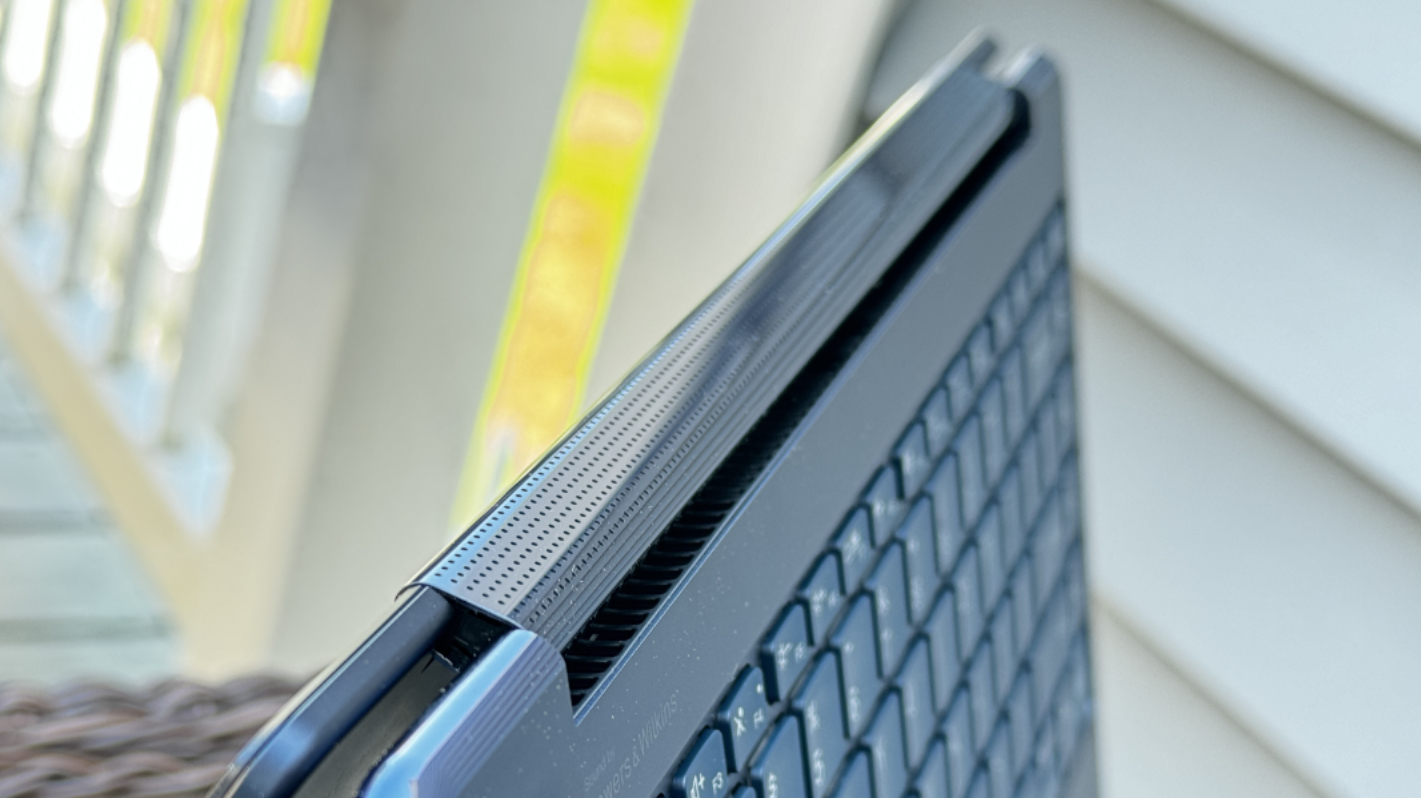
I especially like the shiny, rounded “comfort edge” on the keyboard deck that looks and feels great. And on the review unit, it’s color-matched to the device, as opposed to being shiny aluminum, a really nice look.
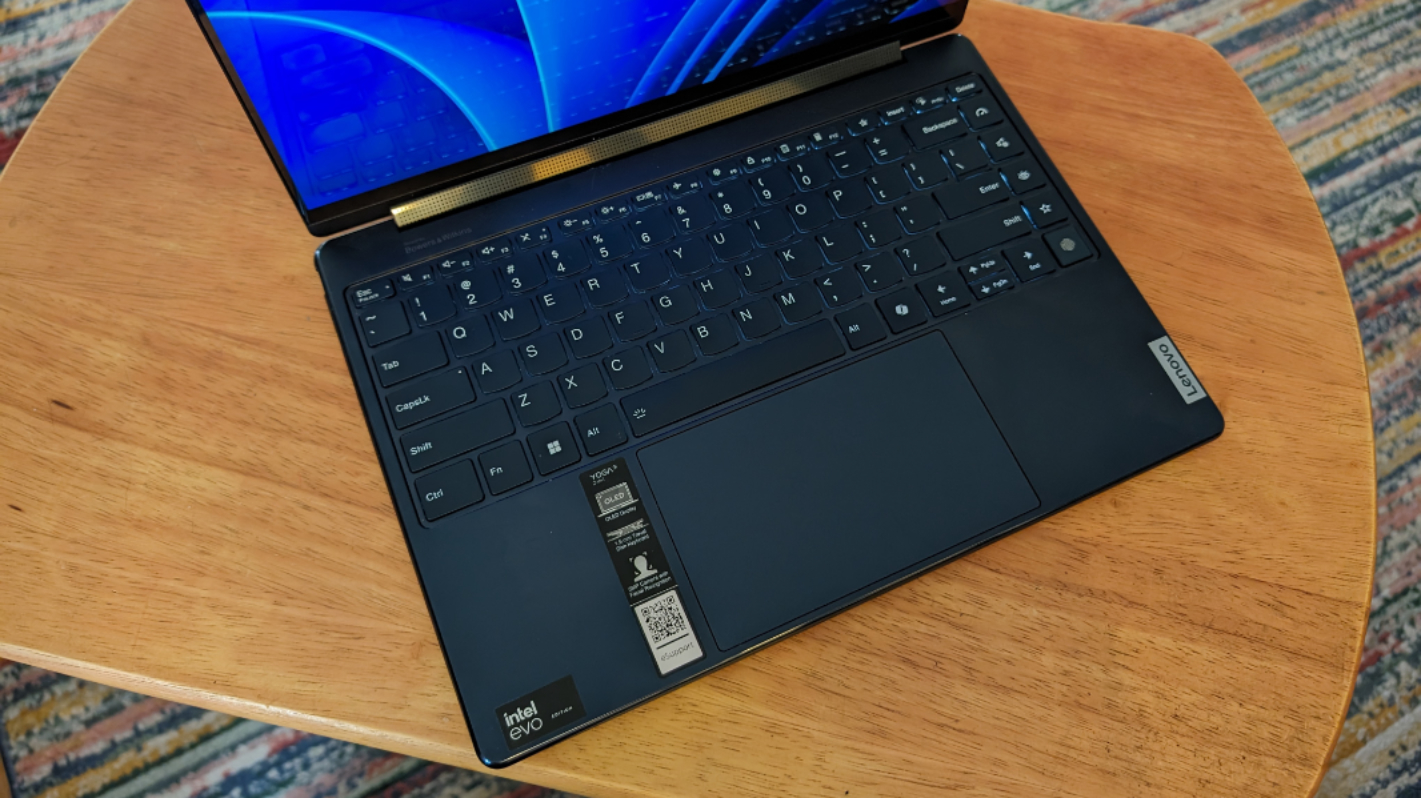
The keyboard surround has been updated since last year with a more cohesive look, and the scalloped keys of the keyboard now have squared-off bottom corners in the bottom row, as happened early with ThinkPad.
As a convertible PC, the Yoga is, of course, quite versatile, and while most will use it semi-exclusively as a traditional clamshell laptop, it can be configured in tent, stand, or tablet modes as well. The latter is particularly useful if you wish to take notes or draw with the bundled stylus.
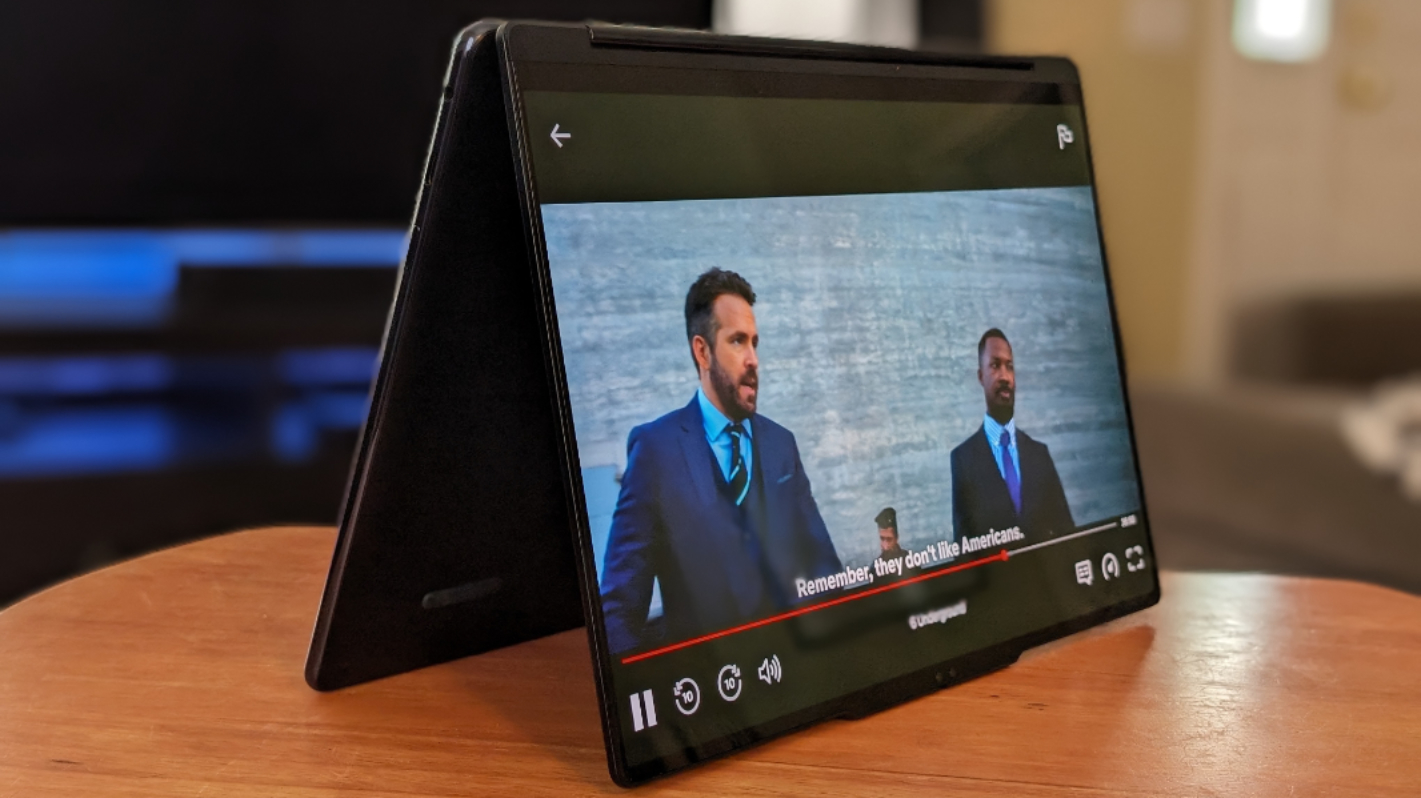
And the Yoga should prove durable over the long term, given its MIL-STD 810H military-grade certifications. What I can tell you definitively is that this PC is rigid and has no flex at all in the display lid or chassis: I can press down in the middle of the keyboard as hard as I can stand, and it barely registers the pressure.
Display
You can choose between two display choices, both of which are 14-inch OLED PureSight panels with a 16:10 aspect ratio that emit 400 nits of brightness and offer 100 percent PCI-P3 color gamut coverage and VESA Certified DisplayHDR True Black 500, Dolby Vision HDR, and multitouch capabilities.
The entry-level display, for lack of a better term, is a 2.8K (2880 x 1800) panel with a 120 Hz refresh rate, while the upgrade option is a 4K (3840 x 2400) panel with a 60 Hz refresh rate.
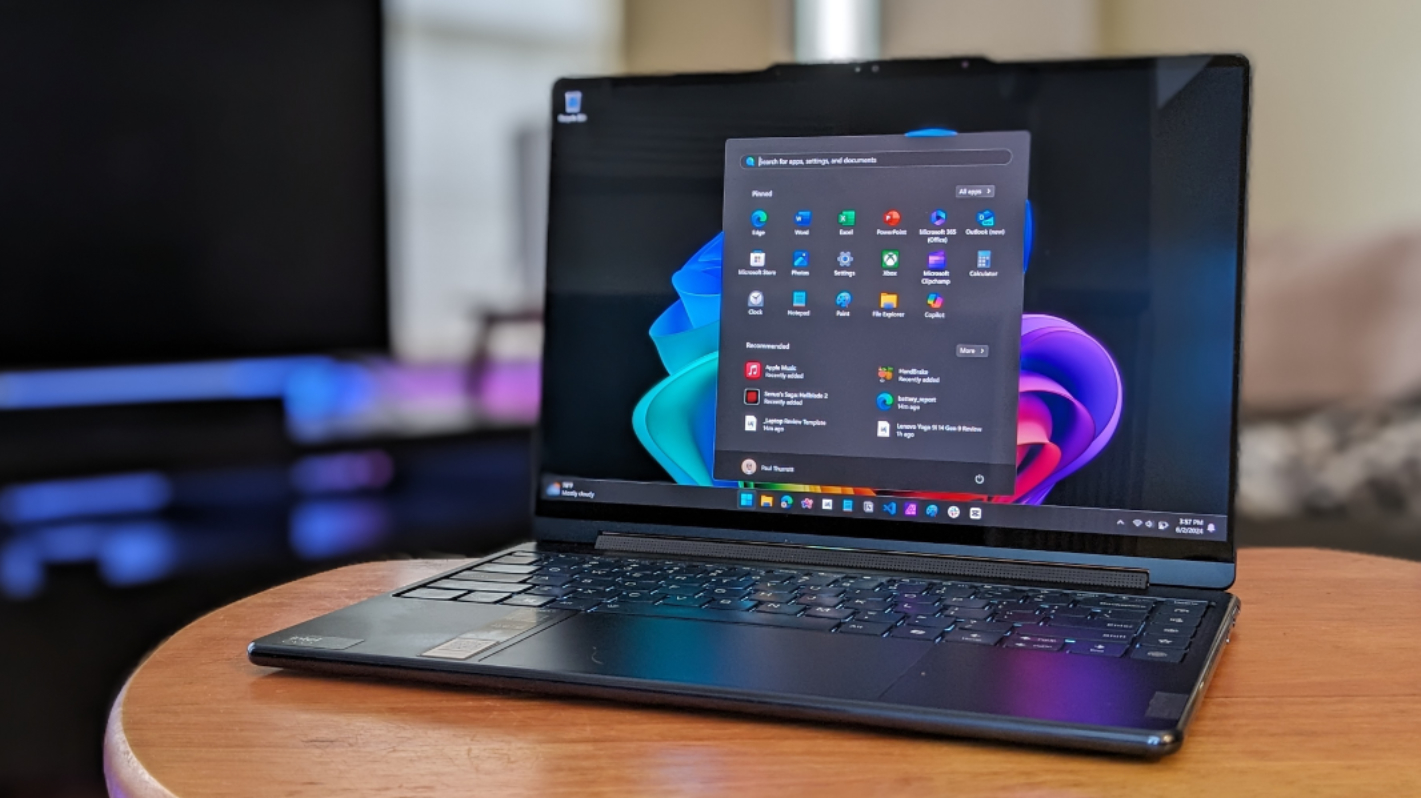
As with last year, the review unit arrived with the “lesser” of the panels, which is, of course, terrific, and an upgrade from its predecessor’s 90 Hz refresh rate. That said, it’s not dynamic, so you have to manually choose between 60 Hz and 120 Hz in the Windows 11 Settings app.
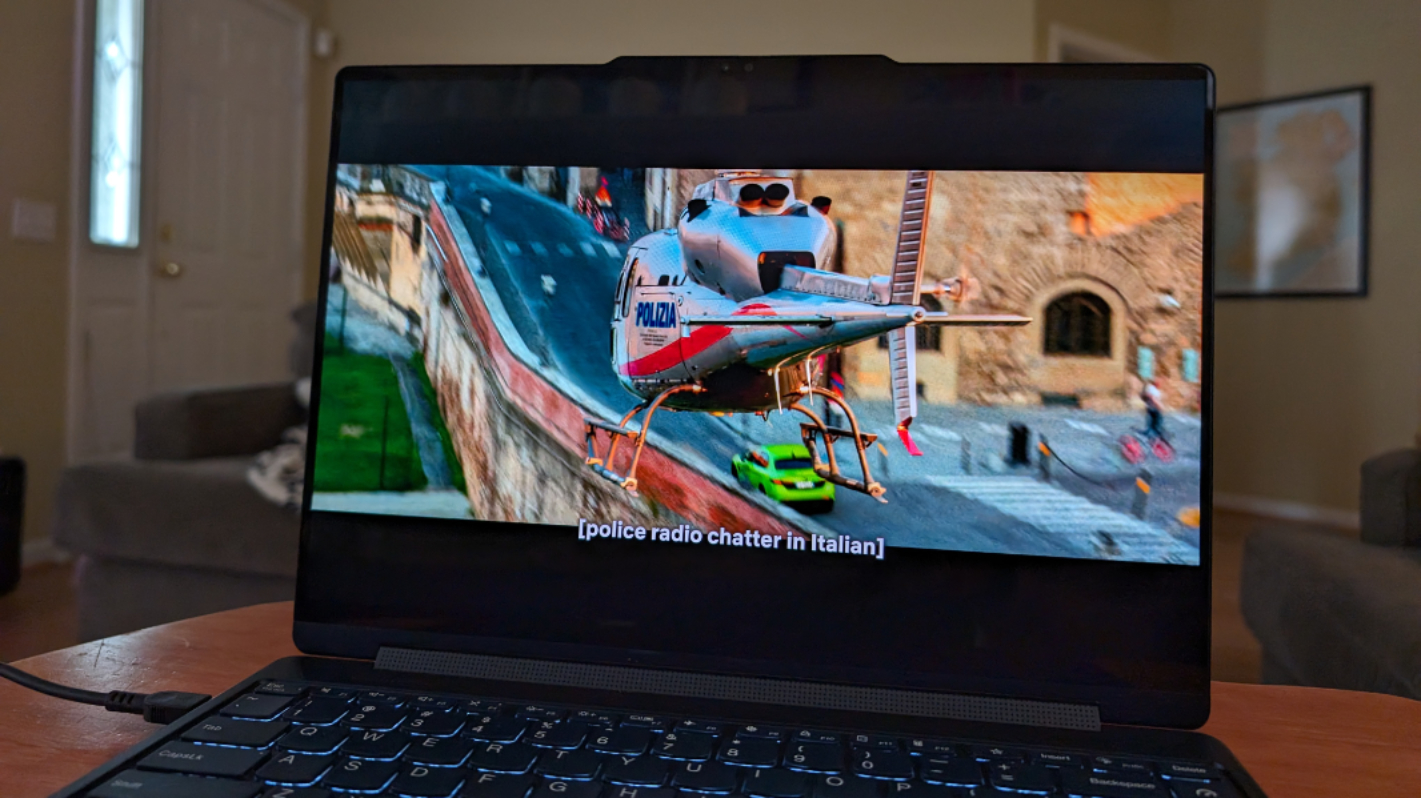
No matter. The visual quality is stunningly good, with the bright, contrast-rich colors and true blacks I expect from OLED. It was a delight to use for both work and play.
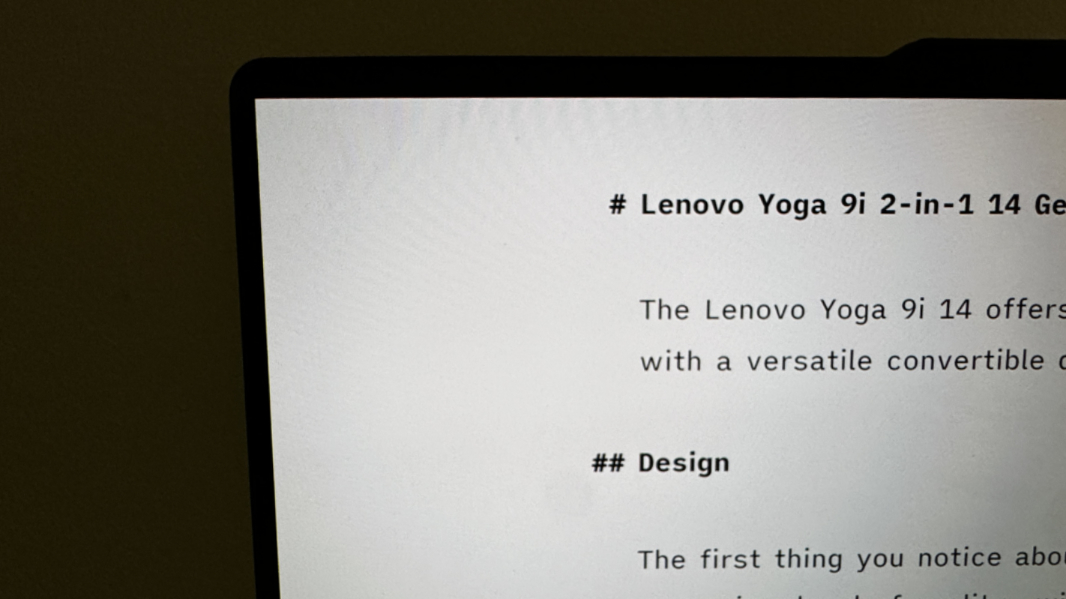
The display corners are noticeably squared off and not curved, as is the case with many other recent Windows 11-based laptops. This isn’t good or bad, but it stands out because the display bezels are so tiny, especially on the sides and top. These may very well be the smallest bezels I’ve seen on a laptop.
Internal components
The most significant change to this year’s Yoga 9i 14 is under the hood: As you might expect, it’s powered by an Intel Core Ultra 7-series processor, which provides a significantly upgraded Arc integrated GPU and an NPU for hardware-accelerated on-device AI.
It’s possible that there were, or will be, different configurations of this PC. But I see just one as I write this: A model based on the Core Ultra 7 155H, which is a fairly standard Ultrabook part this year, with 16 GB of RAM and 512 GB of PCIe Gen 4 2242 M.2 SSD storage and the “base” 2.8K OLED display. Your upgrade choices are minimal but inexpensive: You can upgrade to a 1 TB SSD for just $32, and to the 4K OLED display panel for just $80.
The review unit is pretty much stock, but with the 1 TB SSD upgrade.
Performance was excellent in the standard productivity tasks I typically engage in. And while there was sometimes a soft fan hum, it was never obnoxious or loud, and the PC was often silent or nearly so.
In reviewing the Lenovo Yoga Pro 9i 16–a beefy portable workstation-class laptop with an H-series Core Ultra processor and dedicated Nvidia graphics–I converted a 720p video to 1080p with Handbrake, comparing the results with the same conversion using the same app on my MacBook Air M3. And while I don’t usually do this kind of thing, it was fresh in my mind and I thought it might be interesting to do so with this PC, too, and compare the three.
The Yoga Pro converted the video in 5 minutes and 19 seconds (5:19), while the MacBook Air needed 8:22. So I was a bit surprised to see the seemingly pedestrian Yoga 9i accomplish this task in 8:15, neck-and-neck with the Mac. For all the fears and doubts about Intel these days, it’s doing something right.
This test was also a chance to experience the fan noise of the Yoga 9i under duress. It did get a bit louder, going from an almost unnoticeable unless you’re trying to hear it whisper sound to a slightly louder hum. But it didn’t get anywhere close to the jet engine blast emitted by the Yoga Pro. (Again, the MacBook Air is completely silent.) You can also enable a near-silent operating mode in firmware that will reduce that sound either further, but I suspect that would have impacted the performance quite a bit in this test.
Connectivity
The Yoga 9i can be configured with up to Wi-Fi 7 and Bluetooth 5.4, Lenovo tells me. But review unit provided only slightly less new Wi-Fi 6E and Bluetooth 5.3 capabilities. There’s no cellular broadband option.
Lenovo also offers two Wi-Fi-related capabilities that can be configured in the Vantage app: Wi-Fi auto-recovery, disabled by default, and Wi-Fi security, which is enabled by default. The latter tries to protect you from potentially malicious Wi-Fi networks, though I never had a chance to trigger it.
Ports and expansion
The Yoga 9i offers a minimalist port selection in keeping with its modern, thin and light design.
On the left is a full-sized USB 3.2 Gen 2 Type-A ports (10 Gbps, always-on) and two Thunderbolt 4/Type-C ports.

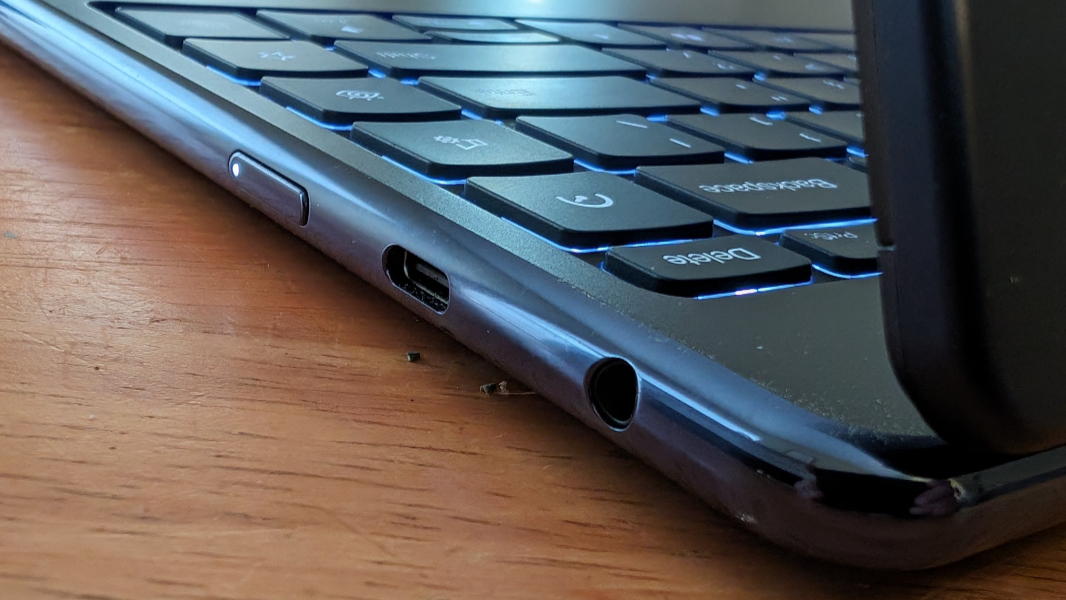
And on the right is a single USB 3.2 Gen 2 Type-C (10 Gbps, PD 3.0, DP 1.4), plus a 3.5 mm headphone/microphone combo jack and the power button.
Audio and video
To accommodate the needs of the convertible design, Lenovo outfits the Yoga 9i with a Bowers & Wilkins rotating soundbar containing two 2-watt tweeters, along with two 2-watt woofers in the bottom front corners of the keyboard deck. And then it augments this system with Dolby Atmos spatial audio capabilities.
With its Dolby Vision-backed OLED display panel and Dolby Atmos audio, the Yoga provides a superior multimedia experience. Atomic Blond, a perennial favorite, has never looked better, and the four speakers delivered a wonderfully spatial sound stage. Ditto for the Crait battle sequence in Star Wars: The Last Jedi. The speakers get notably loud and are distortion free to about 90 percent or so.
I also tested some spatial audio tracks in Apple Music, and while the experience there varies by track, some modern songs like The Weeknd’s Save Your Tears and Fortnight by Taylor Swift were notably clean and immersive. But some remastered older songs, in particular those by The Beatles, were next level, with spatially placed voices and instrumentation. I may have lost some time experimenting with this.
You can use the Dolby Access app to optimize the sound for specific content types, but I tried to keep it set to Dynamic. Unfortunately, the Audio profile quick key on the right of the keyboard (see below) cycles between only three of the modes–Music, Video, and Gaming–when pressed, so you’ll lose out on Dynamic if you tap it mistakenly.
Hybrid work
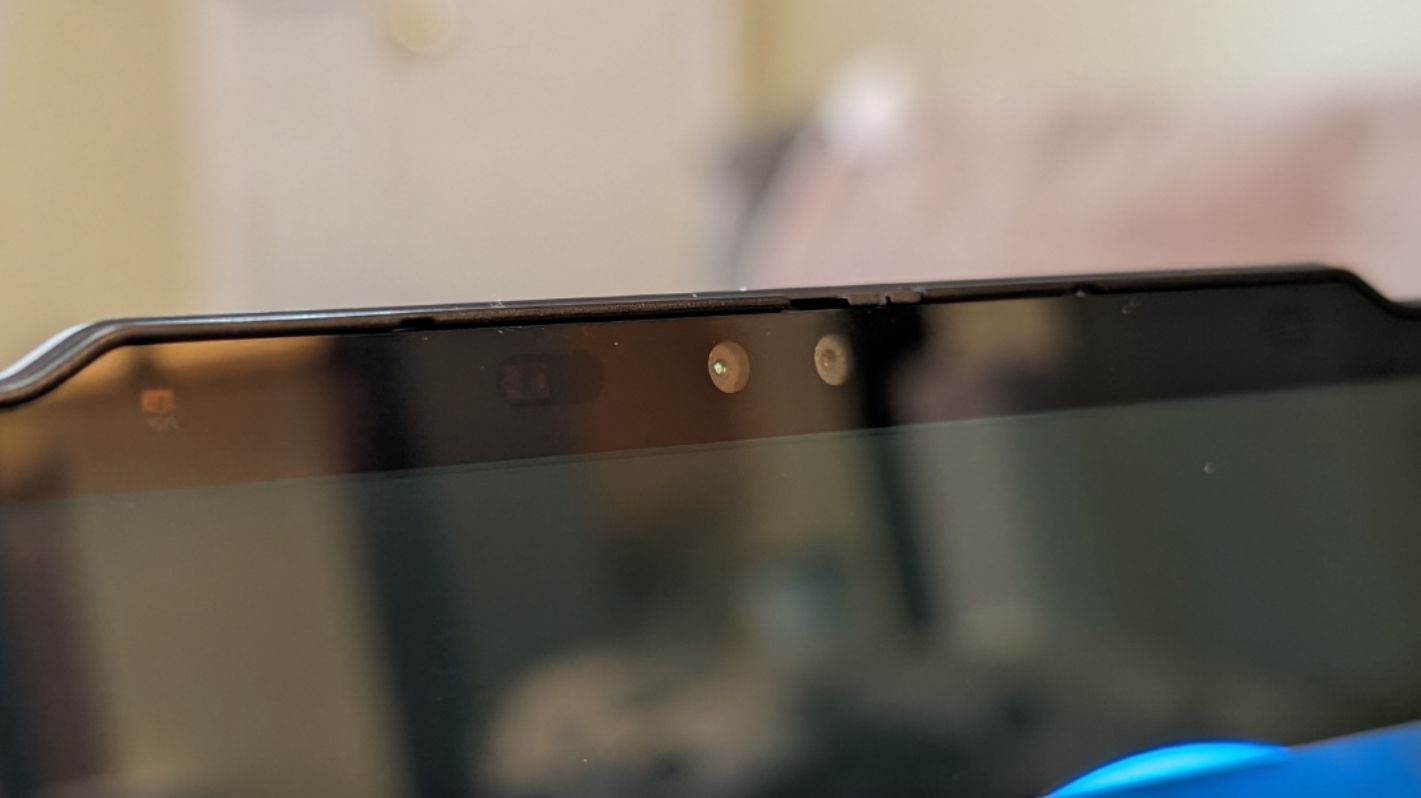
The Yoga 9i should be well-suited for hybrid work, with its 5 MP (2.5K) webcam and dual array microphones. But the webcam came up lame in the review unit and wouldn’t work, so I was unable to test it. It does include an IR camera for Windows Hello and Zero touch features, and a physical privacy shutter switch on the camera. And there’s a microphone toggle key in the function key row.
Ah well.
Keyboard, touchpad, and pen
The Yoga 9i provides a full-sized, backlit, island-style keyboard with Lenovo’s iconic scalloped keys, quiet, soft-landing key switches, and a near-ideal 1.5 mm key travel. It was a delight to type on for the most part, and the Ctrl and Fn keys are in the correct positions.
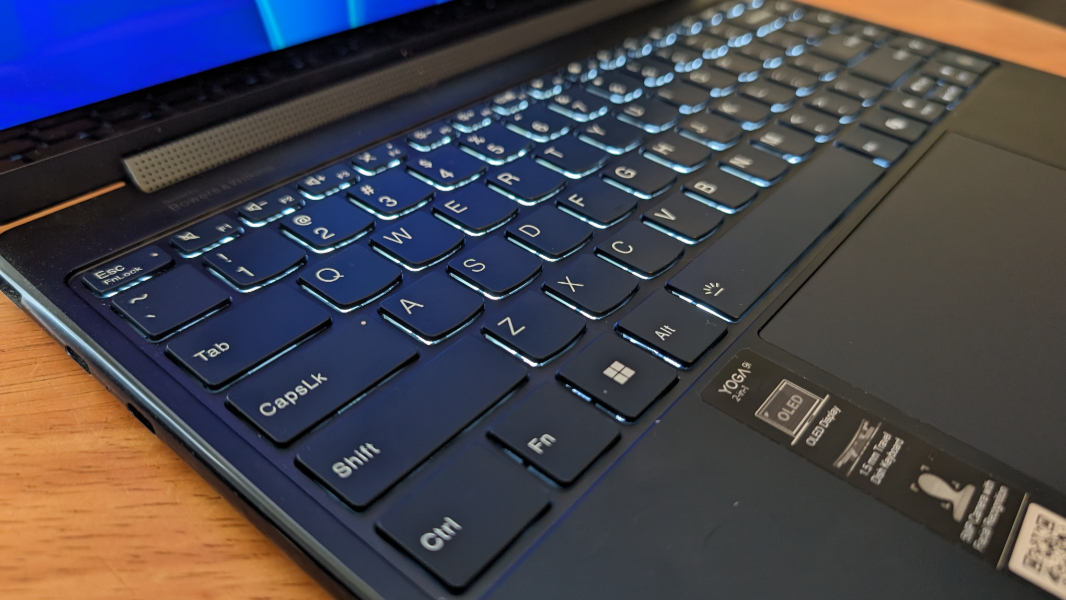
The keyboard has been refined since last year, too. There’s a Copilot key, of course. The bottom keys are now squared off, as we saw before with ThinkPad. And the silly column of keys on the right–called 1-click function keys before, but now renamed to quick keys–have been slightly updated with Smart power, Audio profile, Eye care mode, and Favorite app keys.
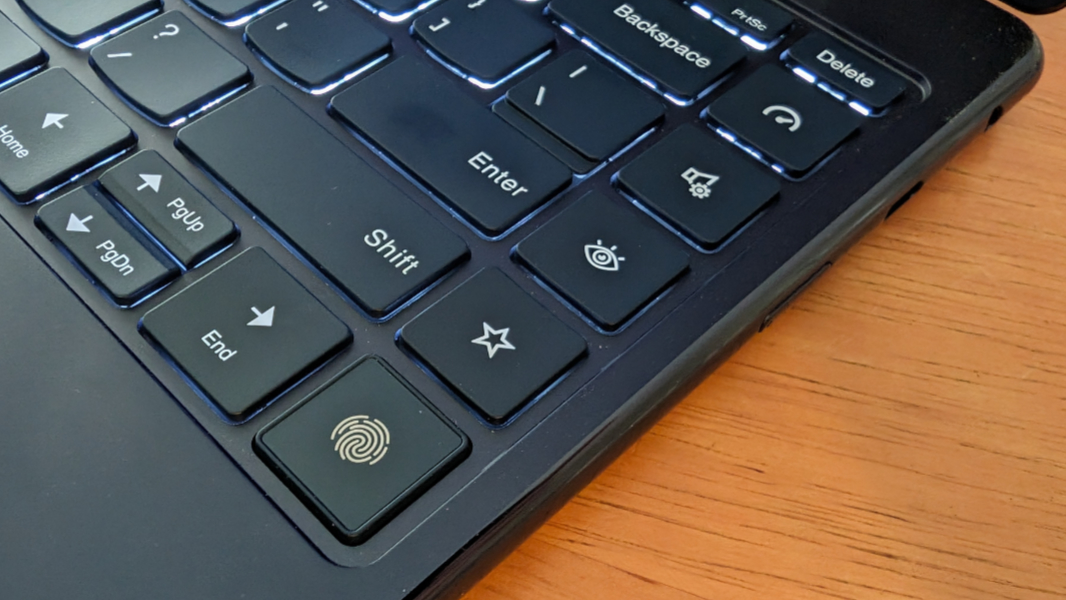
It’s impossible to overstate how misguided this column of Quick keys is. Aside from being superfluous, they’re confusing, and tapping one–purposefully or inadvertently–can change the PC’s configuration and possibly dramatically alter its performance, battery life, or display, depending on which key you press. The problem here is that I rarely understood what change I just triggered: The pop-up icons are indecipherable hieroglyphics.
Here’s one example. The top key, for Smart power, toggles between three power management modes, a terrific example of a feature most users don’t understand and should not be able to change so easily on the fly. Ideally, you just configure this once, or not at all, to “Adaptive power mode (Auto)” in the Vantage app and let computer science handle this problem. But if you tap that key just once, you’ll screw up that configuration and put the system into Battery saver. And then Performance. The icons that appear on-screen as you do this are not at all obvious. So your PC could be underpowered or deliver less than ideal battery life all the time.

The Audio profile key is even dumber. This one toggles between Music, Movie, and Game presets, but Dolby Atmos supports several other presets, including custom presents and, more to the point, just leave the damn thing on Dynamic and let the system autoconfigure sound for you with no intervention. But Dynamic isn’t one of the choices with the Audio profile key, so just tapping it once will screw everything up. Why on earth would anyone want or need to configure this feature manually?
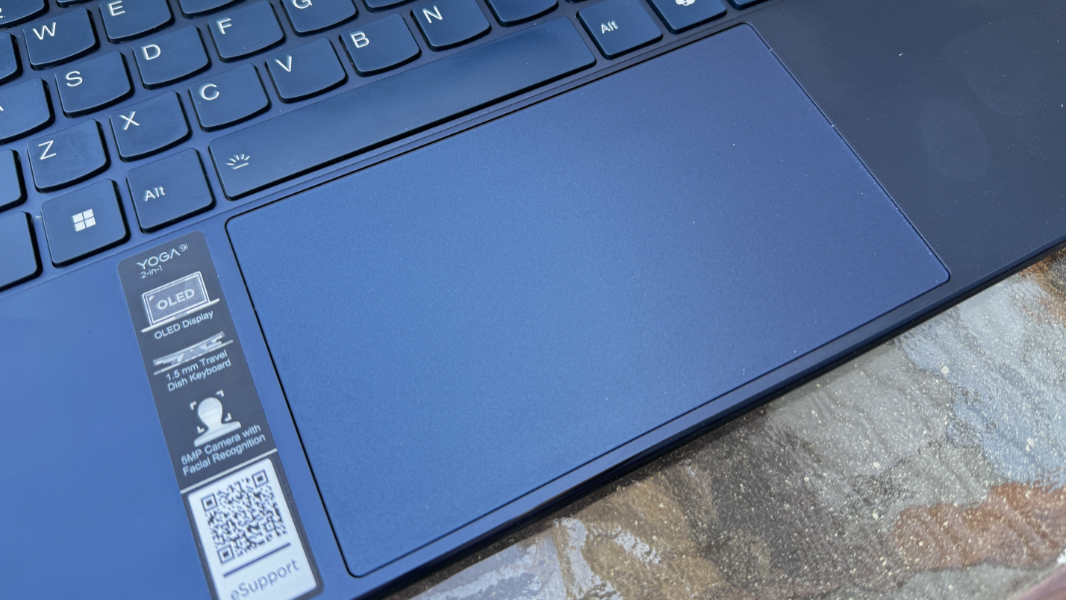
You may recall that I had reliability issues with the touchpad on last year’s Yoga 9i, but that wasn’t an issue this time. This medium-sized glass touchpad worked nearly flawlessly once I disabled three- and four-finger gestures.
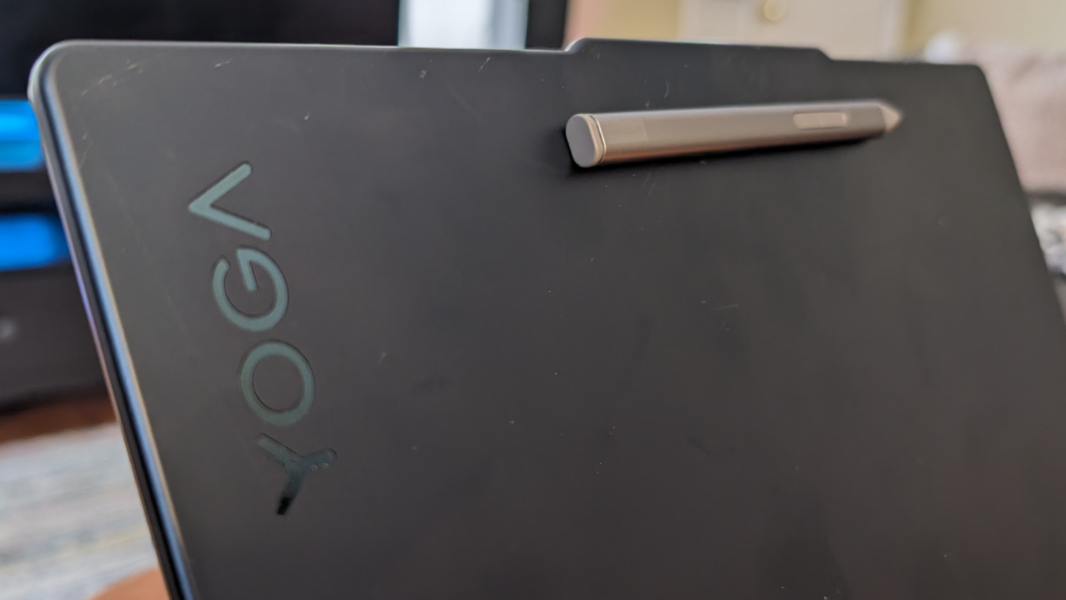
The Yoga 9i comes with a smart pen, but it’s a bit of a downgrade compared to the full-sized Precision Pen 2 from last year. This time around, we get a flat and small Slim Pen stylus instead, and it’s almost impossible for me to use effectively with my large hands. But it charges via a USB-C port under its top tip, and can magnetically latch onto the laptop lid for transit.
Security
The Yoga 9i provides Windows Hello facial and fingerprint recognition, but the former was unavailable because of the broken webcam. The fingerprint reader is the bottom rightmost key on the keyboard and works well for the most part, though I did get an occasional “try another finger” error-message from Windows on the first try.

Sustainability
The Yoga 9i 14 is made with and packaged in a long list of recycled materials. The bottom half of the chassis is 50 percent recycled aluminum alloy, the battery pack is percent post-consumer content (PCC) recycled plastic, the speaker enclosures are 30 percent (PCC) recycled plastic, the keyboard key caps are 50 percent (PCC) recycled plastic, the power adapter case is 90 percent (PCC) recycled plastic, and the packaging is plastic-free and uses 100 percent recycled paper in its box, cushion, and manual.
From a repair/upgrade perspective, only the SSD is end user replaceable, and while there are four Torx screws on the back, getting it fully open requires you to also locate hidden screws under the rear foot riser. I’ve not tried this.
Portability
The Yoga 9i is curiously small, and each time I open the lid, I think to myself, this must be a 13.3-inch display. But it’s not. It’s a 14-inch display with incredibly thin bezels and an edge-to-edge keyboard that occupies as little physical space as possible, given the constraints of the display panel and a requirement that it has a full-sized keyboard.
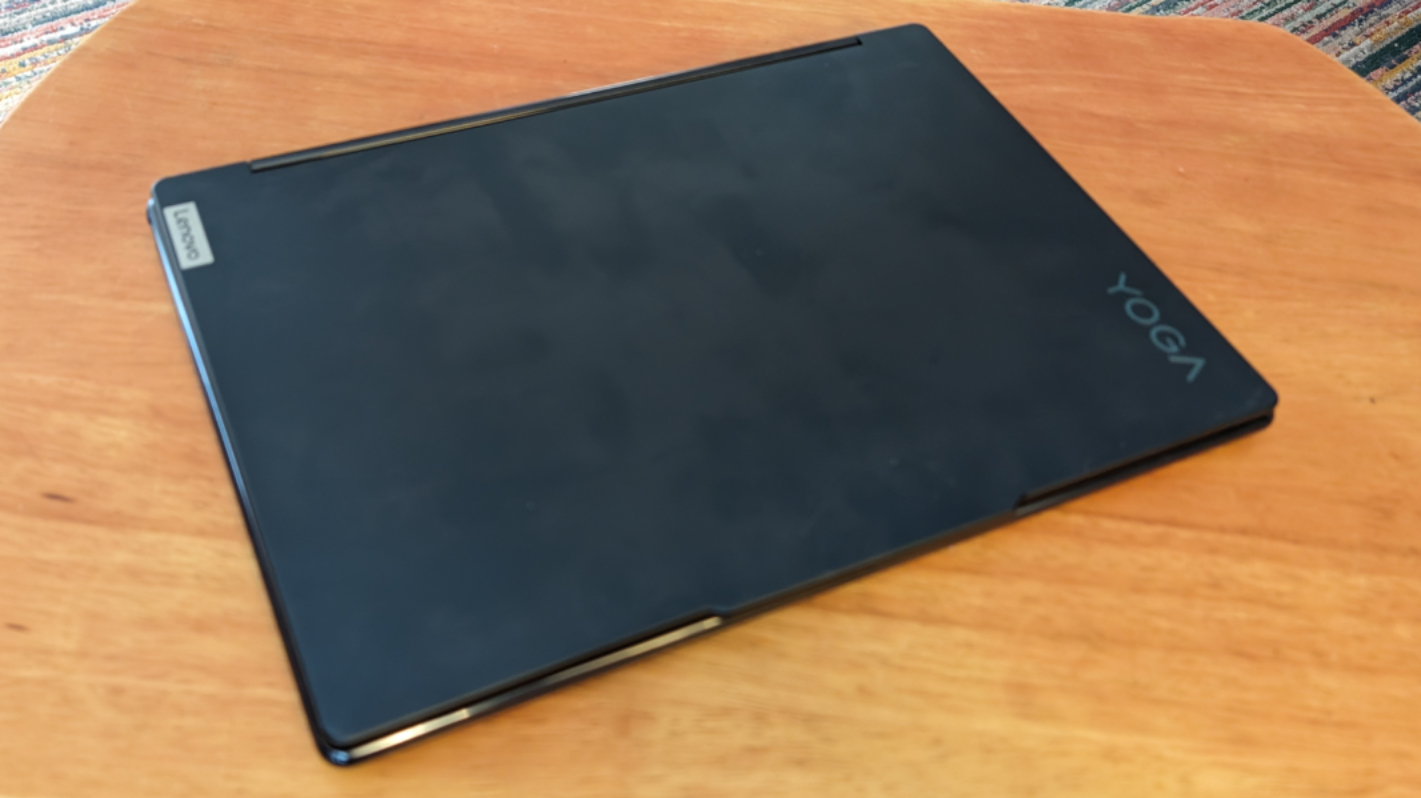
More specifically, it measures 12.44 x 8.66 x 0.63 inches and weighs just 2.91 pounds. And in looking this up, I confirmed that it is indeed a bit smaller and lighter than its predecessor, which was 12.52 x 9.06 x 0.6 inches and weighed 3.09 pounds. This is mostly delightful, of course, but with my large hands, it almost feels cramped. Almost.
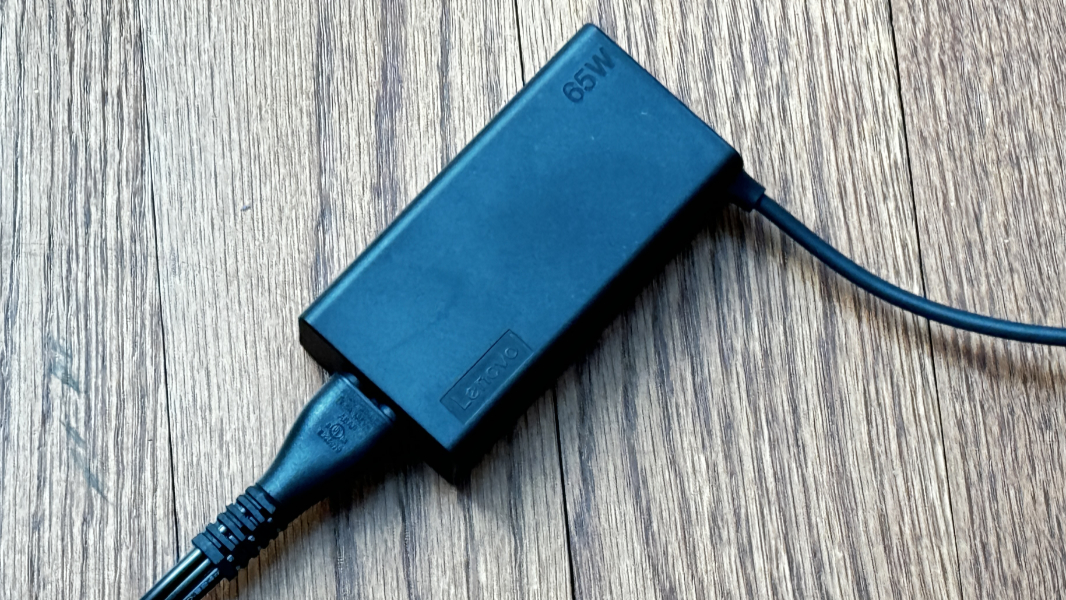
Battery life is about on-par with that predecessor as well, in that I averaged almost 7.5 hours per charge in real-world use. The Yoga 9i sports a 75-watt-hour battery with Rapid Charge Express, and Lenovo says you can get up to 3 hours of charge in 15 minutes (up from 2 hours last time). I’m sure that’s true with a 100-watt charger, as per last year’s review unit. But this one came with a svelter 65-watt charger that never achieved that performance: I saw just a 9 percent gain in 15 minutes, 15 percent after 30 minutes, and 29 percent after one hour. This isn’t an issue, it’s just that 3 hours of charge in 15 minutes sounds wonderful.
Software
Lenovo’s consumer and prosumer products are sadly notable for their bundled crapware and upsell services notifications, and the Yoga 9i 14 is no exception. While initially setting up the laptop, I had to deal with notification-based interruptions from NotifyMe (some kind of cloud storage), Dropbox promotion, Lenovo Now, Lenovo Vantage, and McAfee.
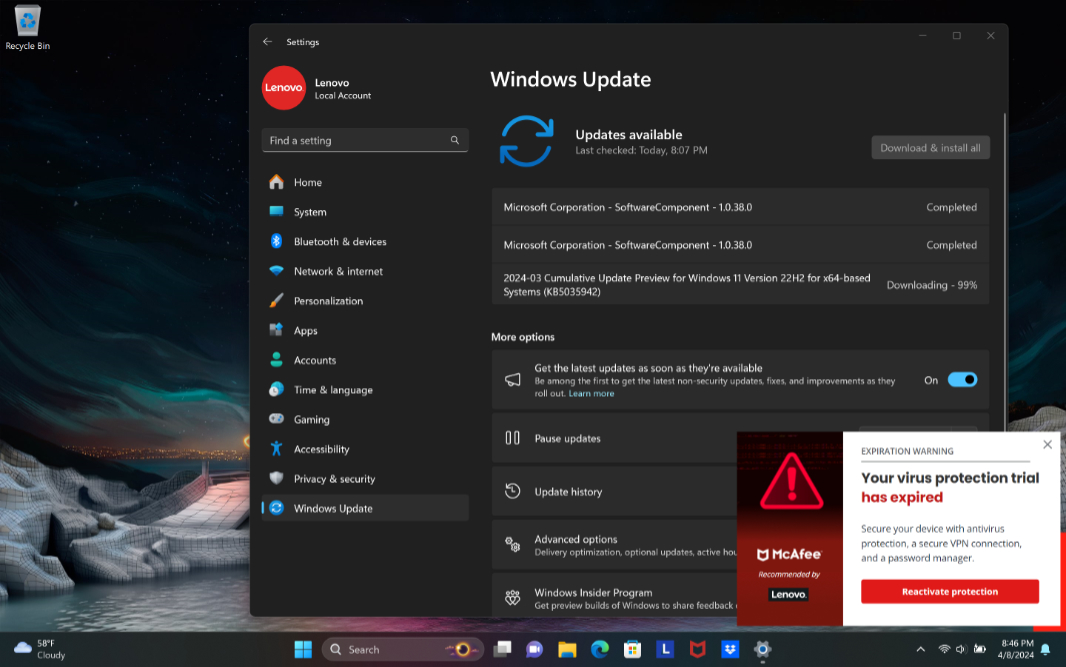
But the biggest offender, as always, is McAfee, and I handled that the same as always, with an exorcism. And then there’s Dropbox promotion, which is superfluous, and Smart Note, because we need yet another way to take notes.
Lenovo provides a few utilities of its own–Lenovo Hotkeys, Lenovo Now, Lenovo Pen Settings, Lenovo Vantage, and User Guide–plus Dolby Access, and three Intel utilities, Intel Connectivity Performance Suite, Intel Graphics Command Center, and Intel Unison (for phone integration).
The only truly useful app in the bunch is Lenovo Vantage, and even that has some ads in it. But spend some time in there, as it contains some key interfaces to evaluate. Key among them are Modes (Common, Gaming, Media, Creative, etc.), Power modes (Adaptive power (Auto), Battery saver, and Performance), various other power management settings (like Conservation mode, Rapid charge, and Overnight battery charge), Display (Eye care mode, Adaptive brightness, Super resolution), Presence detection (Zero touch login, Zero touch lock, Facial recognition), Dolby Atmos (which I configure to Dynamic), Speaker noise-canceling, Microphone noise-canceling, and probably others. You can even add a Vantage widget to the desktop if you’d like.
Pricing and configurations
The Lenovo Yoga 9i 14 Gen 9 is available in Cosmic Blue and Luna Grey color choices, with prices starting at about $1475. For that sum, you get a base configuration with an Intel Core Ultra 7 155H processor, 16 GB of RAM, 512 GB of SSD storage, and a 14-inch 2.8K OLED display. You can upgrade to 1 TB of SSD storage for just $32–so inexpensive, you’d be crazy not to–and to a 4K OLED panel for just $80. Which means that a fully decked out Yoga 9i 14 will set you back just $1590, or $112 more than the base configuration. You could also upgrade from Windows 11 Home to Pro for an additional $50.
As a premium prosumer-class device, the Yoga 9i is of course a bit pricey. But Lenovo PCs are always on sale, and you might shop this against the latest HP Spectre x360: On paper, the two are very similar–HP hasn’t offered it to me for review, sadly–and comparably priced in the same configurations.
Recommendations and conclusions
We’re on the cusp of the Copilot+ PC era as I write this, and it will be interesting to see whether or how that new class of devices, running on Arm-based Qualcomm Snapdragon X-based chipsets, impacts traditional x86 laptops like the Yoga 9i 14. It’s too early to say for sure–I still don’t have one on-hand for review–but this potential shift was ever-present in my mind as I used the Yoga 9i, took notes, and went about my normal daily work.
It acquitted itself nicely. For now, the Yoga 9i 14 represents the state of the art for thin, light, and premium convertible PCs. And whatever the future holds, it’s still a delight. Between its modern, handsome design, stunning OLED display, and excellent battery life, this is a laptop I have no issues recommending.
At-a-glance
Pros
- Thin, light, gorgeous design
- Stunning 16:10 OLED display panel
- Solid performance with minimal fan noise
- Ideal on-the-go multimedia and hybrid work experiences
- Excellent battery life
Cons
- Quick keys aren’t just unnecessary, they’re confusing and can screw up ideal system configurations
- A bit pricey
Unknowns
- Webcam was inoperable in the review unit