Bonjourr Gets a Major Update on Desktop, is Coming Soon to iPhone and iPad
- Paul Thurrott
- Sep 24, 2024
-
5
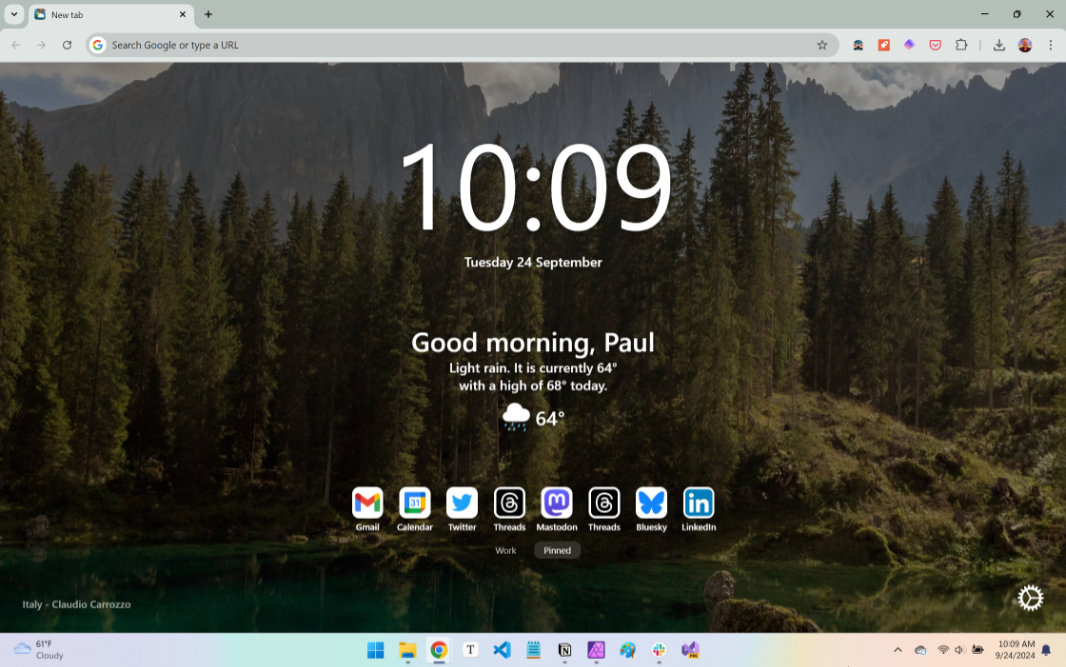
Bonjourr, the New Tab experience I use, has been updated to version 20, and it will soon have its first mobile version, for Safari on iPhone and iPad.
“With our Chrome extension having just passed 200,000 users, we’re excited to bring you the latest update in Bonjourr goodness,” the announcement post notes. “From the new quick links features to the stylish analog clock options and the refined experience on mobile devices, [there’s much to] look forward to in Bonjourr 20.”
Key updates in Bonjourr 20 include:
Easier switching from Chrome bookmarks. For those giving up on native browser bookmarks (as I did years ago), Bonjourr can now automatically import Chrome bookmarks and let you more easily choose which bookmarks (normal bookmarks, Bookmark bar, most visited links, and so on) get imported. You can also sync imported bookmarks so that any changes you make in either place are reflected in the other.
Links updates. Bonjourr has renamed Link pages to Link groups, and you can now rearrange these groups with drag and drop and optionally pin them so you can see multiple groups at once. You can hide link titles and/or link backgrounds too.
Analog clock improvements. Bonjourr 20 introduces several new analog clock designs inspired by Swiss railways, Braun, vintage clocks and the Apple Watch. And it lets you customize individual clocks independently so you can mix and match if you use multiple clocks. There’s also a new world clock option with multiple clocks so you can view multiple time zones at once.
Bonjourr for Safari on iPhone and iPad. The new Bonjourr experience for Safari on iPhone and iPad is coming soon. The makers of Bonjourr say they’ve been refining it with smoother navigation, context menu support, and larger controls for easier access on mobile.
Bonjourr 20 is free and is available for Google Chrome, Firefox, Microsoft Edge, and Safari for macOS. It’s coming soon to Safari for iPhone and iPad.