Ignite 2024: Microsoft Highlights New AI Tools Coming Soon to Copilot+ PCs
- Laurent Giret
- Nov 19, 2024
-
2
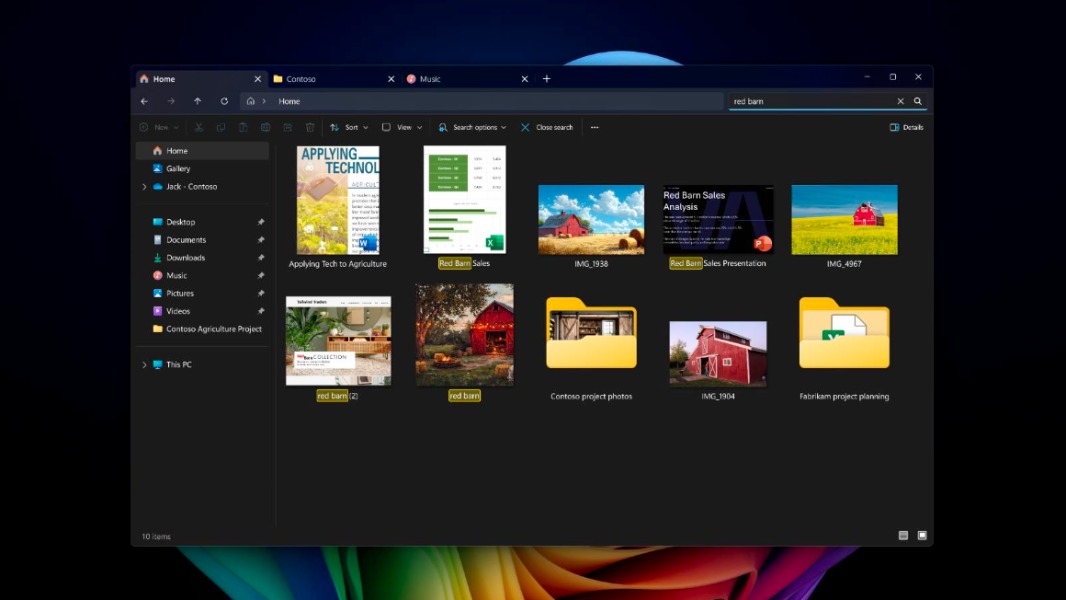
At its Ignite conference this morning, Microsoft put the spotlight on new AI experiences coming soon to Copilot+ PCs. The first Copilot+ PCs launched in June without a killer feature as Recall, the new explorable timeline that will help users to find anything they’ve seen on their Copilot+ PC has been delayed to later this year. However, Recall should enter public testing soon alongside other AI features such as Click to Do and an improved Windows Search experience.
Recall was previously expected to be released to Insiders on Copilot+ PCs in October, but Microsoft delayed it again until December. While the company still isn’t giving a more precise ETA for the feature, Microsoft recapped today the changes it made to make Recall more secure: The feature will be disabled by default and users will be able to uninstall it completely. Moreover, IT admins will first need to enable this feature on managed PCs before employees can opt in to use it. Microsoft also added additional layers of data encryption and Windows Hello protection to Recall.
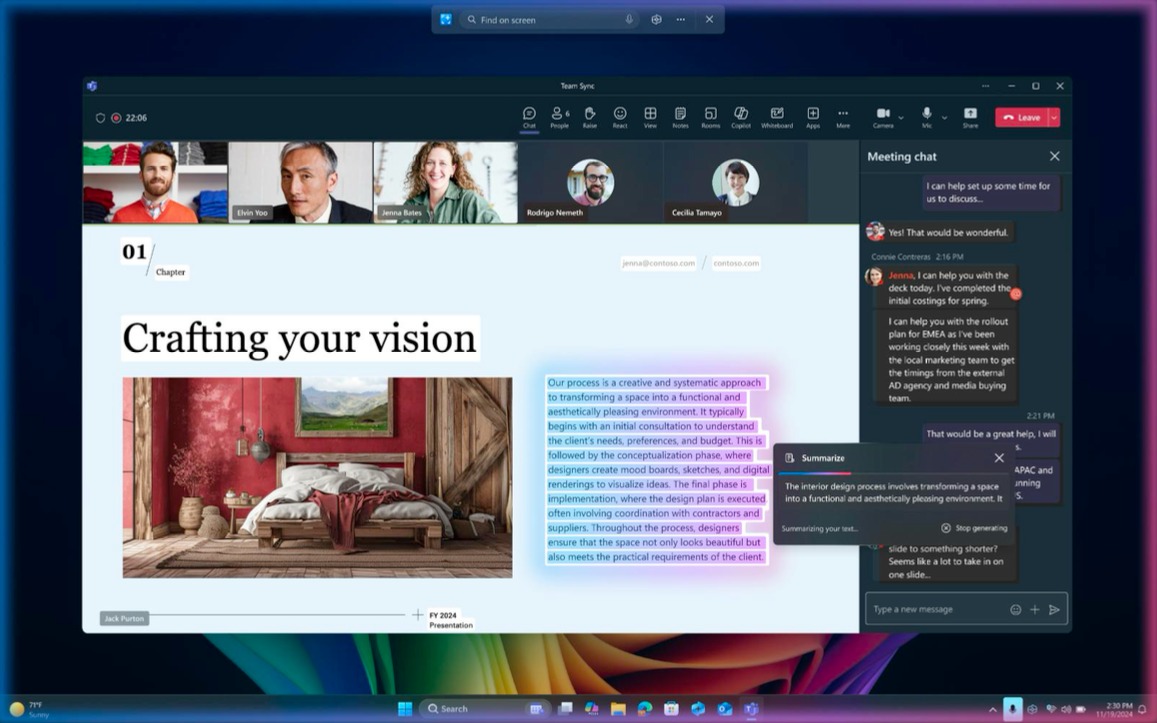
Click to Do is another new AI feature coming soon to Insiders on Copilot+ PCs, and it will display quick AI actions based on what users are currently doing. That can be text-related actions when users are reading text, suggesting help with Bing Visual Search when browsing the web, and more.
Microsoft is also working on an improved Windows Search experience on Copilot+ PCs. It will leverage Neural Processing Units (NPUs) to better understand what users are looking for when they don’t have the exact name of the file they’re searching. This new experience will now be rolling out to Insiders early next year, the company said today, and it will also be expanded to the Settings app in the future.
Lastly, Microsoft highlighted new Imaging APIs in Windows Copilot Runtime that developers will be able to access in an upcoming Windows App SDK release in January. Developers will be able to use these APIs to enhance the clarity of blurry images, separate the foreground and background of an image, erase unwanted objects, and provide a text description for an image.
On Copilot+ PCs, Windows Copilot Runtime is already being used by Microsoft Teams to enhance the quality of incoming video and provide Live Captions with live translation support for over 40 languages. “Studio Effects, Live captions with live translations and Image super resolution are available as ready to use APIs in Windows Copilot Runtime,” said Pavan Davuluri, Corporate Vice President, Windows and Devices. “Organizations can leverage these APIs to bring similar experiences to life in your applications, such as WhatsApp who has upgraded their user experience adding Windows Studio Effects controls directly into the UI.”