Microsoft Starts Testing New Drag Tray Feature on Windows 11
- Laurent Giret
- Feb 21, 2025
-
2

Microsoft is bringing two new Windows 11 features to Insiders on the Beta Channel who didn’t opt in to receive updates based on Windows 11, version 24H2. The just-released Windows 11 preview build 22635.4950 introduces a new drag tray feature to simplify file sharing and two new views for the “All” page in the Start menu.
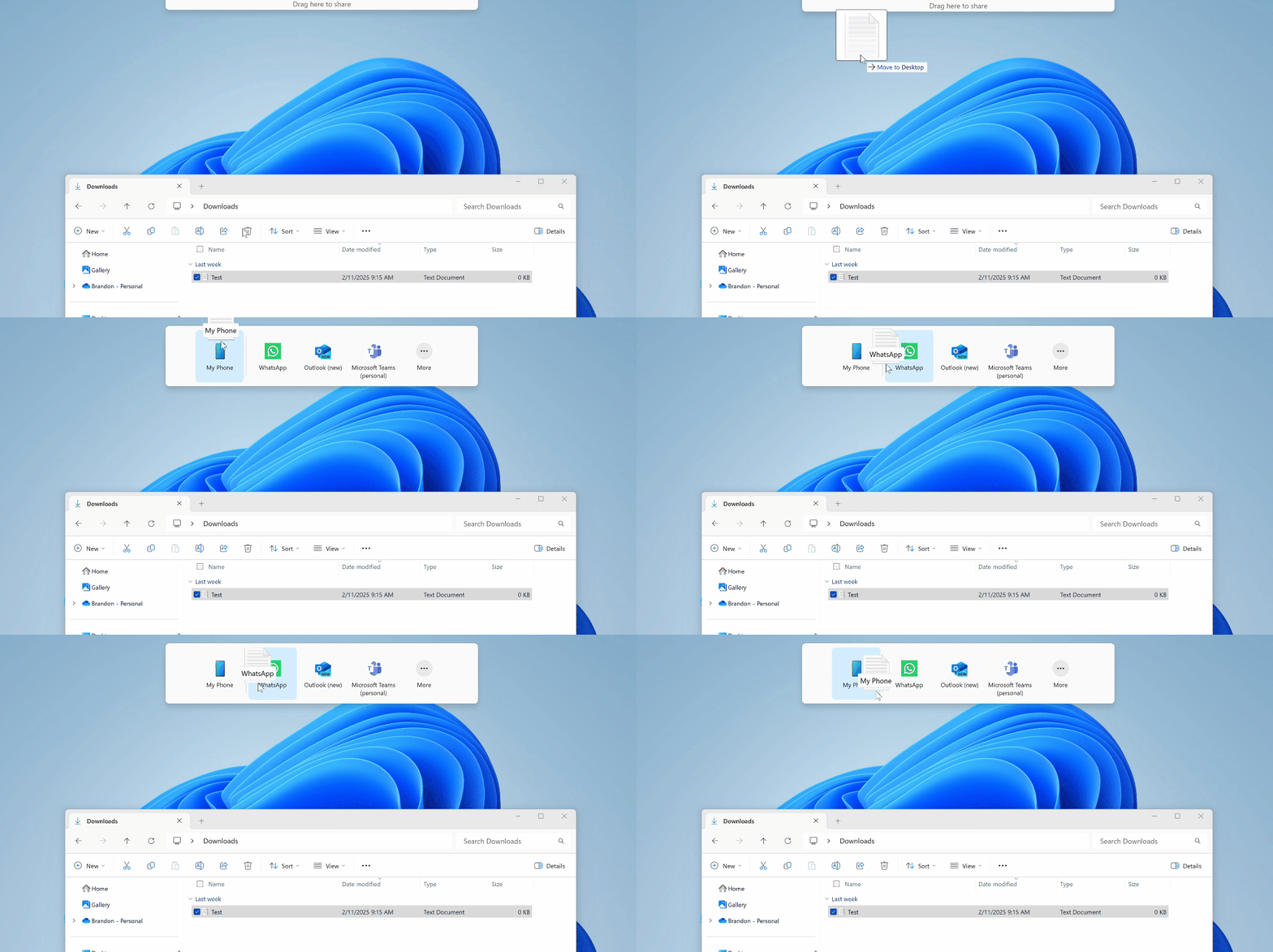
“Sharing files in Windows is getting a lot easier and quicker with our new drag tray feature,” the Windows Insider team said today. The new experience, which will roll out gradually to Beta Channel testers, will appear when they start dragging a local file with the mouse (or touch) from File Explorer or their desktop to the top of their screen.
This new drag tray UI will display a selection of apps to use to share content including WhatsApp, Outlook, and Microsoft Teams. Clicking the “More…” button will also invoke the familiar Windows Share window.
Insiders on the Beta Channel will also get to test two new grid and category views for the “All” page in the Start Menu. The grid view shows apps in alphabetical order, while the category view groups them into categories, ordered by usage.
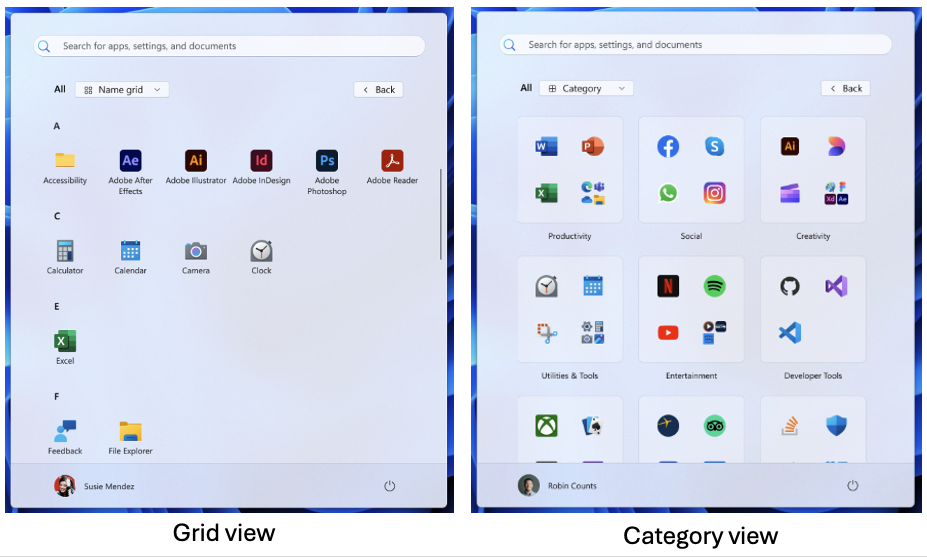
Microsoft plans to start rolling out these two new views to Dev and Beta Channel testers who are receiving updates based on Windows 11, version 24H2. These Insiders are also getting the 24H2 build 26120.3291 today, which brings the ability to use the search box in the taskbar to find OneDrive photos using natural language prompts. This AI-powered search experience remains only available on Qualcomm-powered Copilot+ PCs.