Microsoft Issues New Pre-Release 24H2 Builds to Dev and Beta Channels
- Paul Thurrott
- May 05, 2025
-
1
Those with Windows 11 version 24H2-based PCs enrolled in the Dev or Beta channels of the Windows Insider Program have new builds to download. As has been the case recently, they appear to be identical.
Cumulative update KB5055651 is available now in the Dev channel. Installing this update will upgrade the PC to build number to 26200.5581. The Beta channel gets cumulative update KB5055653, which upgrades the PC to build number 26120.3950.
As noted, the new features and changes appear to be identical. But those in the Beta channel have, in recent months, been able to stick with 23H2 builds or move forward to 24H2 builds, and that’s ending soon, Microsoft says. In other words, Beta will only be testing updates to Windows 11 version 24H2 soon, as 23H2 is heading to its end of support this coming October.
Here are the key new features in changes in both builds.
Recall (preview) improvements, Copilot+ PCs only. Microsoft is “trying out different treatments of the UI in Recall including different locations for snapshot actions and the timeline.”
Taskbar improvements. The status indicators under Taskbar shortcuts–what Microsoft calls “the needy state pills”–are now wider and more visible. And admins can now determine whether users can unpin certain apps from the Taskbar and be sure they won’t be re-added after a policy refresh. You can learn more here.
Energy saver management with Microsoft Intune. Those managing Windows 11 PCs with Microsoft Intune can manage its Energy saver feature in basic ways. You can also use the Local Group Policy Editor.
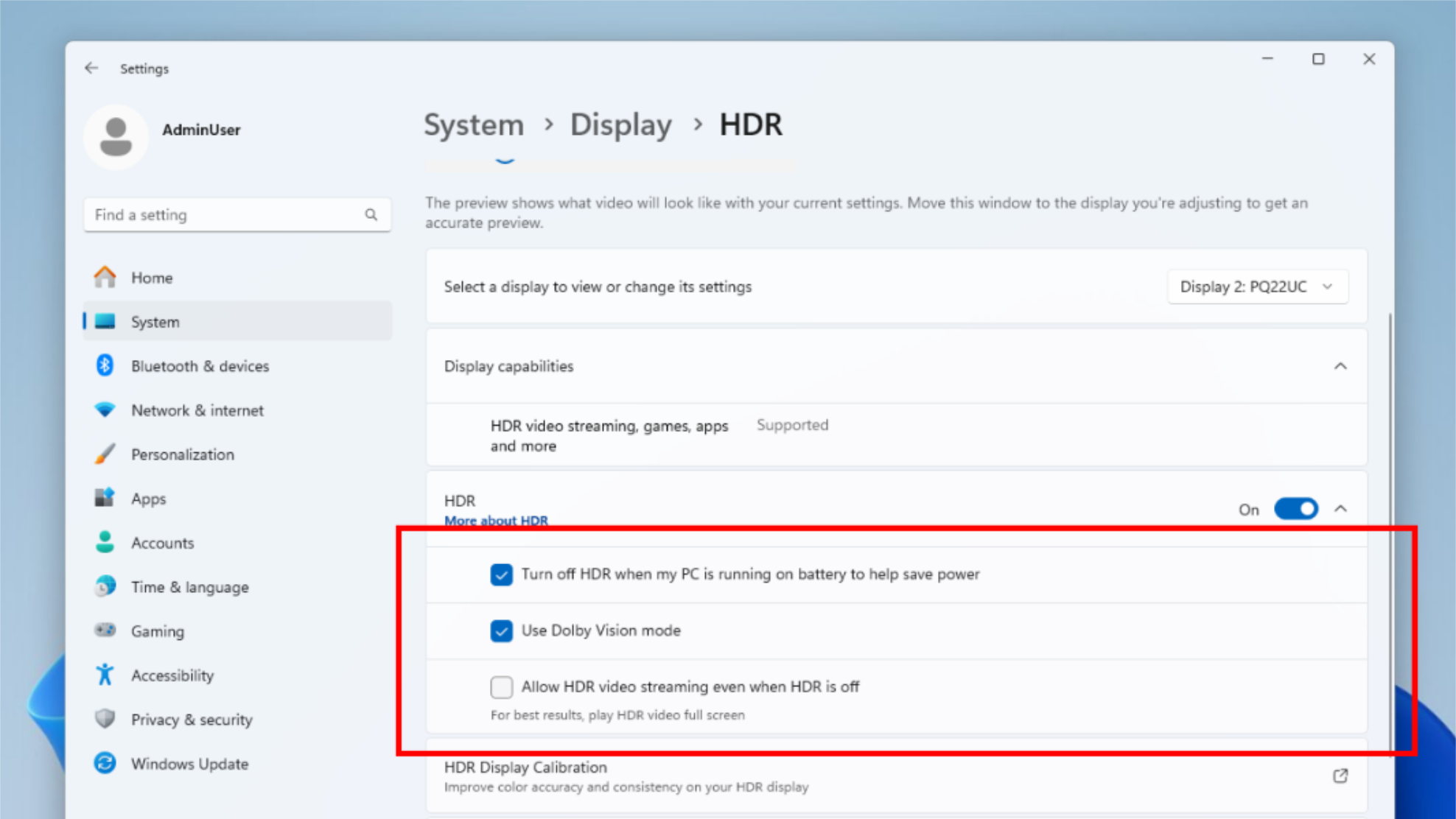
HDR improvements. HDR settings (in Settings > Display > HDR) is getting two new options under the “HDR” header–“Use Dolby Vision mode” and “Allow HDR video streaming even when HDR is off”–when supported by the PC.
Fixes. There are also fixes to the Taskbar, Audio, Graphics, and Windows Update.