Administrator Protection is Coming Soon to Windows 11, and It’s For Consumers, Too
- Paul Thurrott
- May 19, 2025
-
7
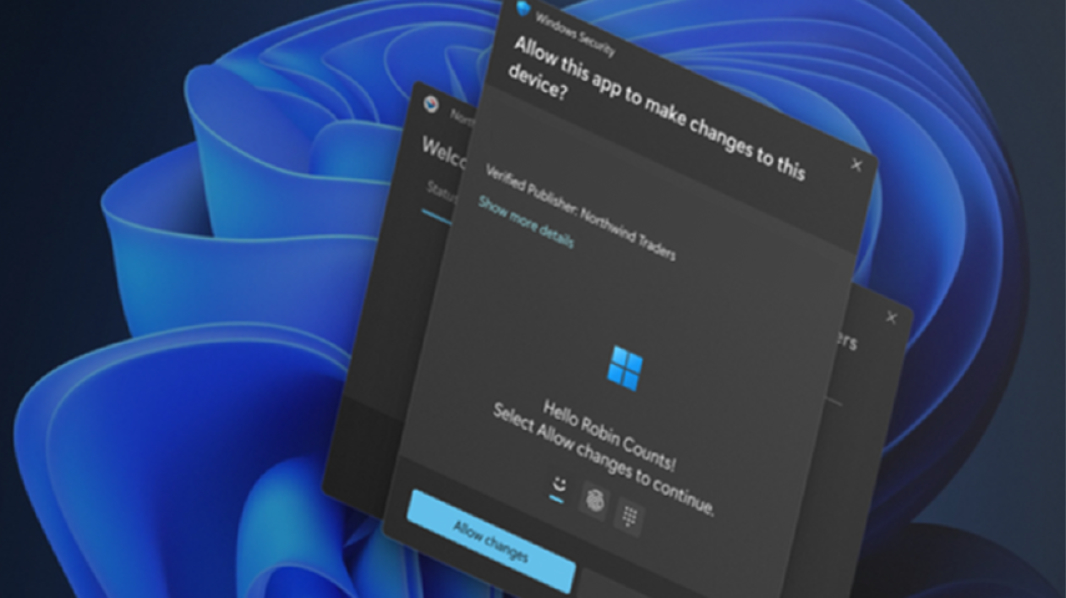
Microsoft announced Administrator protection for Windows 11 as part of the Windows Resiliency Initiative at Ignite 2024 in November. At the time, this new feature targeted only commercial customers, but Microsoft provided an update–and some additional information–today. And it’s coming for consumers as well.
“Administrator protection is a new Windows 11 platform security feature that aims to protect the admin users on the device while still allowing them to perform the necessary functions which may require use of admin level permissions,” Microsoft’s Nilanjana Ganguly and Andy Sohn write. “The Administrator protection feature is designed to enhance security by minimizing the risks associated with elevated privileges. It safeguards users by providing just-in-time administrator privileges, incorporating Windows Hello to enhance both security and user convenience. Running applications with administrator protection enabled is crucial for maintaining a robust security posture.”
We got our first glimpse of this new feature in a Canary build that Microsoft released through the Windows Insider Program back in January. But it’s been quiet since then, and Administrator protection hasn’t yet come to any other Insider channels. That’s about to change: According to the company, those with PC enrolled in the Dev channel–which I believe is actually testing Windows 11 version 25H2 now–will get this new feature “soon.”
Another, even more important change: Administrator protection will be made available in Windows 11 Home, Professional, Enterprise, and Education, so it’s not just for commercial customers, as originally communicated. (It’s not supported in any version of Windows Server, Windows 365 Cloud PC, Azure Virtual Desktop, or Windows 10.)
Administrator protection seems a bit like User Account Control (UAC) on steroids. Instead of displaying a modal prompt that must be addressed before continuing with a task that requires permission elevation, Administrator protection will prompt the user with a Windows Hello authentication experience by default. But it’s radically different under the covers, too. This feature uses a hidden, system-managed, profile-separated local user account to create an isolated admin token when a task needs permission elevation, helping prevent user-level malware and UAC bypass attacks.
There’s a lot going on here.
When this feature is enabled, Windows 11 will create a System Managed Administrator Account (SMAA) that has a different security identifier (SID) than any configured user accounts. This account generates a just-in-time admin token to perform a single task with elevated privileges, and it’s destroyed when that task completes. Every elevated task attempt will result in a new token being created (and then destroyed). With Administrator protection enabled, Windows no longer provides auto-elevation, so users will see more prompts than before to keep the system secure.
Today’s revelations about this feature come via Microsoft’s Windows Developer Blog because app developers may need to understand how this change will impact them. For example, if an app saves files to a library folder (Documents, Pictures, or Videos), those files will now be saved to the corresponding library folder for the SMAA account. The Registry is likewise remapped, and app-specific configurations–like theme, background color, or fonts–may not be applied to the actual user account. Microsoft has some advice for app developers, which you can read in that blog post.
“Our goal is to enable administrator protection by default in Windows very soon,” Microsoft adds.