You Can Try Microsoft’s New Command Line Text Editor Now
- Paul Thurrott
- May 19, 2025
-
8
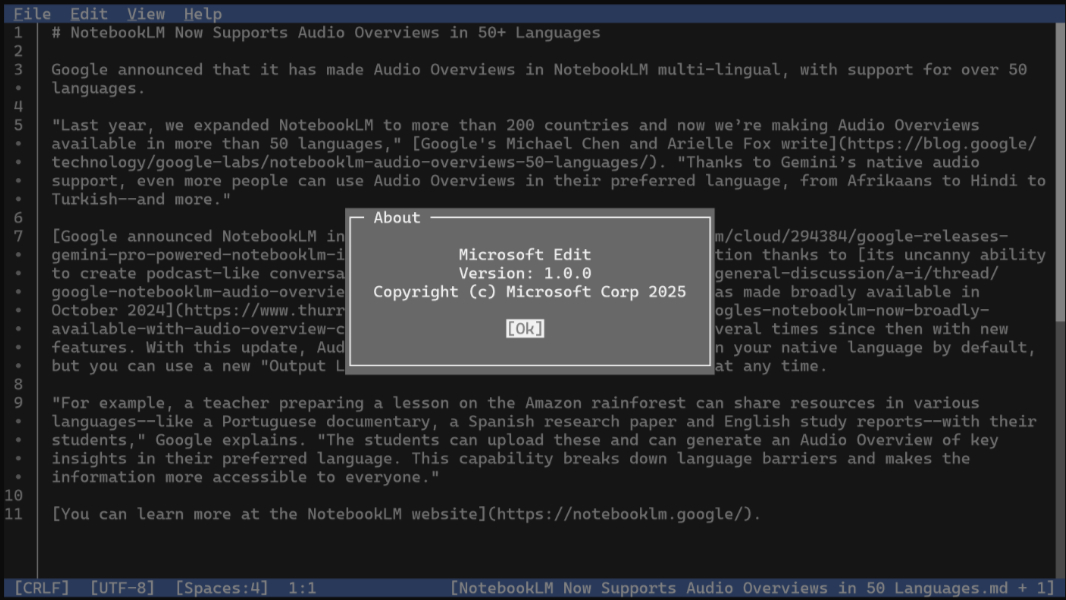
Microsoft announced a new command line text editor as part of a set of developer updates for Windows 11 at Build today. It’s called Edit, and it’s available now for Windows (and Linux!) if you want to try it out.
“Edit is a simple editor for simple needs,” the Edit repository on GitHub explains. “This editor pays homage to the classic MS-DOS Editor, but with a modern interface and input controls similar to VS Code. The goal is to provide an accessible editor that even users largely unfamiliar with terminals can easily use.”
Installing Edit isn’t as simple as downloading and running an EXE: First, you have to install Rust, which requires the Visual Studio C++ build tools, though that will be auto-installed for you if required. Then, you can download Edit, extract the ZIP file, and copy the EXE somewhere in your PATH.
It works pretty much as you’d expect, and it does support the mouse, so you can do things like type Ctrl + O to open a document and then click on links to navigate in the file system. And there’s a pretty standard menu with File, Edit, View, and Help items. Among other things, you can toggle Word Wrap on and off.