Microsoft Issues New Insider Builds to Dev and Beta Channels
- Paul Thurrott
- Jun 23, 2025
-
0
If you have a Windows 11 PC enrolled in the Insider Program’s Dev or Beta channel, you’ve got a new update to install.
As has been the case for most of this year, the two updates appear to be functionally identical. Those in the Dev channel can install cumulative update KB5060838 to upgrade to Windows 11 version 24H2 build 26200.5661. And those on Beta can get KB5060836 to upgrade to Windows 11 24H2 build 26120.4452.
Both builds include two major new features:
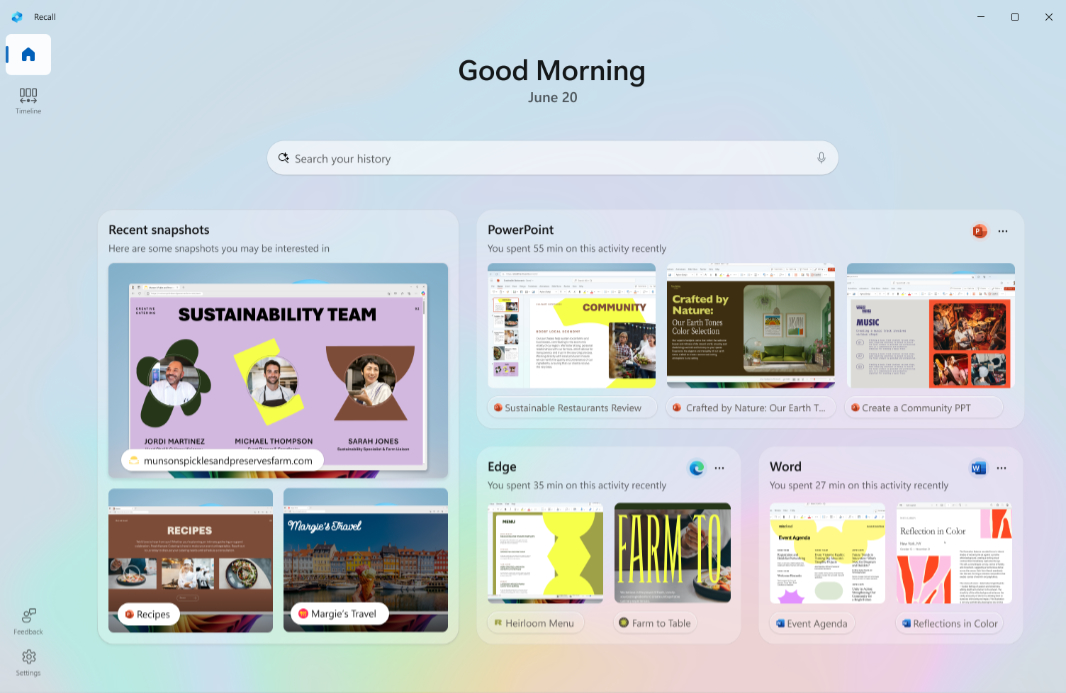
Recall home page. Those with a Copilot+ PC will see a new home page experience in Recall that displays recent snapshots and top apps and websites in a pleasant-looking UI with a new navigation bar on the left that also provides access to Recall Timeline, Feedback, and Settings.
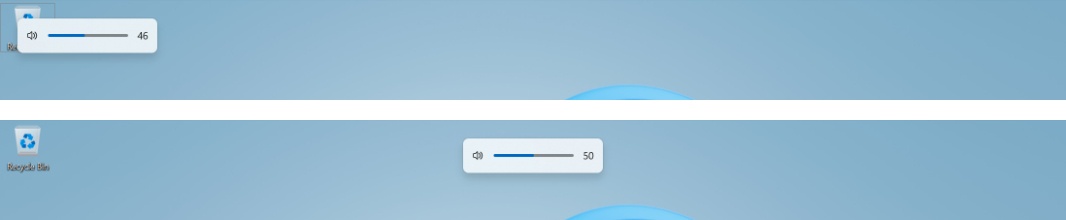
Hardware indicator improvements. Hardware indicators–pop-up interfaces for brightness, volume, airplane mode, and virtual desktops–have been stuck in the lower-right corner of the screen since Windows 11 debuted. But this update lets you move them to the top-left corner of the screen (where they were in Windows 10) or to the top center of the screen. You can make this change in the Settings app at System > Notifications > Position of the onscreen pop-up.