New Windows 11 24H2 and 23H2 (and Windows 10) Builds Head to the Release Preview Channel
- Paul Thurrott
- Jul 10, 2025
-
0
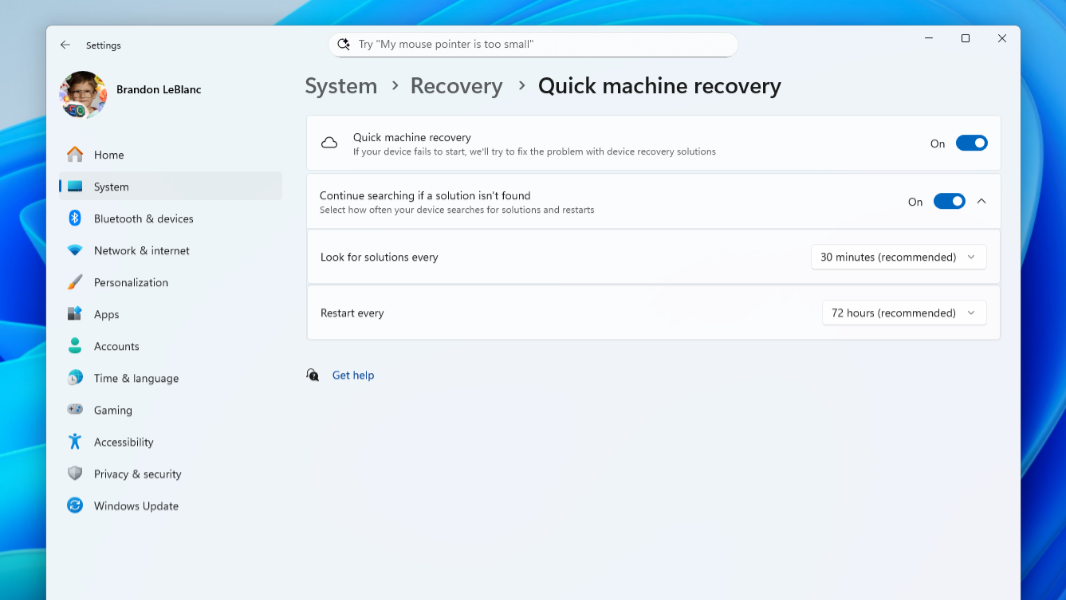
Microsoft has issued new Windows 11 version 23H2 and 24H2 builds to the Windows Insider Program’s Release Preview channel. I assume these are so you can get a peek at the next Patch Tuesday, which isn’t until August, but perhaps these changes will appear in stable sooner, given the timing.
If you have a Windows 11 version 23H2-based PC enrolled in the Release Preview channel, you can now download and install cumulative update KB5062663 and upgrade to build 22631.5696. There are no new features, but this build includes fixes for the Country and Operator Settings Asset (COSA) codes for certain mobile operators, the Resilient File System (ReFS), PDF file sharing, hibernation, IPP Directed Discovery for printers, and a stability issue.
Those with Windows 11 version 24H2 can download and install cumulative update KB5062660 and upgrade to build 26100.4762. Doing so will provide the following changes:
- Recall improvements. Recall users in the European Economic Area (EEA) will be able to export snapshots and share them with trusted third-party apps and websites using a unique Recall export code that is only shown once during initial setup. And all users can reset Recall and all its data. (This feature requires a Copilot+ PC.)
- Click to Do improvements. Click to Do is getting a new Practice in Reading Coach text action to help you improve reading fluency and pronunciation. (You must first install the Reading Coach app from the Microsoft Store.) There’s also a Read with Immersive Reader text action (that also requires that app), a Draft with Copilot in Word text action, and a set of Microsoft Teams actions for sending a Teams message or scheduling a Teams meeting. (This feature requires a Copilot+ PC.)
- Settings improvements. Settings is getting a new Settings agent so you can find and change settings using natural language. (This feature requires a Copilot+ PC with a Snapdragon X processor, but it’s coming to AMD- and Intel-based Copilot+ PCs soon as well.) The search box in Settings is now moving to the center top of the app window as well.
- Windows Resiliency Initiative features. This build delivers two WRI features: Quick machine recovery and a more streamlined interface when your PC unexpectedly restarts. This is the Blue Screen replacement, which is now a black screen with a more readable layout.
- Start menu improvements. Admins can now configure a new option for Start menu pins as part of the Configure Start Pins policy. When users first sign in, Start will display the admin Start menu pins, and if they personalize the layout in Start, those pins will be retained.
- Snap improvements. Now, when you accidentally open the Snap bar at the top of the screen when dragging a window, Snap will display inline messages to provide assistance and show you the relevant keyboard shortcuts.
- Windows Search improvements. The settings for Windows Search have been consolidated into a single location with a more modern look and an improved layout at Settings > Privacy & security > Search. (They were previously in two locations, “Search permissions” and “Searching Windows.”)
- Windows touch keyboard improvements. The gamepad layout in the Windows touch keyboard now provides enhanced controller navigation, improved focus handling for child keys, menus, word suggestions, language switching, and settings, and support for PIN sign-ins.
- Fixes. There are also fixes for File Explorer, desktop icons, notifications, Local Security Authority Subsystem Service (LSASS) authentication, ReFS (per above), and a stability issue (also per above).