Windows 10 Turns 10
- Paul Thurrott
- Jul 29, 2025
-
4
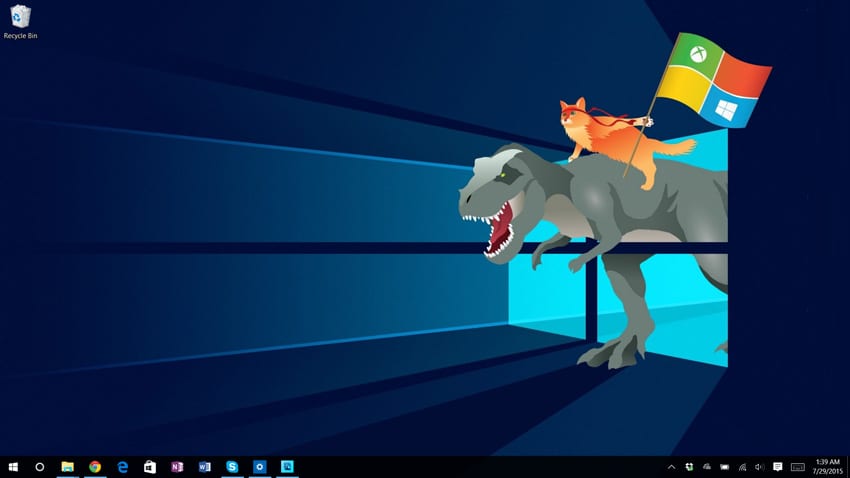
Microsoft released Windows 10 ten years ago today. To celebrate, I’m giving away the Windows 10 Field Guide for free.
Microsoft announced Windows 10 at a small event in San Francisco on September 30, 2014. Unknowingly, I was just three months away from leaving Penton and my SuperSite for Windows at the time.
? A quick look back
Here’s part of my write-up from that day.
Microsoft will brand the release as Windows 10 to further distance it from Windows 8. The marquee feature? It will please fans of both Windows 7 and Windows 8.
“This isn’t an incremental release,” Terry Myerson said. “It’s a new Windows.”
Windows 10 is a single product family that will run on devices as diverse as Internet-connected sensors, phones, tablets, PCs, game consoles and even cloud-based data centers, Myerson said, and features a single store and application platform. But it will feature different, tailored experiences depending on the device type. Tuesday’s event was all about PCs and tablets, but Microsoft will address server and cloud, phones, and other device types at later events.
Tuesday’s event also focused specifically on enterprise-related features, though Microsoft will reveal consumer features in early 2015 and then developer features in April 2015. It expects to ship Windows 10 by mid-2015, though the final release will be based on user feedback.
While many will focus on very specific features … the big advance here is a bit more general. With this release, Microsoft will provide a familiar and usable upgrade to both Windows 7 and Windows 8 users.
How it does this, given the separate mobile and desktop environments that currently grace Windows, is interesting. For Windows 7 upgraders, or any one on a traditional, non-touch PC, Windows 10 will look and work much like the system to which they’re accustomed, and will present a familiar desktop-based user interface. For those on tablets, however, Windows 10 will work much like Windows 8 and will provide improved versions of the so-called edge UIs provided on that system.
Microsoft will even address the 2-in-1 PCs that provide both interfaces in a unique way, though that functionality won’t debut until after the Technical Preview that ships to interested parties on Wednesday via the Windows Insider Program. Through a feature called Continuum, Windows 10 will adapt between tablet and keyboard modes on the fly.
The January 2015 consumer event for Windows 10 was my first work travel after transitioning from Penton to Blue Whale Web and Thurrott.com. There, we learned that Windows 10 would be a free upgrade for Windows 7, 8.1, and Windows Phone 8.1, and Microsoft revealed key consumer features like Cortana, Windows 10 for phones and small tablets, Spartan (Microsoft Edge), the Office universal apps, and new in-box apps like Photos, Videos, Music, Maps, People & Messaging, Outlook Mail and Calendar, and Xbox. And Microsoft surprised us with two new Windows 10-based hardware devices, Surface Hub and HoloLens.
Additionally, we learned that Windows RT would not be upgraded to Windows 10. And Satya Nadella wanted everyone to love Windows, an idea that I found unlikely given Microsoft’s nascent abuse of the platform and its users.
? Launch
Microsoft released Windows 10 to manufacturing in July 2015, though it told me it was no longer using that term in an early version of the communication nonsense that would soon become more common. It then made Windows 10 generally available on July 29, 2015, ten years ago today, and so I published my initial review.
“Windows 10 is ideally suited for every PC form factor imaginable: traditional PCs, yes, but also touch-first devices and, most decisively, the 2-in-1 PCs that can move between these usage modes,” I wrote. “Windows 10 will make any PC—desktops, laptops, 2-in-1s, tablets, and mini-tablets, whatever—better, and that’s not something that could be said of Windows 8. I honestly didn’t think it was even possible.”
“Windows 10 also fixes some fundamental flaws in the design of Windows 8, which was wrongheadedly unilateral in requiring users to adopt user experiences that were not optimal for their hardware,” I continued. “Start was no longer a menu but a space-wasting full-screen interface that was as useless as it was baffling on large screens. The new apps platform—Metro, Modern, Windows Store, whatever the frick it was called—had advantages aplenty , but could at first only be run full-screen and never in a window on the desktop. There were dead-ends everywhere, non-discoverable UIs like Charms and Switcher that users would trigger by mistake and then never know how to repeat. Windows 8 was like a how-to guide in alienating your user base. In Windows 10, these and other endemic problems have been fixed.”
My conclusion is no surprise.
“Windows 10 is superior to both Windows 7 and Windows 8.1, and its user experience works as well or better on the different Windows device types–traditional PC form factors for Windows 7 and ‘touch-first’ devices like tablets and 2-in-1s for Windows 8.1–than do its predecessors,” I wrote. “But Windows 10 also exceeds Windows 7 and 8.1 in other ways, with an evolved universal apps platform that all users (and developers) can embrace, cross-platform chops that are unparalleled on other mobile and desktop computing systems, and an adaptable, user-focused user interface that can be customized to your liking at every step of the way. And it respects the way you work, whether that’s keyboard and mouse, touch, pen/stylus, or any combination of those things.”
? Windows 11 Field Guide
I first wrote about the Windows 10 Field Guide in January 2015, but I didn’t release the first version until November that year. I then actively updated it through the next several years before finally moving on to the Windows 11 Field Guide in early 2022. So it’s a bit out of date. But also not that badly, given that Microsoft’s subsequent functional updates were mostly minimal.
? Get the book!
You can get your free copy of the Windows 10 Field Guide at Leanpub. Offer expires on August 1, 2025.