Microsoft Delivers New Dev and Beta Builds of Windows 11
- Paul Thurrott
- Aug 15, 2025
-
0
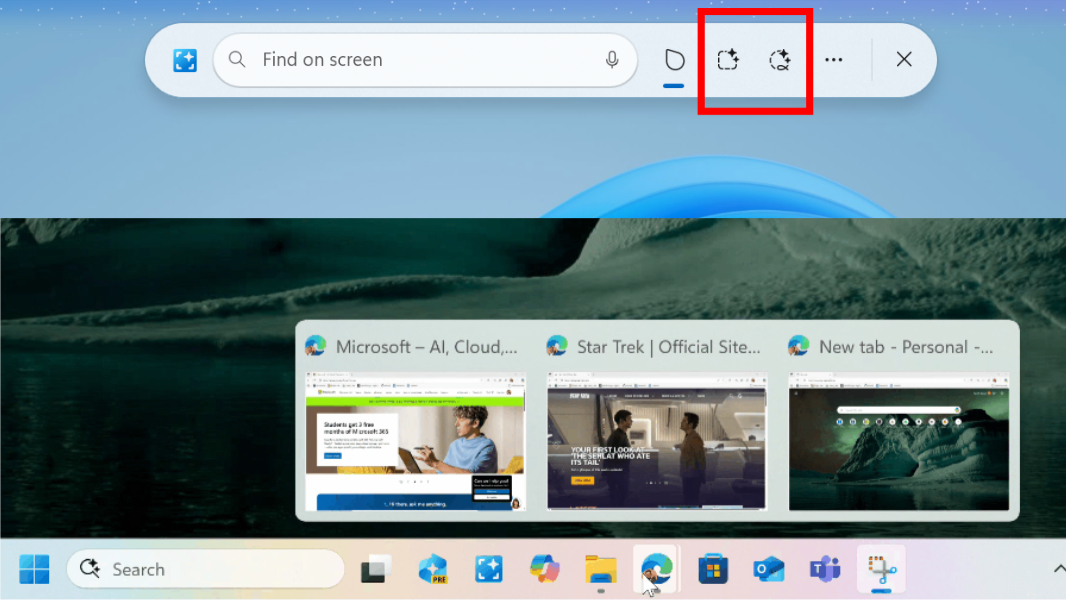
Those with Windows 11-based PCs enrolled in the Dev or Beta channel in the Windows Insider Program have a new build to install. As is so often the case, these builds appear to be functionally identical.
Those in the Dev channel can install cumulative update KB5064071 to upgrade Windows 11 version 25H2 to build 26200.5751. And if you’re in the Beta channel, you can install cumulative update KB5064071 to upgrade Windows 11 version 24H2 to build 26120.5751.
Key new features and changes in each build include:
New Selection Modes in Click to Do. With this update, Click to Do now supports new ways to select objects on-screen, including Freeform Selection, Rectangle Selection, and Ctrl + Click. This is a bit similar to how Snipping Tool works, I guess, but it also lets you interact with different objects in different ways, which should be useful.
Taskbar improvements. There’s a new animation when you mouse over app groups from the Taskbar.
File Explorer improvements. The Explorer “File open” context sub-menu will no longer display an accent-colored “backplate” behind each packaged app icon. So those icons will now be bigger and easier to see.
Fixes. Each build includes fixes across Click to Do, Recall, Taskbar, System tray, Start menu, File Explorer, Login and Lock screen, Live captions, and more.