Xbox App on PC is Making Other Storefronts Easy to Access
- Laurent Giret
- Aug 22, 2025
-
0
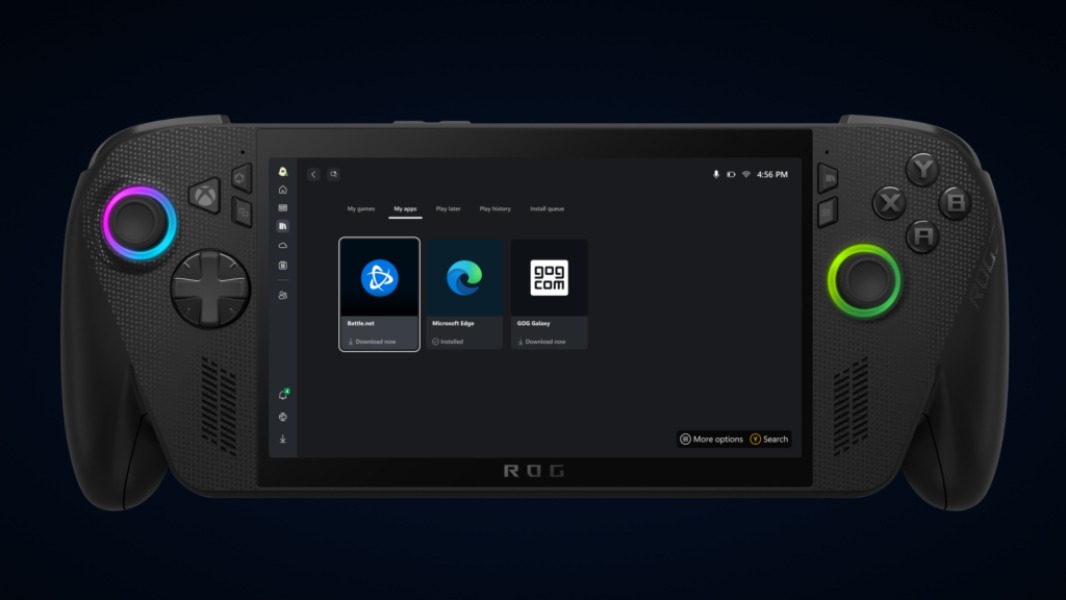
The Xbox app on PC is getting a new “My Apps” tab providing quick access to Microsoft Edge and other gaming storefronts. On gaming handhelds like the upcoming ROG Xbox Ally, the feature will make it easy to access third-party apps within the full-screen Xbox experience.
Xbox Insiders enrolled in the PC gaming preview can already test this new My apps tab in the Xbox app. At the moment, Battle.net and GOG are the only digital storefronts to appear there, and clicking on them will initiate the download if they’re not already installed. In my own experience, installing GOG worked fine, but I kept seeing an error message when trying to install Battle.net.
While the new aggregated library on the Xbox app integrates games from Steam and the Epic Games Store, these two storefronts aren’t showing up in the new My Apps section yet. However, the Xbox team said that more apps will be added in the future, including browsers and gaming utilities.
“Together with features like your aggregated gaming library and play history, “My apps” puts players at the center, making Xbox on PC your home for discovering, managing, and playing your entire catalog of great games from any storefront,” the Xbox team said today. As you may know, the GOG Galaxy app is already doing similar by integrating all your games from connected PC and console platforms, but it’s good to see Microsoft optimize this experience for gaming handhelds. The full-screen Xbox experience that will be enabled by default on the ROG Xbox Ally will also minimize background activity to optimize gaming performance.