Microsoft Releases Windows Backup for Organizations
- Paul Thurrott
- Aug 28, 2025
-
2
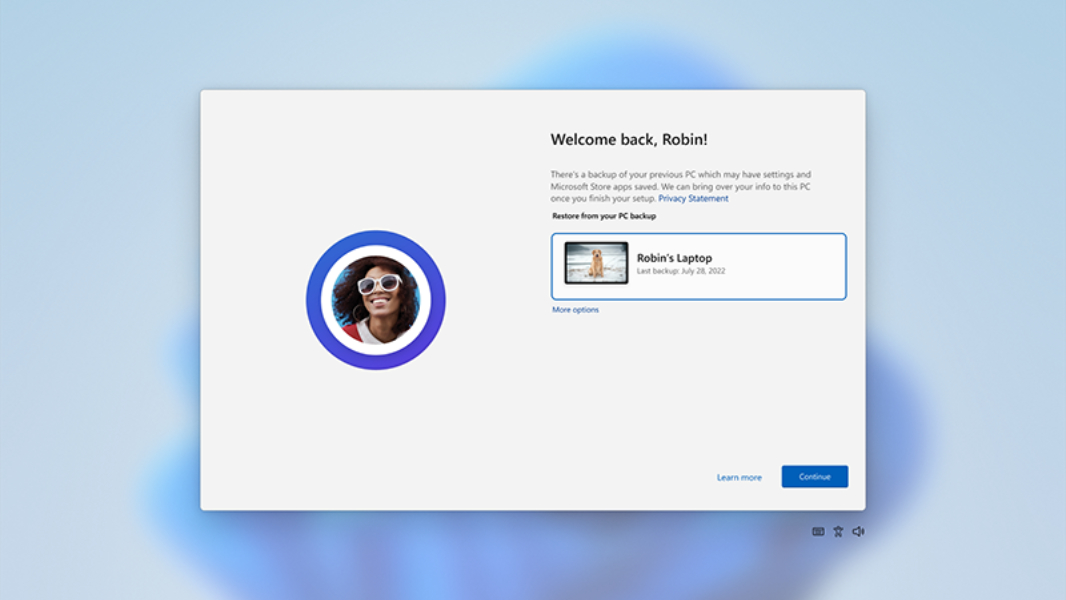
Announced at Ignite 2024, Windows Backup for Organizations is the commercial version of Windows Backup, meaning it’s not a backup solution at all, despite the name.
“Windows Backup for Organizations allows your organization to seamlessly back up Windows 10 or Windows 11 settings and effortlessly restore them on a Microsoft Entra joined [PC],” Microsoft’s Miranda Leschke writes. “As of today, you can also enable backup of the list of installed Microsoft Store apps, with the ability to restore them to the user’s Start menu as well.”
Put simply, Windows Backup for Organizations is a way for a user in a managed environment to back up some of their Windows 11 settings and the list of installed Microsoft Store apps so that they can be easily restored when they get a new PC. This is similar to the Windows Backup as used by consumers today: This app lets you back up some settings, some credentials, a list of installed Microsoft Store apps, and sync files in your Desktop, Documents, and/or Pictures folders through OneDrive.
Windows Backup for Organizations works with Windows 10 and Windows 11—the former to help with the transition to the latter—and requires admins to enable this functionality: This is an opt-in feature that is disabled by default. Once it’s enabled, users can trigger backups using the Windows Backup app, and then they can restore from that backup during the Out of Box Experience (OOBE) when signing in for the first time on a new PC.
“With Windows 10 support ending on October 14, 2025, ease your transition to Windows 11,” Leschke adds. “For large-scale upgrades and device continuity, Windows Backup for Organizations helps reduce migration overhead, minimize user disruption, and strengthen device resilience against incidents.”
You can learn more about Windows Backup for Organizations on the Microsoft Learn website.