Google Adds Several New Features to NotebookLM
- Paul Thurrott
- Sep 08, 2025
-
0
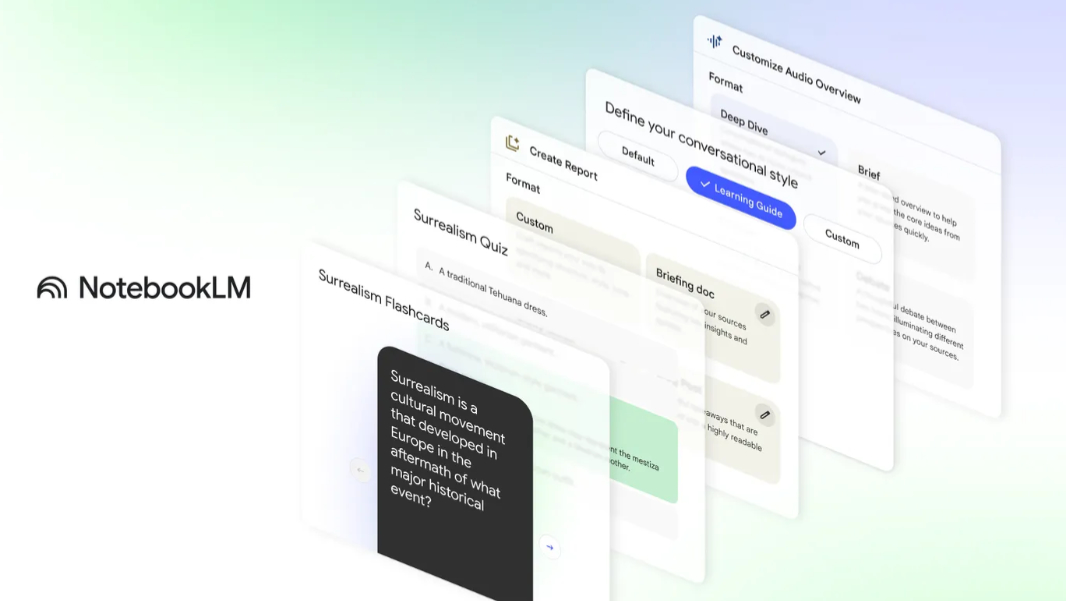
NotebookLM is getting several new features and more public notebooks as part of an ongoing effort to turn reading into learning.
“Turning information into knowledge is challenging, whether you are preparing for an exam, starting a new project or exploring a new interest,” Google’s Marvin Paul and Dharti Dhami write. “That’s why we built NotebookLM as your personalized AI partner for research and thinking. It helps you make connections and understand complex material faster. And today, we are introducing new features and public notebooks that transform passive reading into active learning.”
Here’s what’s new.
Flashcards and quizzes. NotebookLM can now create flashcards and quizzes from your lecture notes, research papers, work reports, and other documents, all entirely grounded in your source content. And you can click “explain” and NotebookLM will generate a detailed overview.
Report improvements. NotebookLM’s ability to generate reports like Briefing Docs and Study Guides from sources has emerged as one of its most popular features. So Google is redesigning reports, adding a new Blog Post report type, and dynamically suggesting options based on the theme, topic or industry mentioned in the sources you provide. You can also create custom report formats now.
Learning Guide. This new feature is like a personal tutor who helps you break down problems step-by-step and adapts its explanations to your needs, rather than just giving you an answer.
Interactive notebooks from OpenStax. Google has partnered with OpenStax to bring its free, peer-reviewed textbooks to NotebookLM as interactive notebooks with high school- and college-level topics like Biology, AP Biology, Introduction to Business, Chemistry, Psychology, and Principles of Management.
Audio overview improvements. Deep Dives is getting new formats for providing more diverse perspectives, including Brief (a short summary of your sources’ core ideas), Critique (constructive feedback on an essay or design document), and Debate (in which two AI hosts discuss different perspectives on the topics in your sources).
New features for educators. In addition to creating notebooks from class materials and assigning them directly in Canvas by Instructure and PowerSchool Schoology Learning using Gemini LTI, educators will soon be able to create and assign notebooks in Google Classroom.