Microsoft Issues Three Windows 11 Insider Preview Builds
- Paul Thurrott
- Oct 06, 2025
-
3
Microsoft today issued new Windows 11 builds to the Canary, Dev, and Beta channels in the Windows Insider Program. And there are some big changes in the latter two.
Canary
Those with PCs enrolled in the Canary channel can download and install build 27959, which brings several features we’ve seen elsewhere to this neglected backwater:
- Hardware indicators can now be moved to the top left or top center of the screen, in addition to the bottom right.
- There are new keyboard shortcuts for inserting En and Em dashes.
- You can pin favorite apps to the “Share using” section of the Share window.
- Dialogs now follow a consistent Windows 11 look and feel.
Dev and Beta
Those with a PC enrolled in the Dev channel can install cumulative update KB5065797 to upgrade Windows 11 version 25H2 to build 26220.6772. And those on Beta can install cumulative update KB5065797 to upgrade Windows 11 version 24H2 to build 26120.6772. New features common to both builds include:
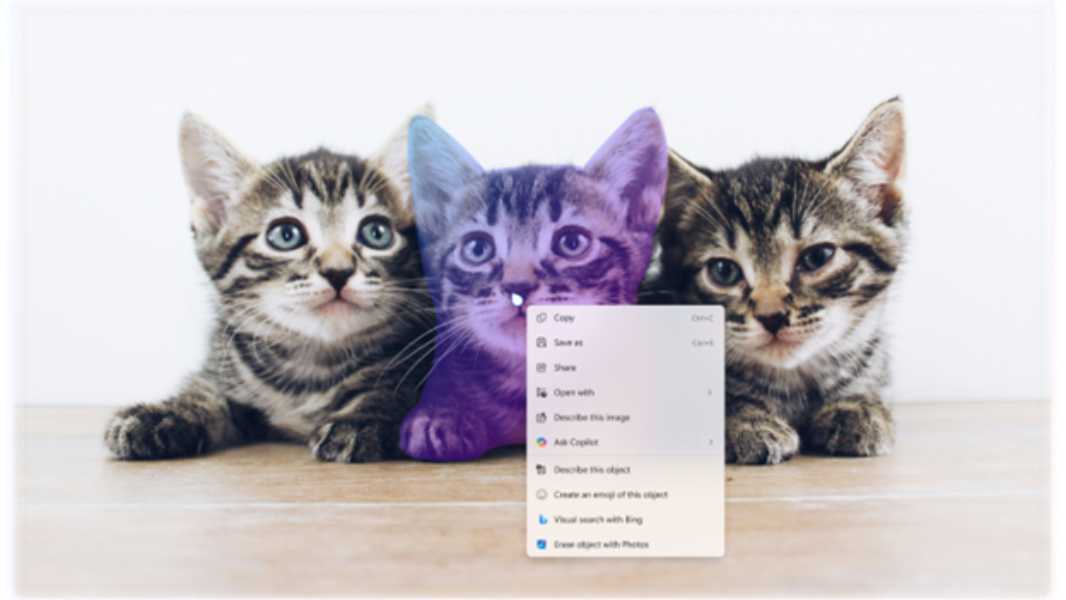
- Click to Do improvements (Copilot+ PC only). There’s a new Image Object Select tool to select just part of an image, and a new Unit Conversion capability for use with number and unit combinations on-screen.
- Windows Hello Enhanced Sign-in Security (ESS) improvements. Windows Hello ESS will now support external fingerprint readers for the first time.
- OOBE improvements. The Windows Setup Out of Box Experience will now let you name your user folder, though you must do so from a command line window (using the familiar Shift + F10) shortcut: On the Microsoft account sign-in screen, open the command line window, type SetDefaultUserFolder.cmd , and use a name that is 16 characters or less.
- OOBE deprecation. Microsoft is also removing the ability to create a local user account during the OOBE using known workarounds. You will need to sign—in with an MSA to ensure the PC is properly configured (mostly with full-disk encryption, I bet) and then create a local account after Setup is complete.
- File Explorer improvements. Microsoft is fixing some of the non-compliant dialogs and progress dialogs used by File Explorer so that they finally support Dark Mode properly like a real operating system.