Vivaldi 7.7 Arrives with Improved Tab Sync, User Experience Updates
- Paul Thurrott
- Nov 13, 2025
-
1
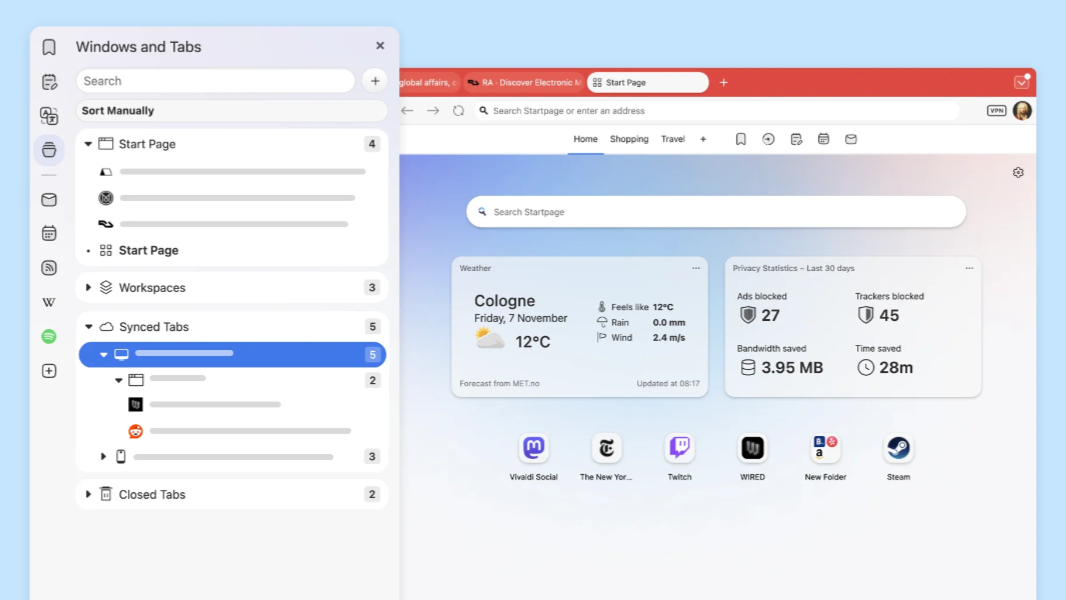
Vivaldi 7.7 is here on the desktop with a major change to how the web browser syncs tabs between devices and several user experience updates.
“This release brings together features that have been carefully refined based on what you’ve told us matters most: seamless access to your tabs across desktops, a unified Start page that finally combines Widgets and Speed Dials and granular control over browser performance,” Vivaldi co-founder and CEO Jon von Tetzchner writes. “Your browser should adapt to you, not the other way around. That’s the design principle behind every decision we make.”
Here’s what’s new.
Tab sync. Now you can access all the tabs from Vivaldi on other PCs and mobile devices via the Window Panel and Tab button. But it’s not just individual tabs: Vivaldi also syncs Workspace and Tab Stack configurations, too. “This is especially powerful when you move between setups, for example office and home setups, or when you move between different machines throughout your day,” von Tetzchner says. “You don’t have to reconstruct your tab organization from scratch, or fish through sync history trying to remember which tabs went together. Your browsing context, the way you’ve structured your work, is treated as first-class data. Open it once, and you’re back to exactly where you were, with all your organizational work preserved.”
Start page improvements. The Vivaldi Start page has been reimagined, with Widgets and Speed Dials integrated into a single, customizable dashboard view. You can now add any number of Speed Dial groups as well.
Privacy Dashboard improvements. Vivaldi’s Privacy Dashboard has also been redesigned to be cleaner and clearer, with information about blocked trackers and ads, and the time saved by not having to deal with those intrusions. You can also see per-site blocking and manage exceptions on a site-by-site basis.
Performance configuration. The new Performance page in Vivaldi settings lets you configure various performance characteristics, including Memory Saver and how aggressively the browser manages inactive tabs.
Mail panel improvements. Vivaldi’s Mail panel has been refreshed with improved readability and to be cleaner, clearer, and more organized.
About page improvements. The Vivaldi About page in settings has likewise been redesigned with a modern look, better messaging, and quick access to information like your profile path in the file system.
You can learn more and download Vivaldi for Windows, Mac, or Linux from the Vivaldi website.