New Dev and Beta Build Enables New Agentic Features
- Paul Thurrott
- Nov 17, 2025
-
2
Microsoft today issued new Windows 11 version 25H2 preview builds to the Dev and Beta channels in the Windows Insider Program. There are a handful of new features.
As you may recall, Microsoft is temporarily delivering the same 25H2 build to both channels. Today’s build is 26220.7262 and it’s installed via cumulative update KB5070303.
Here’s what’s new.
Experimental agentic features toggle in AI Components settings. This new setting determines whether AI agents can use new Windows agentic features. You can learn more about this functionality on the Microsoft Support website.
HD Voices in Narrator and Magnifier. If your PC is configured for U.S. English, you can now access high-definition voices, powered by Azure-based on-device text-to-speech models, in Narrator and Magnifier. There’s only one male and one female voice for now.
Math in Narrator. Microsoft is updating Narrator to support math reading, and in this first preview release, it can now read equations in Microsoft 365 desktop apps.
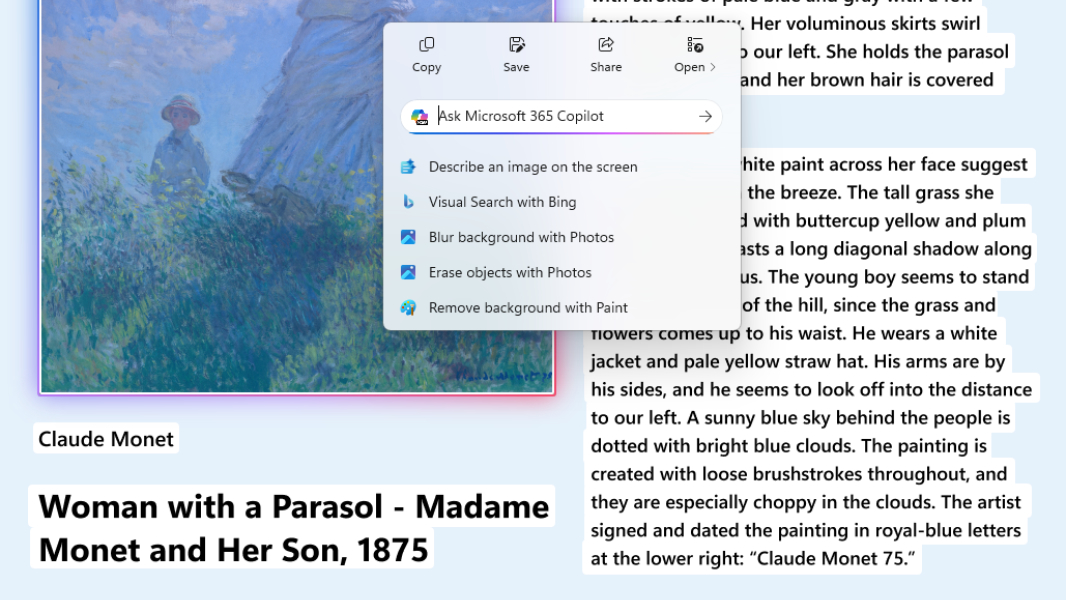
Click to Do improvements. The Click to Do context menu is being streamlined so that frequent actions like Copy, Save, Share, and Open are always directly available. And the context menu now appears automatically when there’s a large image or table on-screen.
Other improvements and changes. Image Object Selection is being turned off temporarily, Teaching Tips and Pen Input got small improvements, and the AI Actions feature is being configured (so some may lose some functionality for now). There are also several fixes, as you’d expect.