Elementary OS 8.1 is Here
- Paul Thurrott
- Dec 22, 2025
-
0

It’s been over a year since its last major release, but Elementary OS 8.1 is now available, adding new features, improved device support, and over 1,100 fixes to this user-friendly Linux distribution.
“With OS 8.1, we’ve focused in on following through on OS 8 release goals, improving support for Your devices, and addressing your feedback with over 1,100 issue reports fixed,” Elementary founder and CEO Danielle Foré writes. “We released elementary OS 8 last November … Over the last year we’ve continued to build upon that work to deliver new features and fix issues based on your feedback, plus we’ve improved support for a range of devices including HiDPI and Multi-touch devices.”
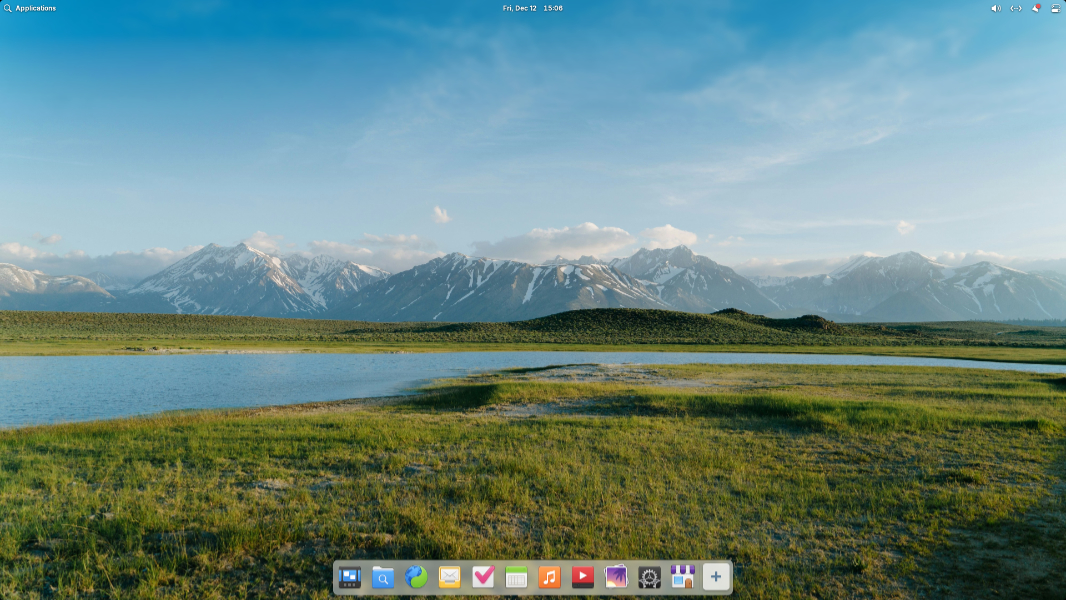
There is a lot new here, but some of the key changes and additions include:
Secure Session as the default session. Elementary OS 8 added a Secure Session option in which you could optionally use the modern and more secure Wayland compositing engine. In 8.1, Secure Session is the default, though you can fall back to a Classic Session if needed. And Secure Session authentication dialogs have been updated so that the rest of the screen dims when they’re displayed, similarly to Windows 11.
Multitasking and window management improvements. The Elementary OS Dock now displays background apps, and there’s a new Multitasking View icon so you can more easily access your other workspaces. You can also enable hot corners when apps or games are running full screen.
AppCenter improvements. AppCenter now displays ODRS ratings and Elementary OS-specific screenshots of apps when provided by the developer, and it supports app add-ons. Free apps now display an “Install” button (instead of “Free”).
Updating improvements. System Updates now displays the size of updates before installing and a progress bar while installing. And the underlying updating engine no longer runs in Deep Mode, only runs once per day, and doesn’t slow down the initial login.
Accessibility improvements. Elementary has adopted an Inclusive Design philosophy, and so each release of the OS includes various accessibility improvements. For 8.1, Elementary OS adds expanded support for screen readers, Dark Mode schedule snoozing, a new Reduce Motion setting, improved text contrast throughout, and more localization support.
Hardware support improvements. Thanks to the latest long-term support hardware enablement stack from Ubuntu, which includes the Linux 6.14 kernel and Mesa 25 graphics library, Elementary OS 8.1 delivers better performance, especially in gaming and file transfers, reduced power consumption for certain AMD and Intel chipsets and GPUs, some new security features, and support for Intel “Lunar Lake” processors. It also supports more webcams, USB network devices, joysticks and gamepads, Wi-Fi devices, microphones, and other hardware devices. But the most exciting update here, perhaps, is Arm64 support for PCs with UEFI firmware, including Apple Silicon Macs.
Feedback-based improvements. Elementary reports that it fixed over 1,100 bugs since the release or Elementary OS 8, thanks largely to reports filed by users.
Visual updates. Elementary OS 8.1 adds a blur-behind effect for the Dock, Notifications, and the (Alt + Tab) window switcher, various design updates throughout AppCenter and Settings, new folder icons, new pointer icons, and other updates.
New and updated apps. There’s a new Monitor app for system monitoring and a new Maps app. And many of the in-box apps are getting big updates, including Music, Files, Code, Terminal, and more.
As with previous Elementary OS versions, Elementary OS 8.1 is available as a pay-what-you-can purchase via the Elementary OS website.