Elementary OS 8 is Now Available
- Paul Thurrott
- Nov 27, 2024
-
4

Elementary today announced the release of Elementary OS 8.0, the latest version of its user-friendly Linux distribution.
“With OS 8, we’ve focused in on creating a new Secure Session that ensures applications respect your privacy and require your consent, a brand new Dock with productive multitasking and window management features, and empowering our diverse community through Inclusive Design,” Elementary founder and CEO Danielle Foré writes.
Here are some of the key new features.
Secure Session. You can now choose between classic and secure sessions from the lock screen. If you select Secure Session, Elementary OS uses the modern and more secure Wayland compositing engine. Otherwise, it will use the legacy system and require explicit consent to access certain system features. Secure Session also supports new features like mixed DPI modes for those with multiple displays and improved multitouch capabilities. The Classic Session type is still the default, but as with other Linux distributions, the transition to Wayland is finally happening. Tied to this, Elementary OS offers a standard system interface called Portals that protects the user’s privacy by requiring explicit consent, and version 8 adds four more: Color Picker, Screenshot, Screencast, and Wallpaper.
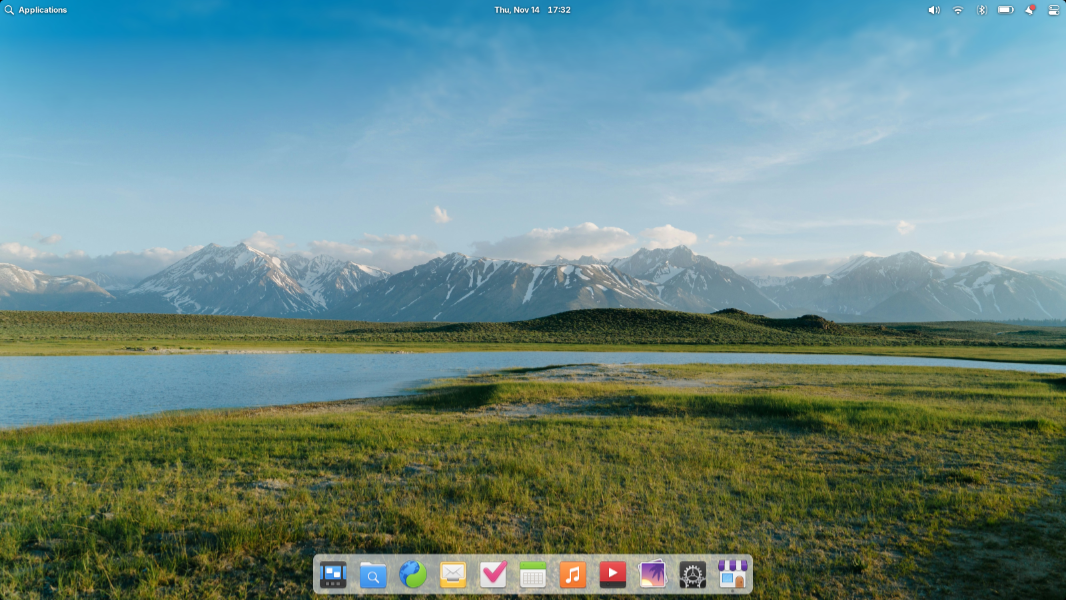
Multitasking improvements. With the move to Wayland, Elementary is improving its multitasking UIs. It completely rewrote the Dock, formalized the ways in which multi-window apps work, and added optional new multitasking features with gesture support. For example, you can disable hot corners in workspaces with a full-screen app, and switch between workspaces by scrolling over the panel.
Flathub. Elementary OS previously switched its AppCenter app store over to the Flatpak app distribution technology, and in version 8, it adds the Flathub app store support too. “This means you’ll be able to access apps made specifically for elementary OS, apps made for Linux, and popular cross-platform apps like Discord and Spotify all directly from AppCenter without having to manually sideload or configure an alt store,” Foré explains.
Updating improvements. Like Windows, Elementary OS has separate updating systems for OS components and apps, and in version 8, it has moved OS updates out of AppCenter and into System Settings, making it clearer which is which and which updates require a restart. (Updates in AppCenter will never require a restart, while updates in System Settings will always require a restart.)
Accessibility improvements. Elementary rewrote its onboarding system to support keyboard navigation and screen readers, added screen reader support to Alt + Tab, and rewrote System Settings to better support very small and very large displays while adding support for text scaling, screen readers, and keyboard navigation. There are new scrollbar settings to make them more visible when needed, and automatic new options for temperature, keyboard shortcuts, and more.
Quick settings. As with the similar feature in Chrome OS and Windows 11, Quick settings brings several frequently needed system settings to a simple menu, in this case available from the top system menu, including new controls for Dark mode and Rotation lock.
Fit and finish. There are many, many small fit and finish updates, including new mouse pointers, new wallpapers, background blurring in Multitasking view, improved modern design changes in several apps, and new hardware support via the Hardware Enablement stack from Ubuntu. It moved drive management from AppCenter to System Settings, add battery charging level and status to Power settings.
You can learn more about Elementary OS and download the latest version at the Elementary website. Elementary OS 8 is also available with new laptops from Laptop with Linux, Star Labs, and Slimbook and other retailers.