Dev Channel Belatedly Gets January 16th Beta Channel Build
- Paul Thurrott
- Jan 21, 2026
-
0
Well, so much for that theory. If you have a PC enrolled in the Dev channel of the Windows Insider Program, you have a new build to install. And by new, I mean the same build that the Beta channel got last week, on January 16.
“Today we are releasing KB5074157 to the Dev Channel which is the same build as the January 16th Beta Channel release,” Microsoft explains without explaining why this was delayed for several days. (I had speculated that it was because the Dev channel would soon move to testing 26H1 builds, but it appears not.)
The “new” build is 26220.7653 and as before it includes the following:
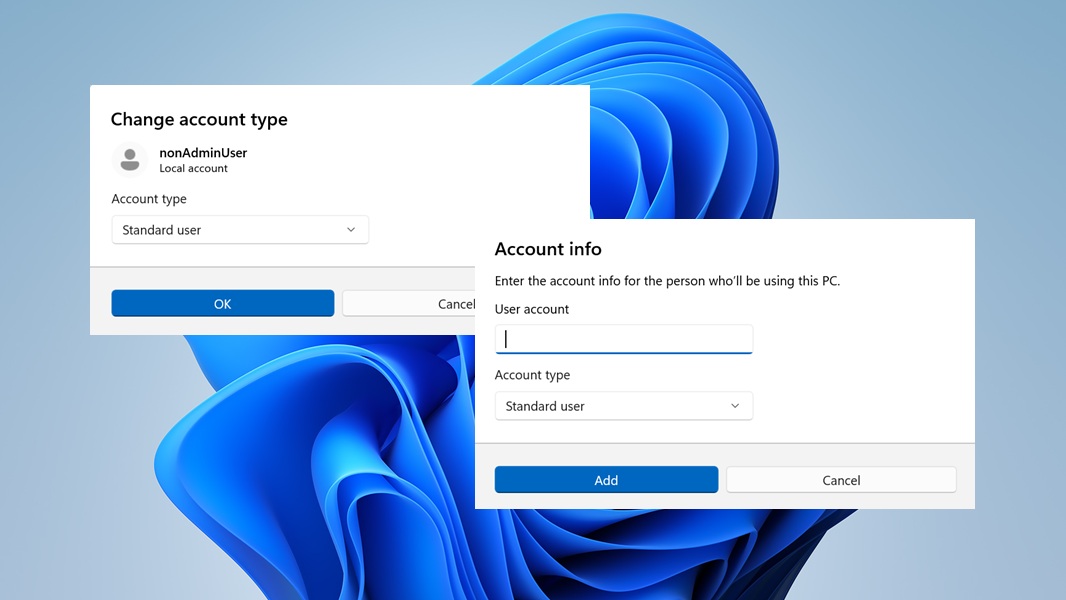
Account settings UI modernization. The “Account info” and “Change account type” dialogs that appear in the Settings app in Accounts > Other users are being modernized with the WinUI 3 look and feel, which means they will correctly support Light and Dark modes now, too.
Click to Do improvements (Copilot+ PC only). The Copilot prompt suggestions in Click to Do will now load instantly (but not in the European Economic Area, or EEA, yet).
Desktop background improvements. You can now configure a WebP raster image as your Desktop background.
Fixes. This build includes fixes for the Taskbar, Start menu, Notification Center, Quick Settings, Bluetooth, Login screen, Lock screen, Settings app, and more.
There are also some known issues in the Xbox Full Screen Experience (FSE), Taskbar and system tray, Click to Do, and other system features.
Yipee.