Google Brings Notebooks to Gemini
- Paul Thurrott
- Apr 08, 2026
-
1
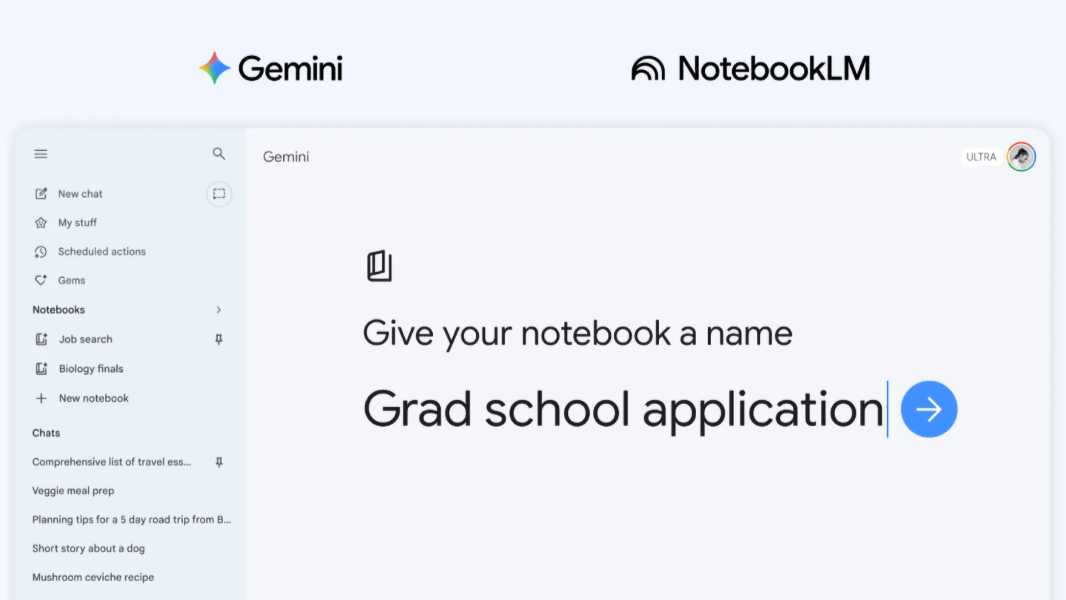
Gemini can already use NotebookLM as a source, but now it offers an integrated Notebooks feature as a dedicated space for organizing chats and files. And yes, they sync to NotebookLM too.
“Think of notebooks as personal knowledge bases shared across Google products, starting in Gemini,” Google senior product manager Rebecca Zapfel writes. “They give you a dedicated space to organize your chats and files, and because they sync with NotebookLM, you can unlock even more efficient workflows directly from Gemini.”
Notebooks are basically an organizational method for content–chats and files–that you use to perform specific tasks. In addition to adding files to them, you can take existing notebooks from NotebookLM and move them into Gemini and provide notebooks with context-specific instructions. Gemini will then use all that alongside web search and its own tools to help generate responses.
Notebooks and all the sources in each sync between Gemini and NotebookLM, Google notes. Among other things, this means you can create a notebook in Google and then access it in NotebookLM while using features specific to that app like Video Overviews and Infographics.
The number of notebooks and sources you can add to a notebook depends on your Google AI subscription plan. Those with a standard (free) plan can have up to 100 notebooks, each with up to 50 sources. Those on Google AI Plus get 200 notebooks with up to 100 sources per notebook. Google AI Pro gets you 500 notebooks, each with up to 300 sources. And Google AI Ultra provides 500 notebooks, each with up to 600 sources.
Notebooks are rolling out now to Gemini users starting with Google AI Ultra, Pro, and Plus subscribers on the web. This will expand to those on mobile and to free users soon. “This is a first step, and we’re working to bring even more helpful features to notebooks in Gemini in the future,” Zapfel adds.