Gemini in Google Chrome Can Now Turn Specific Workflows Into Reusable Skills
- Laurent Giret
- Apr 14, 2026
-
1
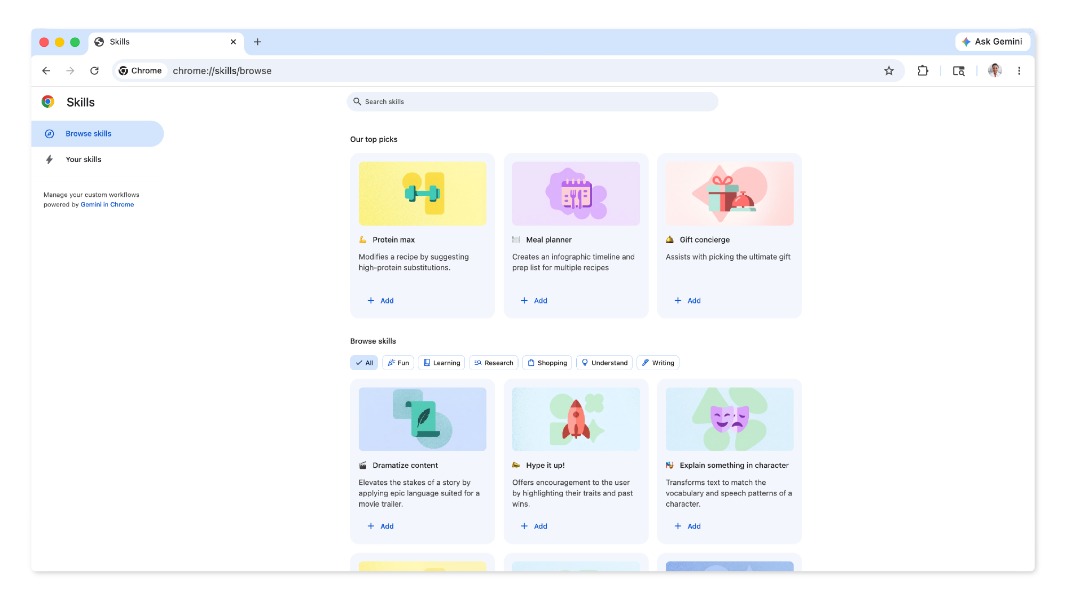
The new Gemini integration in Google Chrome now lets users save time by turning specific AI tasks into one-click Skills. Prompts can be saved as Skills right from the chat history, and Google is also launching a Skills library that Chrome users can check out for common tasks and workflows.
“Skills are built on Chrome’s foundation of security and privacy, and they utilize the same safeguards we apply to prompts in Gemini in Chrome,” Google explained today. “That means a Skills prompt will ask for confirmation before taking certain actions, such as adding an event to your calendar or sending an email. And Skills benefit from Chrome’s layered protections, including automated red-teaming and auto-update capabilities. “
After saving a prompt as a Skill from their chat history, Chrome users will be able to run it on the page they’re viewing by typing forward slash ( / ) or clicking the plus sign ( + ) button. Skills can be used to scan documents, compare information across multiple tabs, and more, and they can be edited at any time.
To help users get started with Skills, Google’s new Skills library offers a selection of ready-to-use Skills that they can edit and save to their own Skills collection. Skills are rolling out first to Chrome users on the desktop with their language set to English-US. Gemini in Chrome recently rolled out to users in New Zealand, India, and Canada, but there’s no word yet on when Skills will become available in these additional markets.