ROG Xbox Ally Gets Docking Improvements and Auto Super Resolution in Preview
- Laurent Giret
- Apr 30, 2026
-
1
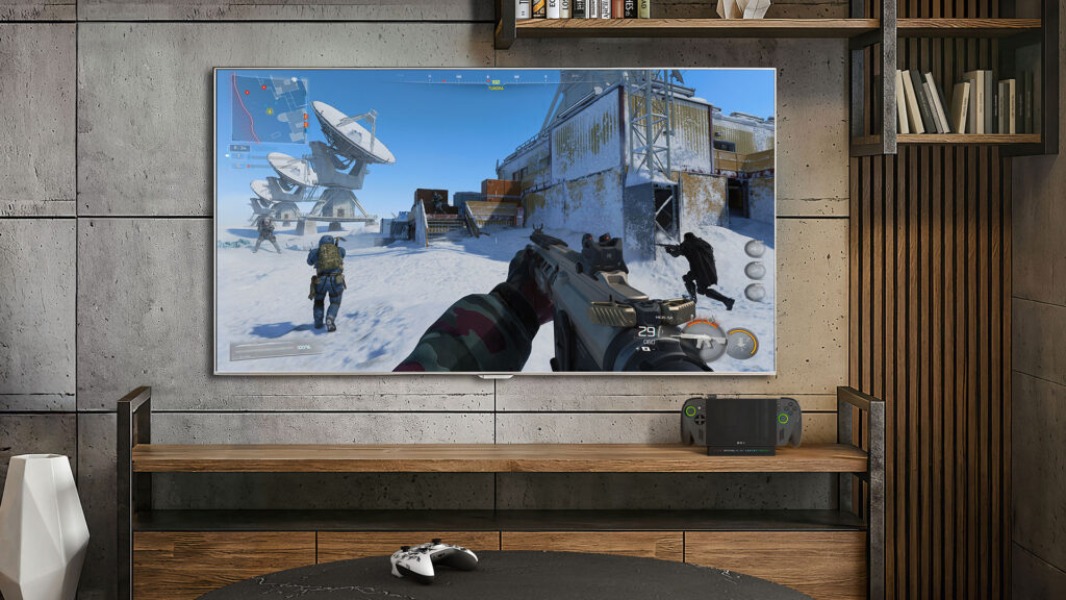
Microsoft is starting to roll out Auto Super Resolution and other new features to the ROG Xbox Ally and ROG Xbox Ally X handhelds. The AI-powered Auto SR feature is only on the ROG Xbox Ally X, which has a powerful NPU for upscaling graphics, and the feature is available in preview for Xbox Insiders.
“We previously introduced Automatic Super Resolution (Auto SR) on select Windows 11 Copilot+ PCs, to make games look sharper and play smoother. Today, we’re excited to give Xbox Insiders the opportunity to help us test and refine this feature on the ROG Xbox Ally X for docked play, where balancing framerate (FPS) and image quality can be especially challenging,” Microsoft explained today.
Auto SR is only available for docked play, and it’s most useful for titles running below 60 FPS. On games that already run smoothly on the ROG Xbox Ally X, turning the feature on will allow players to enjoy higher resolution or graphics settings without impacting performance. Auto SR is also integrated into the Windows 11 Game Bar, with a toggle to always use the feature on the currently running game.
Docking improvements and other new features are also rolling out to ROG Xbox Ally and ROG Xbox Ally X owners running the latest updates for Armoury Crate SE, the Xbox PC app, Game Bar, and Windows 11. Docking the devices will automatically turn off the built-in display, and modern smart TVs from Samsung, LG, and Vizio will also automatically enable Auto Low Latency Mode (ALLM) to reduce latency.
ROG Ally users will also notice a more refined haptic experience that better matches the in-game haptic effects on Xbox consoles. Pairing an Xbox or Designed for Xbox controller when the gaming handhelds are docked will now automatically disable the built-in controls, and a new Gamepad Cursor will provide a console-like experience for navigating the UI.
Microsoft is also rolling out Super Wideband Stereo Voice support on Xbox Ally handhelds, which improves audio quality when using the microphone on audio accessories that support Bluetooth LE Audio. That includes the latest version of Microsoft’s Xbox Wireless Headset, which was recently updated to support super wideband stereo voice over Bluetooth LE.
Lastly, Microsoft will update its Xbox PC app later this month to allow gamers to add any app or game that wasn’t automatically detected to their library. After adding them, all items can be launched from Game Bar or the Xbox App and removed at any time.