You’ll Soon Be Able to Remap the Copilot Key on Your Windows 11 PC
- Laurent Giret
- May 18, 2026
-
4
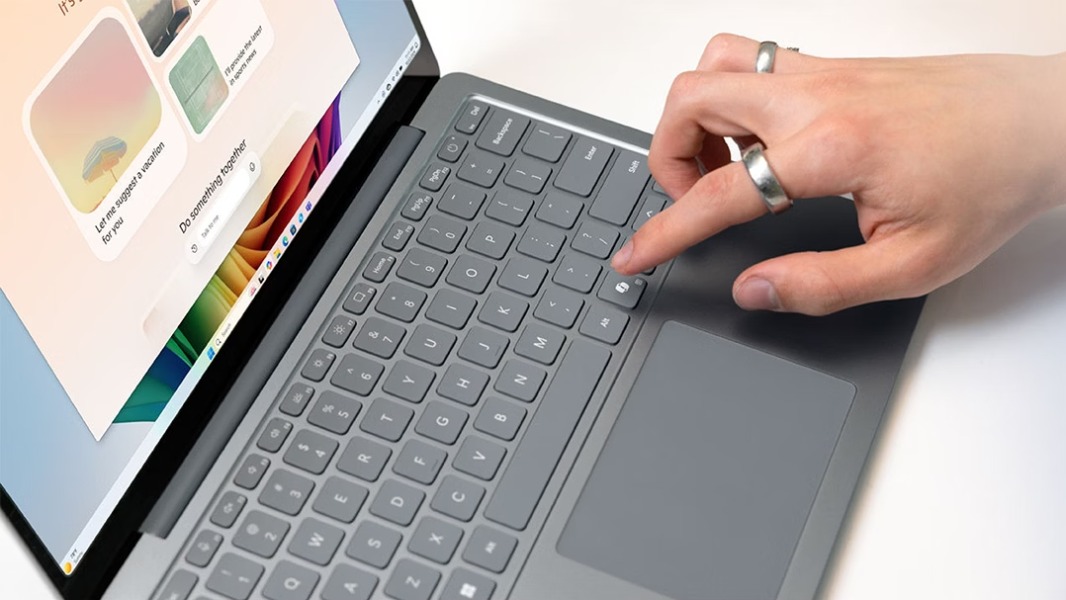
Microsoft will soon allow users of Windows 11 PCs with a dedicated Copilot keyboard key to remap it to either the Right Ctrl key or the Context menu key. This new Copilot keyboard key started to appear on new PCs in 2024 to provide quick access to Microsoft’s Copilot chatbot, but the company finally acknowledged the obvious: No one really asked for this.
“Starting in 2024, some hardware manufacturers released new devices that replaced the Right Ctrl key (or Context menu key in some instances) with a Copilot key for quick access to Copilot in Windows,” the company explained on a support page. “Customers who rely on the Right Ctrl key or Context menu key for keyboard shortcuts or assistive technologies (such as screen readers) experienced some challenges to their workflows when using these devices.”
Later this year, an upcoming Windows 11 update will introduce remapping settings for this Copilot keyboard key. The new setting will be available in Settings > Bluetooth & devices > Keyboard.
Microsoft noted that after remapping this Copilot key to Right Ctrl, some key combinations that use the physical Left Shift key together with the Right Control key may not work consistently on all keyboards. “If you run into issues, use the physical Right Shift key for those shortcuts,” the company advised.
Two years ago, Microsoft believed that 2024 would be “the year of the AI PC” and thought we’d soon all be using its Copilot assistant every day. That clearly didn’t happen, and the company is now in the process of removing “unnecessary Copilot entry points” across Windows 11. It already started with AI features in apps like Snipping Tool, Photos, Widgets, and Notepad, which will soon lose their Copilot branding.