Google Health iOS App Can Now Write Data to Apple Health
- Laurent Giret
- Aug 03, 2026
-
1
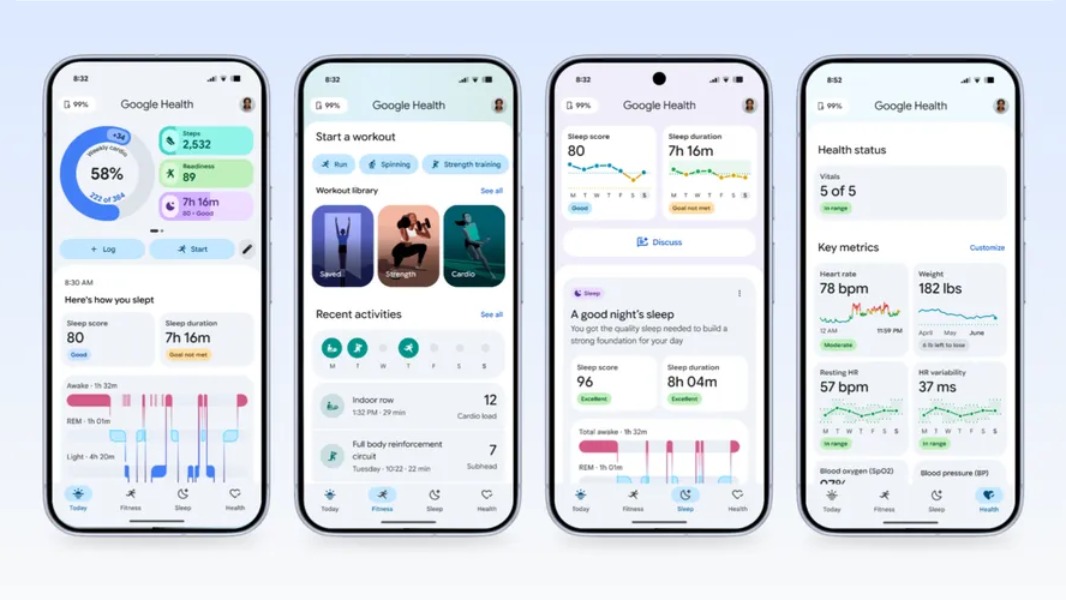
Google has updated its Google Health (formerly Fitbit) app on iOS to add a much-anticipated interoperability feature. The app can now write data to the Apple Health app on iPhones, which means that owners of Fitbit devices can now add their exercise records, sleep information, vitals, and more to Apple’s health hub.
As I previously noted in my recent review of the Fitbit Air, the Google Health app, which is required to set up a Fitbit device and track health metrics, could import data from Apple Health, but it doesn’t work the other way around. Now, health data can finally flow both ways.
The transition from the Fitbit app to Google Health has been quite rocky, as the new app has lost some features along the way. It launched with a flagship new feature, the new AI-powered Health Coach, which requires a paid Google Health Premium subscription. However, the new app still looks like a work in progress, and Google published a development roadmap in late May and promised to bring new features at a regular pace.
I’ve recently replaced my Fitbit Air with an Apple Watch SE 3, but I’m still using the Google Health app and the AI coach to analyse my data imported from Apple Health. However, I much prefer using the Apple Health app over Google Health, as the former has a simpler design.
For Fitbit users who use an iPhone and aren’t big fans of the Google Health app, using the Apple Health app to keep track of their data is now a possibility. What the Apple Health app lacks, however, is the ability to display heart rate data in real time and other data points unique to the Google Health app, such as the daily Readiness score indicating how ready you are to work out.
In the US, this new Google Health update also adds the ability to share summaries of your medical records with your healthcare providers or family members using secure Smart Health Links. The new version also improves VO2Max calculations, and it fixes issues with exercise maps workout editing that some users have been experiencing.