Sonos Adds Live Activities Support on iPhone
- Paul Thurrott
- Aug 17, 2026
-
1
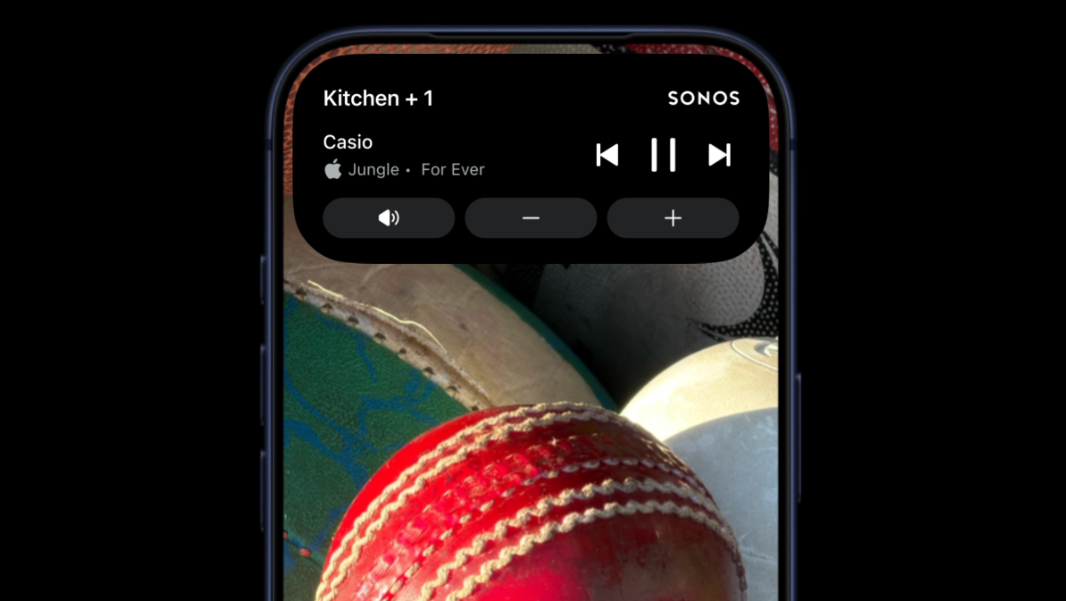
Live Activities is one of the best features in iOS, and it’s supported now by the new Sonos app. Which, yes, is two years old. But still.
“We’re excited to finally bring back Sonos control from the iOS Lock screen, but in an all-new way with iOS Live Activities,” the Sonos team revealed on Reddit, for some reason. “We know this is a much requested, anticipated, and needed feature, and we can’t wait for you to try it out.”
Live Activities is a unique iOS feature that came out of Apple replacing the notch on most modern iPhones with the Dynamic Island; these are banner-sized and persistent notification-type overlays that are used by a growing collection of apps, especially travel and delivery apps. For the Sonos app, you need to upgrade to the latest app version, of course, but then you need to also enable this feature in Account settings by navigating to App Preferences > Live Activity. The first time a Live Activity appears, you should also agree to “Always Allow.”
The Sonos Live Activity displays over the Lock screen, Home screen, and other apps, but you have to unlock your iPhone to make playback changes, Sonos says. The Sonos Live Activity is also available on Apple Watch and CarPlay. But there are more features coming soon, too, including support for album art.
And if you’re on Android, the Sonos team notes that its app has supported lock screen notifications since an update this past February.