Opera Offers an AI Benchmarking Tool for PCs
- Paul Thurrott
- Jun 07, 2024
-
0
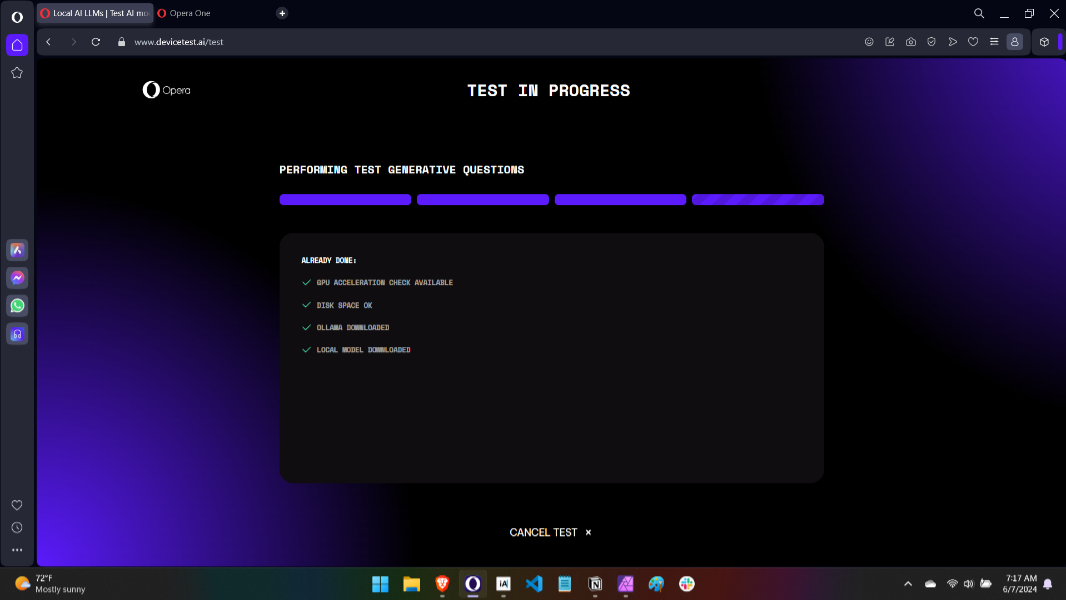
AI web browser maker Opera this morning announced an online tool that will measure your PC’s ability to run on-device AI.
“Today, for the first time, you can test how ready your device is to run AI directly on your device with our new devicetest.ai,” Opera’s Santiago Benavides García writes. “The test requires you to use the latest version of Opera Developer, which recently became the first browser that supports built-in local LLMs. When activated, the test will download an LLM and run several checks for things like tokens per second, first token latency, and model load time, before presenting how ready your device is for running on-device AI.”
Opera’s devicetest.ai site offers three tests–AI Ready, AI Standard, and AI Enthusiast–each of which requires massive downloads (2 GB, 5 GB, and 7 GB, respectively) so that it can test your PC’s efficacy in running on-device language models. Opera suggests that you choose according to the expected capabilities of the PC you’re using. It doesn’t make sense to test against AI Enthusiast with a low-end PC, for example. Nor is it advisable to test against AI Ready using a high-end gaming PC with a powerful GPU.
“But no worries,” García adds, “this isn’t a red-pill or blue-pill kind of choice – you can always redo the test with a different profile.”
Fair enough. I’m still downloading the models used by the smallest of these tests, AI Ready, and it is taking a while. So you’re probably going to need several minutes or more to do these tests yourself. Opera says that a results page will appear when the test is done, indicating how well your PC matches the requirements. Green is “Ready is AI,” yellow means “AI functional,” and red is “Not AI ready.”
But there is, of course, much more detail. The results include information about your PC’s averaged scores on tests for Tokens Per Second (TPS), First Token Latency (FTL), and Model Load Time (MLT), and you can download and share the results to compare them against other PCs. For those concerned with privacy, Opera notes that no personal data is collected through the tool and no data is associated with specific users, IP addresses, or other identifiers.
I’m testing this on an Intel Core Ultra 7 165H-based laptop and will report back when the test concludes.
UPDATE
As expected, my “AI PC” is not up to even the most basic of on-device AI-tasks.
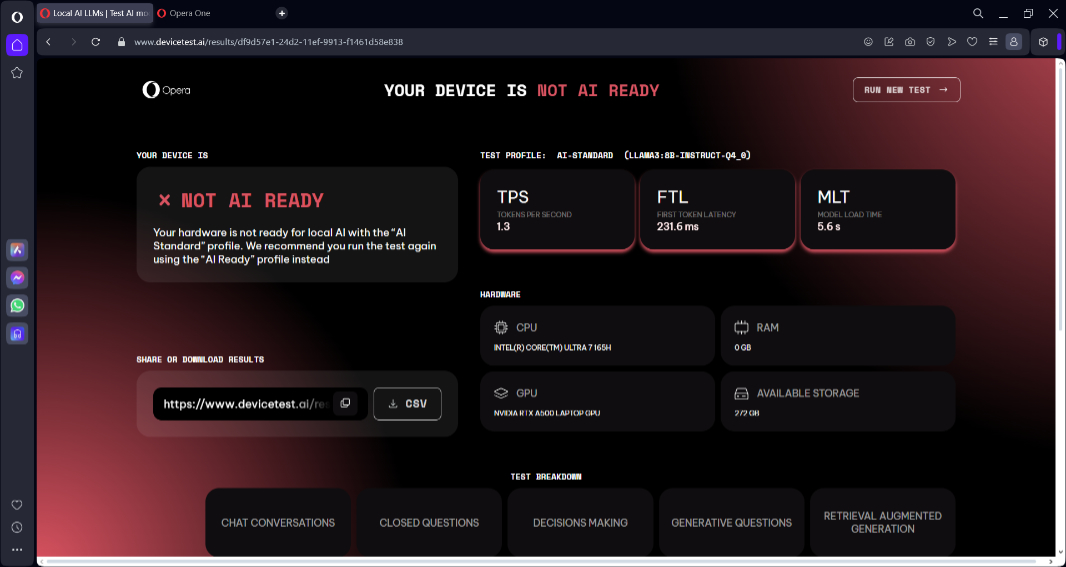
It says, “Your hardware is not ready for local AI with the ‘AI Standard’ profile. We recommend you run the test again using the ‘AI Ready” profile instead. Hm. That is what I ran, I thought. Running again …
And better.
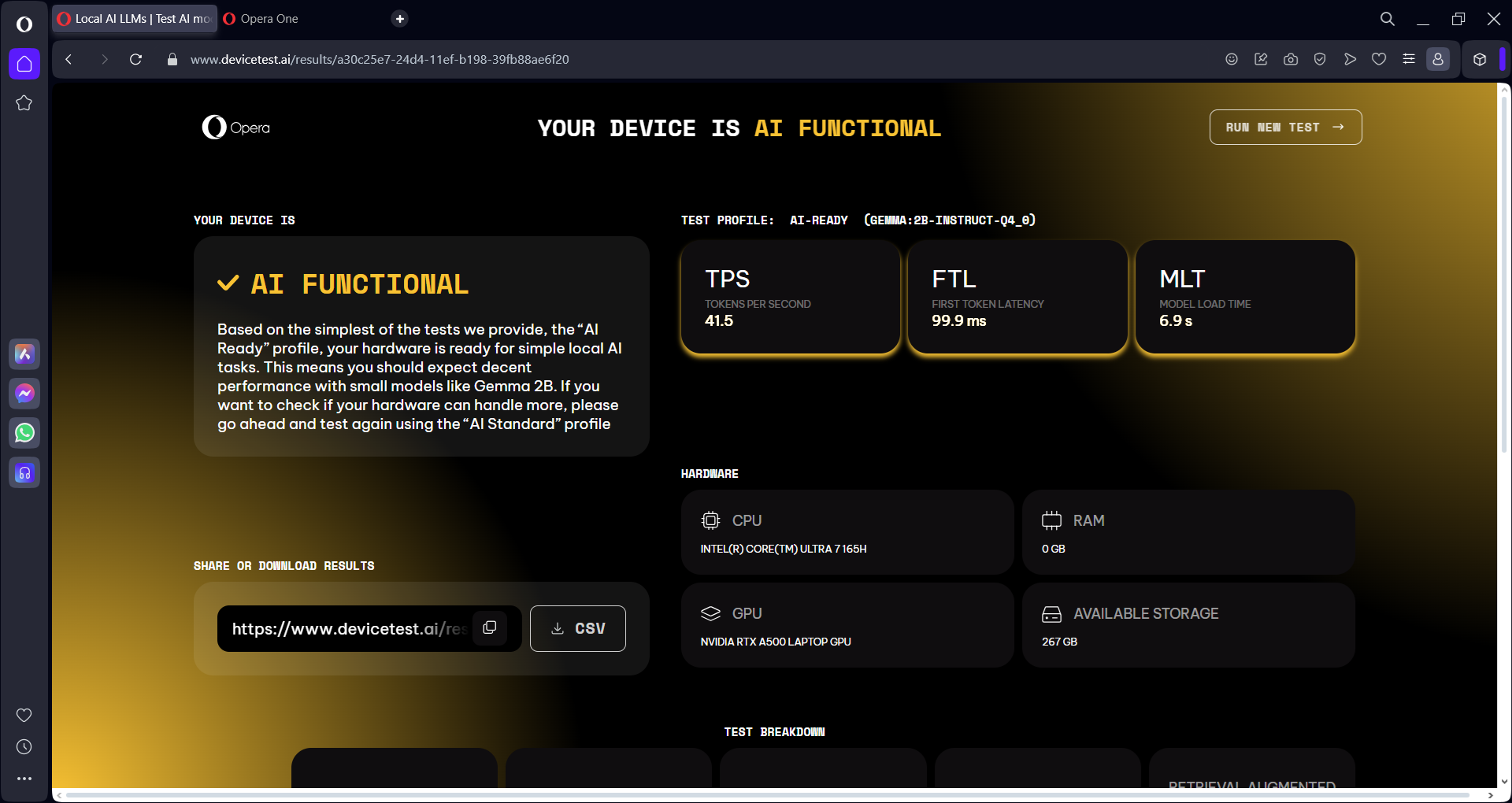
This is closer to what I expected.