Microsoft Designer Gets a Mobile App and New Integrations With Microsoft Apps
- Laurent Giret
- Jul 17, 2024
-
0
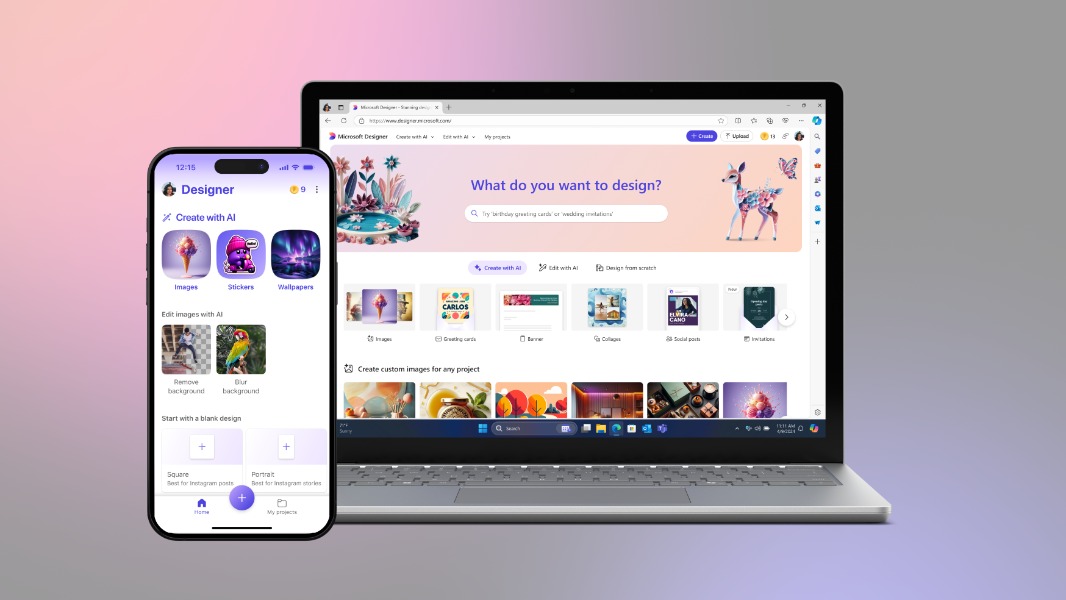
Microsoft Designer, the company’s AI-powered graphic design app is now generally available for users with personal Microsoft accounts. Microsoft Designer was already available on the web and the Microsoft Store as a PWA, but it’s getting a free mobile app and new integrations with Microsoft 365 apps like Word and PowerPoint.
“Designer is now available through Copilot across some of your favorite Microsoft 365 apps on web and PC apps to help you uplevel your slides and docs,” Microsoft announced today. In Word and PowerPoint, accessing Microsoft Designer will require a Copilot Pro subscription. By clicking the new Copilot icon in the apps, users will be able to describe custom images, banners, and other things they want to create using natural language.
Microsoft Designer is also being upgraded with new capabilities today. The company redesigned the app’s homepage to help users get started faster with what they want to create, and there are new prompt templates and custom stickers to inspire creativity. The new Restyle image feature can transform an existing photo into a brand-new image, and a Replace background feature will also start rolling out soon in select markets.
Later today, Windows Insiders will also be able to test a new integration of Microsoft Designer into the Windows 11 Photos app. This will give users new AI-powered tools to remove objects and backgrounds from photos, apply filters, and more. Microsoft said that its Edge will get similar photo editing capabilities in the near future.
Microsoft said that the Designer’s editing experience in the Windows 11 Photos will be limited to Windows Insiders with language set to English, Spanish, French, German, Italian, or Portuguese (Brazil). The Windows Insider team said today that this new Photos experience is now rolling out across all Insider channels, and you’ll need to update your app to version number 2024.11070.12001.0 or higher.