Microsoft Copilot Comes to OneNote for Mac and iPad in Beta
- Laurent Giret
- Oct 22, 2024
-
0
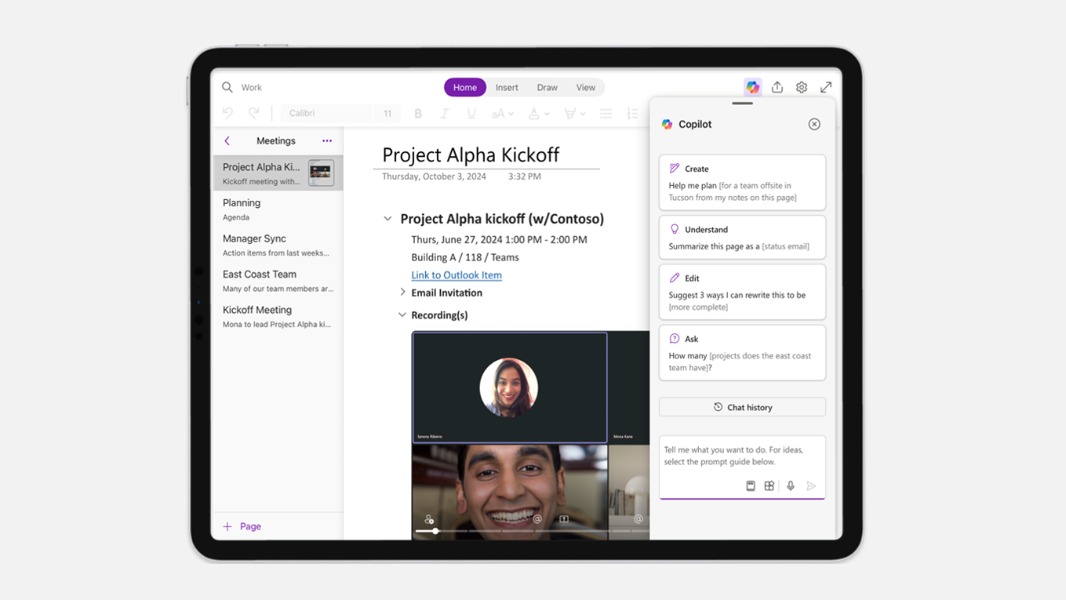
Microsoft’s Copilot assistant is now available in beta in OneNote for Mac and iPad. The assistant is currently only available on the Beta Channel for commercial customers with a Microsoft 365 Copilot subscription, but Microsoft said that it’s also coming soon for consumers with a Copilot Pro subscription.
Copilot in OneNote for iPad and Mac can be accessed with a dedicated button on the top right corner of the apps. Selecting it will open the assistant in a pop up window where users can ask it to summarize pages, rewrite content, or make suggestions using the context on sections and pages of a notebook.
The OneNote team highlighted two current limitations for the Copilot experience on Mac and iPad: The voice input feature is currently unavailable on iPad, and Copilot is currently unable to use the context of an entire OneNote notebook to make its suggestions. Microsoft is already working to address these two limitations.
If you want to test this new Copilot integration in OneNote for iPad or Mac, you’ll need to join the Office Insider program. On macOS, you’ll need to click click Help > Check for Updates > Advanced in any Microsoft 365 app and select the Beta Channel. For iPad users, you’ll need to install Apple’s Testflight app and open this link to check if any seats are currently available for the OneNote iOS beta.