Microsoft 365 Copilot to Get New Agent Store, Memory Support, and More
- Laurent Giret
- Apr 23, 2025
-
0
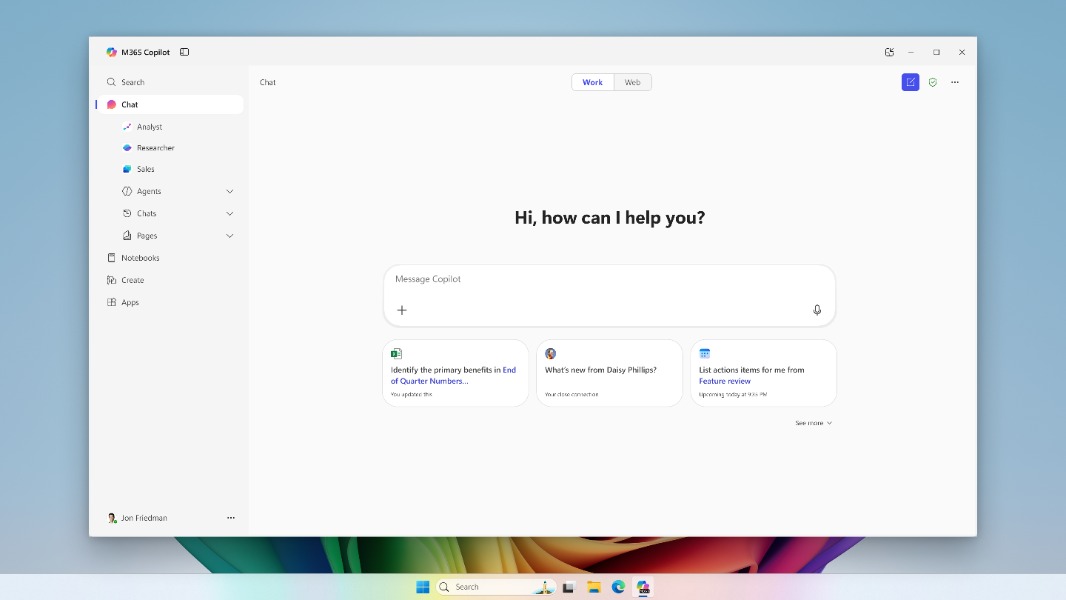
Microsoft detailed today a new series of features coming to Microsoft 365 Copilot, the enterprise version of its AI assistant. The Redmond giant previously announced a new Agent Builder experience during a September event, and it’s following up today with a new Agent Store to make AI Agents more accessible.
“Today we’re announcing the Microsoft 365 Copilot Wave 2 Spring release — designed to power the next era of human–agent collaboration, wrote Jared Spataro, CMO, AI at Work at Microsoft. “Copilot is now your window into the world of agents, with new capabilities for this next phase—driven by more advanced models, adaptive memory, and reasoning agents that work alongside you.”
By leveraging OpenAI’s deep reasoning models, organizations can create AI agents that can accomplish various tasks on their own. Researcher and Analyst, the two reasoning agents for work Microsoft announced last month are coming to the new Agent Store, which is available via the company’s early-access Frontier program. This new store will also host custom agents created by organizations, plus third-party agents from Microsoft’s partners including Jira, Monday.com, and Miro.
In the 2025 Work Trend Index the company also published today, Microsoft envisions an agentic future where any employee can become an “agent boss” and delegate repetitive tasks to these agents. The survey of 31,000 employees across 31 markets revealed that 24% of SMBs are considering hiring AI Workforce Managers to lead hybrid teams of people and agents, and 29% plan to hire AI Agent Specialists within the next 12-18 months.
While organizations with Microsoft 365 Copilot licenses can already experiment with AI agents in Copilot Studio, the enterprise version of the AI assistant will also get some features that are already available in the consumer version of Copilot. Here’s what will start rolling out to customers in late May:
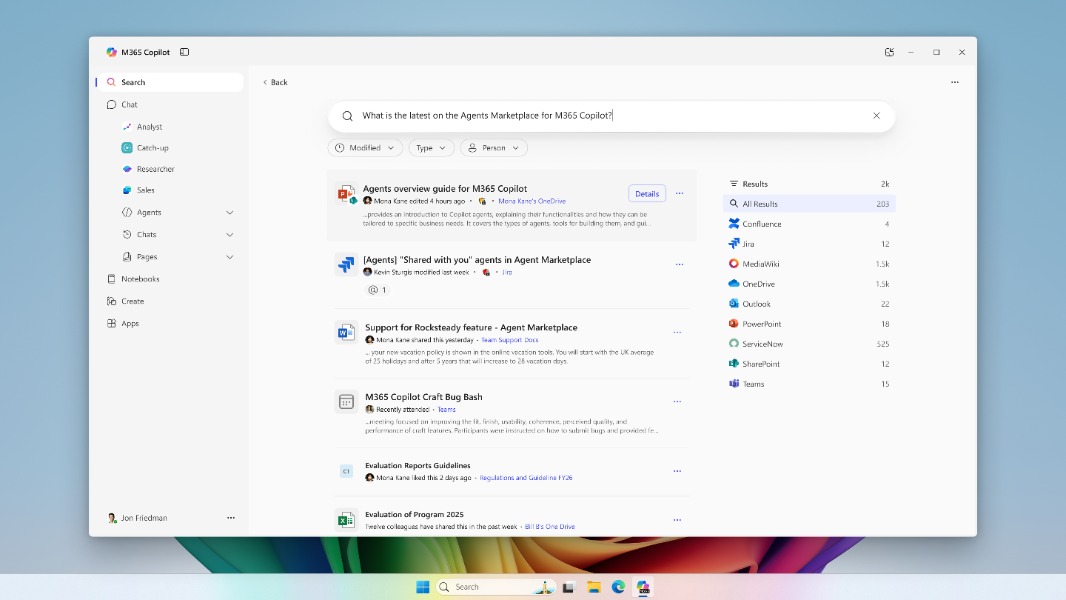
Copilot Search: This new enterprise search experience in the Microsoft 365 Copilot app will let users ask questions using natural language and get answers based on their organization’s apps and data, including third-party apps like Google Drive, Slack, and Jira.
Memory and personalization: Microsoft 365 Copilot will be able to remember personal details, custom instructions, and more. Users will remain in control of what the assistant remembers of their work habits and personal information.
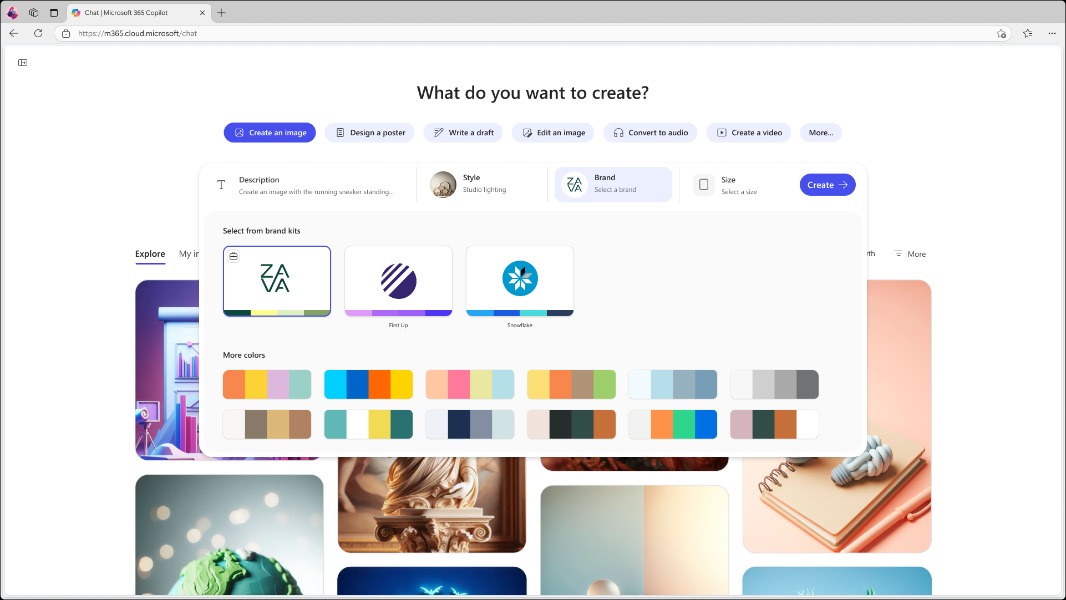
Image generation: Microsoft 365 Copilot will also be able to create and edit images using OpenAI’s GPT-4o model.
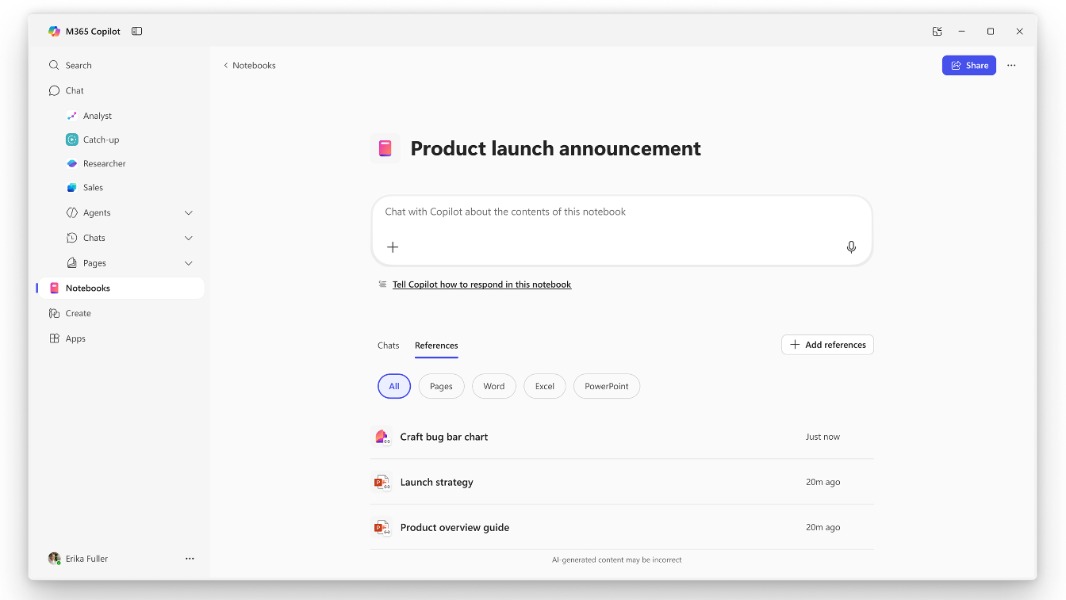
Copilot Notebooks: This new feature will allow users to easily turn their content and data into instant insights and actions. Notebooks can be updated with various references, including Office documents, meeting notes, chat conversations, and more.
Microsoft 365 Copilot is easily accessible on Windows 11 PCs with a dedicated Copilot key. On PCs that lack the new keyboard key, however, the assistant can be summoned by using the Win + C keyboard shortcut. The Microsoft 365 Copilot app for Windows is also being redesigned again, but it still looks quite distinct from the consumer version of the app, which has a much simpler UI.