Gemini in Google Drive Can Now Analyze Videos
- Laurent Giret
- May 29, 2025
-
0
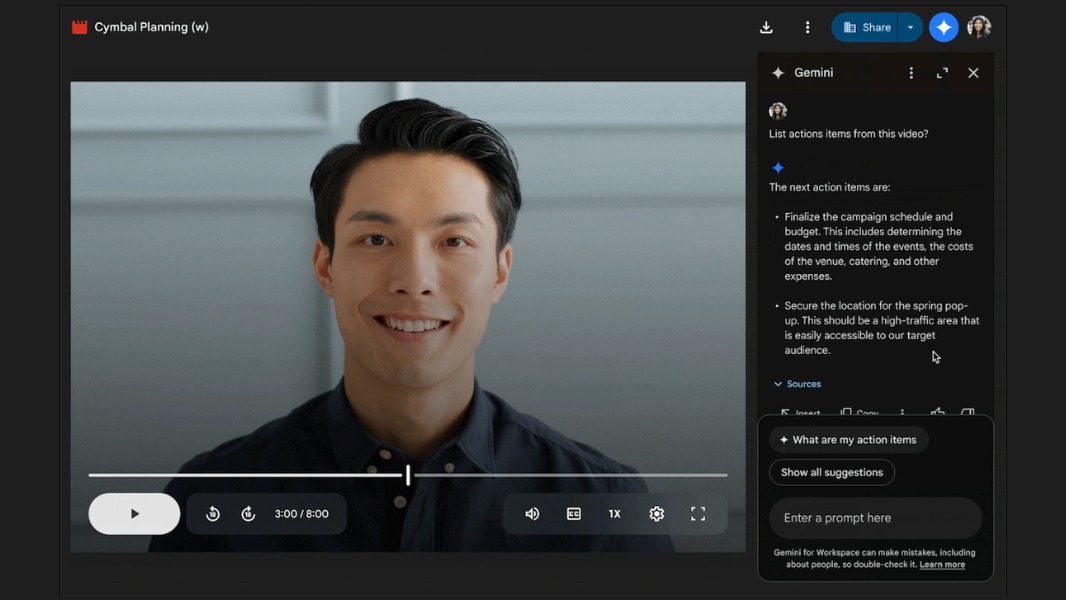
Google’s Gemini AI can now analyze what’s in videos stored in Google Drive, in addition to documents. With the right subscription, Google Workspace users can now ask Gemini questions about the content of their videos in Drive, have them summarized, get a list of highlights, and more.
“Videos contain a wealth of information, however going back to watch them can be time-consuming. With this update, users can leverage Gemini to get what they need from their videos much faster, the Google Workspace team explained.
At the moment, Gemini can only understand videos in English with captions. For consumers, auto-generated captions should be enabled by default for all videos uploaded to Google Drive, but IT admins may disable this feature for enterprise users.
To get these new summarization and Q&A capabilities for Google Drive videos, consumers will need to pay for a Google One AI Premium subscription, which also unlocks Gemini in Gmail, Docs, and more. For enterprise customers, Gemini in Drive is now included with the Standard and Plus versions of Google Workspace Business and Enterprise plans.
In Google Drive, users can access the new Gemini features by double-clicking on a video and clicking on the “Ask Gemini” button in the top right corner of the window. This will open a side panel with a chat window where users will see prompt suggestions and ask Gemini what they want to know about the video.