DuckDuckGo Brings Real-Time AI Voice Chat to Duck.ai
- Paul Thurrott
- Feb 09, 2026
-
0
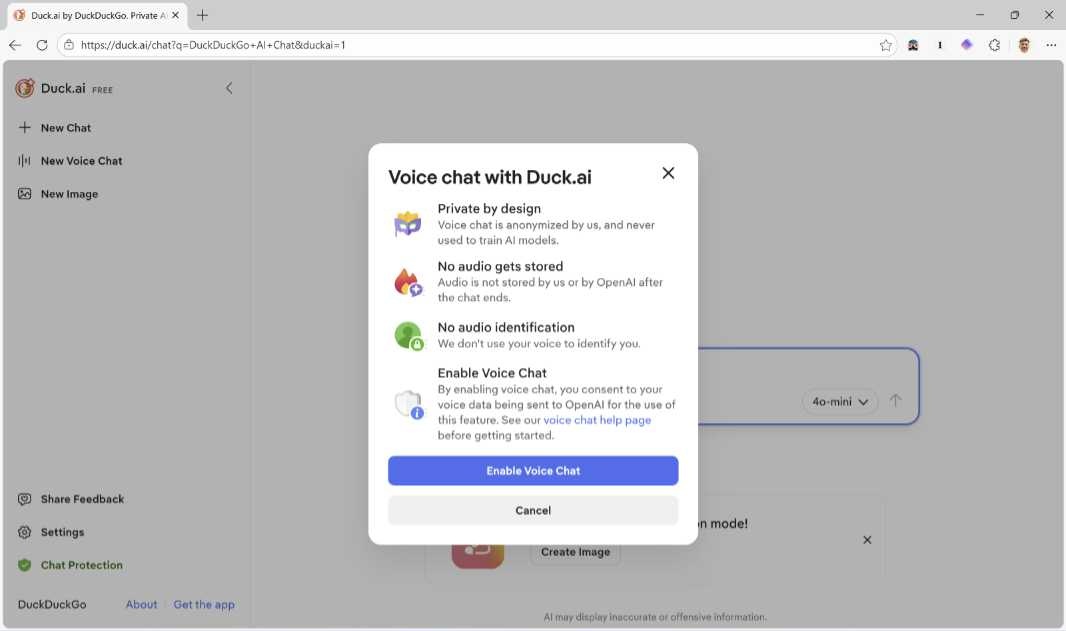
DuckDuckGo quietly unveiled a new opt-in feature for its Duck.ai AI chatbot, real-time voice chat. As with everything DuckDuckGo does, Duck.ai voice chat is private and anonymous, and nothing you do is used to train AI models.
“When you start a voice chat, Duck.ai connects you to an OpenAI model through an encrypted relay connection that we cannot decrypt,” a DuckDuckGo Help document explains. “Your microphone audio is streamed in real time to OpenAI, where the model listens, transcribes what you say, and generates both a spoken and text response. As with text chats, there’s a daily limit on voice chats. DuckDuckGo subscribers have access to higher usage limits than the free version of Duck.ai.”
Duck.ai voice chat is opt-in, of course, and it works as expected, and you can also disable it at any time.
There are two caveats you should be aware of, however, and DuckDuckGo is upfront about both of them. First, this feature should work with any browser, but it’s not working in Firefox right now, though DuckDuckGo is working on that. And second, that Help document explains there’s some possibility that your voice might be used to fingerprint you.
“Your unaltered voice is unique to you, meaning it can act as a biometric identifier and could theoretically be used to recognize you,” it explains. “DuckDuckGo does not attempt to identify, fingerprint, or link voices to users, and OpenAI is contractually limited in how they can use voice chat data to what is necessary to perform their services.”
To enable voice chat in Duck.ai, just click the “New Voice Chat” item in the navigation bar on the left. Then, click “Enable Voice Chat” and, when prompted by your browser, give permission to use a microphone.