Word, Excel, and PowerPoint Add New Agentic AI Features for Paid Copilot Users
- Laurent Giret
- Apr 23, 2026
-
3
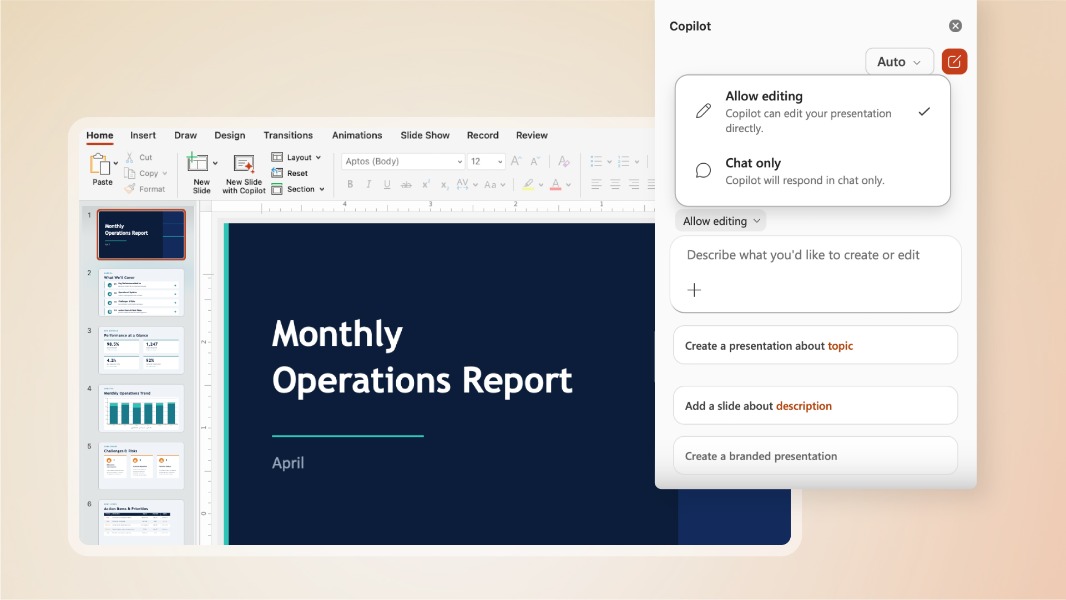
Microsoft is making new Copilot-powered agentic features available in Word, Excel, and PowerPoint, and they’re enabled by default for Microsoft 365 Copilot and Microsoft 365 consumer subscriptions. The new agentic AI features allow Copilot to perform multi-step actions on its own, with Office users still being in control of the AI models to use and the changes to apply to their documents.
“Over the past year, models have made meaningful leaps in instruction following, reasoning, and overall quality, and are now better at handling multi-step edits reliably without losing your intent. All of these advances have enabled Copilot to fully engage with each application as a true collaborator: understanding the richness of a pivot table in Excel, the use of animations in PowerPoint, or the precision of citations in Word,” explained Sumit Chauhan, President, Office Product Group, Microsoft.
Microsoft says that it has been testing these new agentic evolutions with select customers, and early feedback showed “increased engagement, retention, and satisfaction.” The company saw an over 50% increase in tries per user per week on Word and Excel, with a +30% increase in user retention across Excel and PowerPoint.
Microsoft’s Copilot AI still appears as a sidebar in Word, Excel, and PowerPoint, but it can do much more for users with a Microsoft 365 Copilot and Microsoft 365 Premium license. That includes editing and formatting content in Word and PowerPoint, creating financial models and analyzing data in Excel, and performing multi-step tasks across the three apps while understanding users’ personal context and work patterns.
Microsoft said that it’s already working to improve how Copilot works across its Office apps by making it easier to preview changes and make the assistant more proactive. The company is also focused on making Copilot more reliable for complex workflows, though the ability to pick up the best model for a specific task already gives users some flexibility.