Claude Cowork is Now Available on Mobile and Web for Max Subscribers
- Laurent Giret
- Jul 07, 2026
-
1
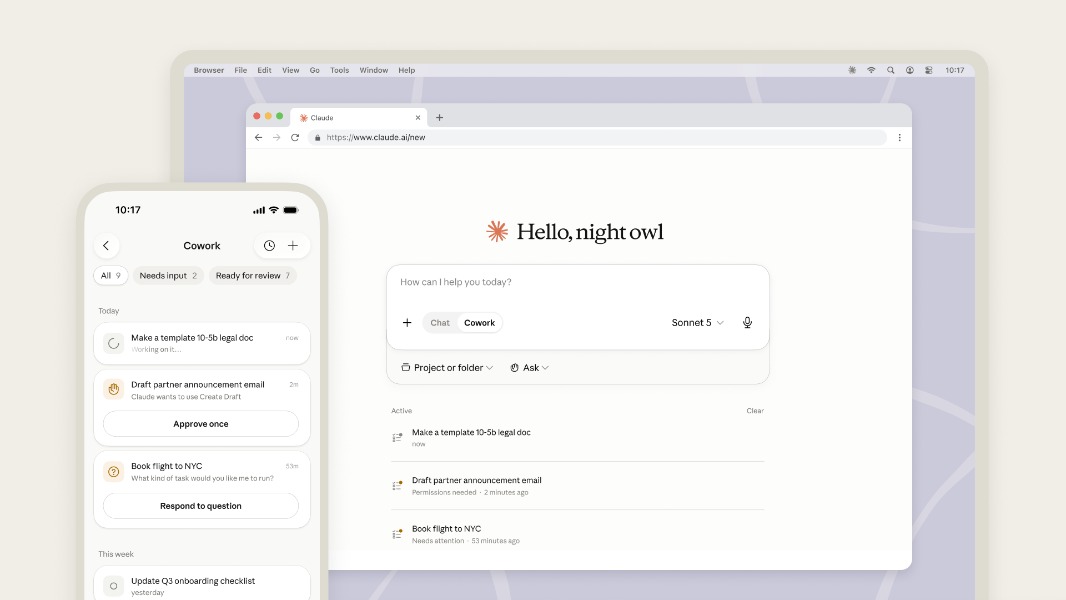
Anthropic’s Claude Cowork agentic tool is coming to the web and mobile following its launch on the desktop earlier this year. Mobile and web access for Claude Cowork will be rolling out in beta to Max users over the coming weeks, with the rest of Claude paid users to follow later.
Claude Cowork works as an AI agent that can perform multi-step tasks in the background and connect to local tools and apps via connectors. Users can enable permission settings to decide what files and apps Claude can access on their PC and Mac, and with the new web and mobile access, it’s now possible to initiate tasks and monitor them on other devices.
For cloud-based workflows, Claude Code on the web and mobile can also do its magic when the Claude desktop app is offline. In that case, Claude Cowork will run on Anthropic’s servers, and users’ remote sessions and files will be saved to their Claude account. However, the Claude desktop app still needs to be running for local file access, local connectors, and computer and browser use.
“Desktop remains the place for deep work, and it’s the full Cowork experience, where Claude can also use your local files and browser. Users who couldn’t install a desktop app can now use Cowork too,” Anthropic explained today.
To start a Cowork session on the web or mobile, Claude users just need to open the Home tab and select “Cowork” in the bottom left corner of the message box. You can learn more details about how to use Claude Cowork on the desktop, web, and mobile on this support page.