Hugging Face Releases Llama Windows
- Paul Thurrott
- Oct 15, 2026
-
0
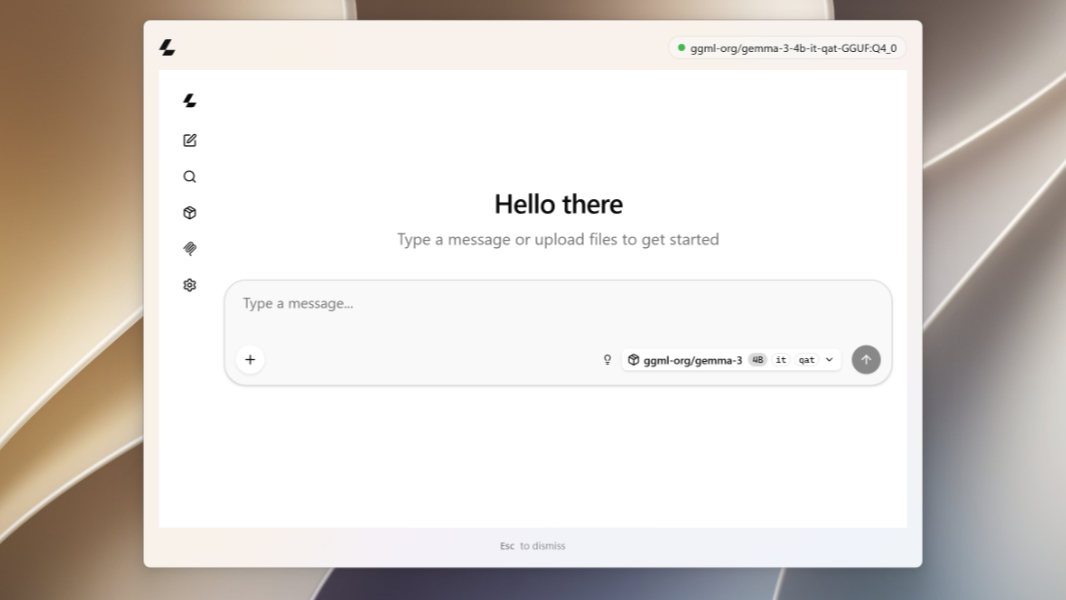
Llama Windows is a free, open source desktop app that brings the llama.cpp local AI inferencing library to Windows 11, similar to the llama.app on Mac.
“With Llama Windows, you can pick a model from the Hugging Face Hub, download it in one click, and run it locally from the notification area,” the Hugging Face announcement explains. “No terminal, no build step, no admin rights.”
Llama Windows launches with native support for Windows 11 on Arm and the new Nvidia RTX Spark computer platform. And if you’ve ever used local AI on Windows, which means you’ve struggled to use local AI on Windows, you may understand why this app is so important: It removes the complexity and makes interacting with locally installed AI models relatively seamless.
As Hugging Face describes it, llama.cpp is a de facto standard for running open weight AI models locally on a computer, and it’s the source of the GGUF format for interacting with local models hosted on the Hugging Face Hub. And one of the nicer things about it is that it will recommend local AI models that are optimized for your PC’s hardware capabilities.
Llama Windows installs as a system tray app, so you typically interact with it via a system tray icon and a small pop-up window that lets you browse the local models installed on your PC. Or, you can type Alt + Space, arguably the most overused keyboard shortcut in Windows, to access a more traditional AI assistant-type app window. It was written as a native Windows app using WinUI3, and it includes .NET libraries for the llama.cpp server, the Hugging Face Hub client, and the model catalog.
You can learn more and download Llama Windows from the Hugging Face website.