Microsoft is Bringing “Vibe Working” to Office Apps
- Paul Thurrott
- Sep 29, 2025
-
4
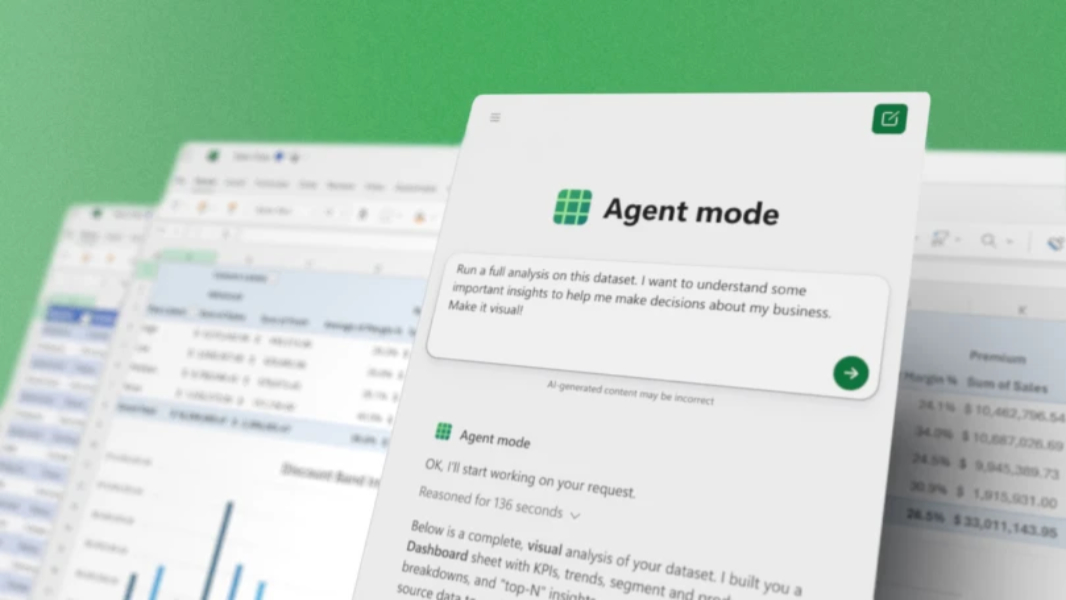
Microsoft today introduced “vibe working” with Agent Mode in Office Apps and Agent Mode in Copilot Chat. The basic premise will be familiar: These new agents will do work on your behalf, in this case creating “high-quality Office documents, spreadsheets, and presentations.”
“In the same way vibe coding has transformed software development, the latest reasoning models in Copilot unlock agentic productivity for Office artifacts,” Microsoft corporate vice president Sumit Chauhan writes. “Get started with a simple prompt and then work iteratively with Copilot … It’s the new pattern of work for human-agent collaboration.”
This isn’t happening all at once. Today, Microsoft is delivering Agent Mode in Excel and Word on the web, with PowerPoint coming soon, and Office Agent, which can create PowerPoint presentations and Word documents, with Excel coming soon. Yes, this is confusing.
Agent Mode in Excel can make this complex app more approachable to non-experts, and it can generate documents and other Excel items, evaluate results, fix issues, and more via prompts. Microsoft provides some sample prompts to make this clearer:
- “Create a financial monthly close report for a bike shop business, including a breakdown of product lines across VTB, VTF, sequential, and year-over-year growth. Use standard financial formatting and best practices.”
- “Build a loan calculator that computes monthly payments based on user inputs for loan amount, annual interest rate, and term in years. Generate a schedule showing month, payment, principal, interest, and remaining balance. Present the results in a clear, formatted table.”
- “Create a monthly household budget tracker with categories like Rent, Groceries, Utilities, Entertainment, Transportation, and Savings. Apply conditional formatting and data bars for Percent Over/Under Budget. Add a summary section showing planned versus actual spending with a donut chart to visualize spending distribution.”
Agent Mode in Word, meanwhile, enables what Microsoft calls “vibe writing,” in which you prompt the app with what you need and Copilot then drafts content, suggests refinements, and asks clarifying questions as you go. According to Microsoft, this process feels more like a dialogue than a task, and it leads to faster iteration, better ideas, and a more engaging writing experience.
Again, there are some sample prompts (and note the use of / “slash” commands throughout):
- “Help me update this monthly report for September. Update the data table with the latest numbers from the /Sept Data Pull email. Summarize the key highlights including insights compared to last month’s /August monthly report.doc.”
- “Update the executive summary for clarity, bold all key findings, and insert a bulleted list of next steps based on the /Project update meeting. Make sure to add a conclusion.”
- “Can you clean up this document? Title case for section headers, branding updates per the ‘/Latest brand guidelines’ email, and italicize all external partner mentions. Feel free to ask if you need help identifying partners or guidelines.”
Office Agent in Copilot is powered by Anthropic models, interestingly, and it allows you to create PowerPoint presentations and Word documents using the Copilot Chat interface. You basically write a prompt, Copilot asks clarifying questions about length, visual theme, focus areas, target audience, and so on, conducts deep, web-based research, and then produces a ready-to-share presentation (or document). In Microsoft’s words, it “creates tasteful, well-structured PowerPoint decks and well-researched Word documents.” Sample prompts include:
- “Create a deck summarizing the top 5 trends in the athleisure clothing market.”
- “Help my restaurant chain draft a pop-up kitchen plan in Philadelphia. The event must serve 200 guests, use only locally sourced ingredients, stay within a $10,000 food-cost budget, and comply with county health permits. Give me an 8-slide overview to help me through the planning process.”
- “I need to create a set of slides to share with my employees to encourage them to actively fund their retirement accounts. We’ve agreed to match a percentage of their contributions, but I’d like to increase the uptake of people participating in this program. Use a combination of numbers, visuals, and narrative/analogies to help.”
- “Create a report evaluating the trends of influencer and social media advertising in the coffee industry.”
Agent Mode in Copilot for Excel, Agent Mode in Copilot for Word, and Office Agent are available to those with Microsoft 365 Personal and Family subscriptions, and companies in the Frontier Program for Microsoft 365 Copilot. They’re all limited to the web versions of the apps for now, and Agent Mode in Excel requires you to install an Excel Labs add-in. Office Agent is English only for now. Microsoft says these are all coming to the desktop versions of the apps soon, and that more “vibe working” efforts are on the way.
You can learn more from the Excel blog and the Microsoft 365 Copilot blog.