Copilot Vision with Text Input/Output is Rolling Out to All Insider Channels
- Paul Thurrott
- Oct 28, 2025
-
1
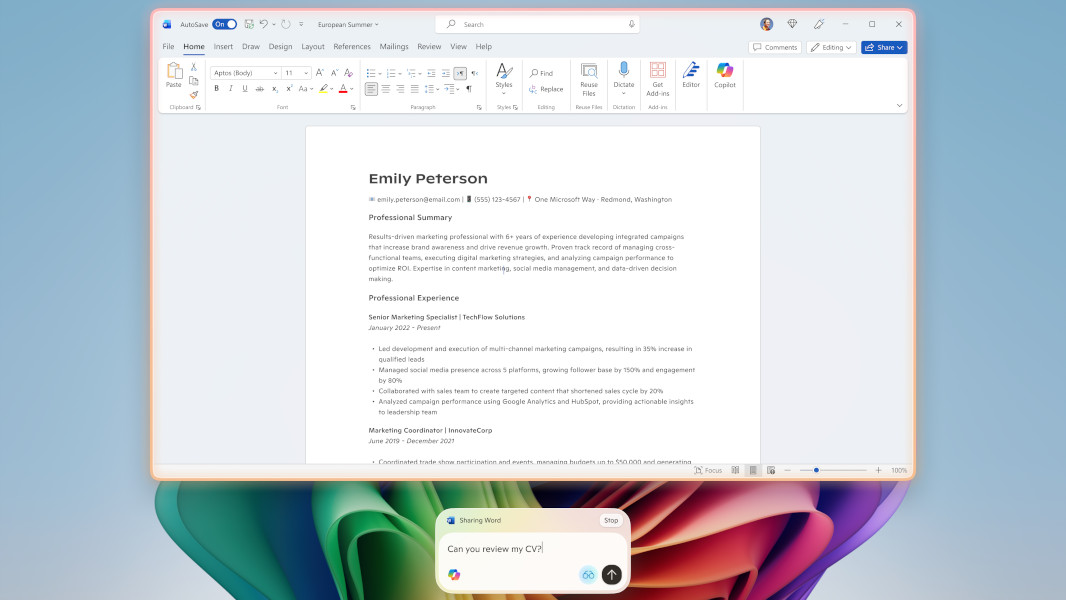
Those with a PC enrolled in any Windows Insider Preview channel can download a new version of the Copilot app that adds the ability to interact with Copilot Vision using text instead of voice.
“We are continuing to explore how Vision can best serve our users, so some functionality, like highlights that visually point out elements on the screen, is not supported with today’s release,” the Insider team writes. “Whether you forget your headphones or just prefer engaging via text, Vision can support you across whichever scenario suits you best.”
The Copilot app version 1.25103.107 and higher is starting to roll out in the Microsoft Store across all Insider channels. It lets you converse with Copilot Vision using text in the normal Copilot chat window, and it will respond with text if that’s how you interact with it. The previous voice-based capability is still there, too, of course.
To get started once you have the app update, click the Vision (glasses) icon in Copilot, toggle off the “Start with voice” option, and then select the screen or the app you wish to share as prompted. To transition to the voice experience, just click the Voice (“microphone”) icon. To stop sharing, click the Stop (“x”) icon, as before.