Microsoft Brings Microsoft 365 Copilot Co-Creation to Word for iPhone
- Paul Thurrott
- Apr 06, 2026
-
1
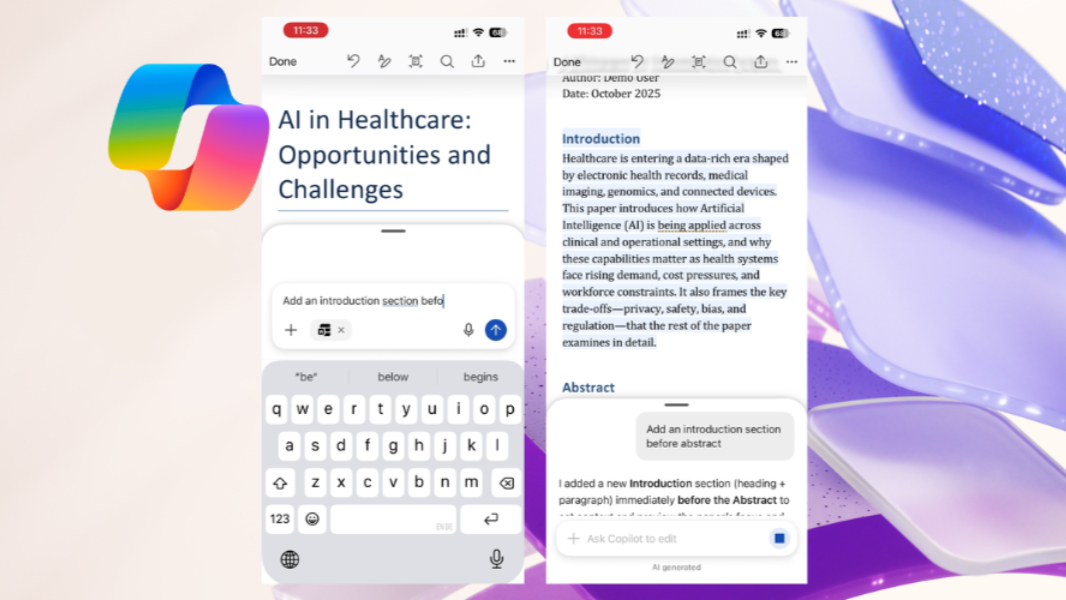
Those with a Microsoft 365 Copilot subscription can now co-create with Copilot in Word for iPhone.
“You can now work with Copilot as a co-creator directly in your Word document on your iPhone,” Microsoft senior product managers Pratik Das and Palash MJ write. “Copilot helps you turn ideas into polished Word documents faster, without having to navigate between Word and Copilot apps. Stay in Word and stay in your flow.”
Copilot co-creation, previously called Agent mode, lets you work with Microsoft 365 Copilot to create, refine, and format content, in this case directly in Word for iPhone. Just open Word, tap “Edit,” and then tap the Copilot icon to start a chat. From there, you can prompt Copilot to make whatever edits you need.
Microsoft has several recommendations for how you might use this functionality. It recommends that you be as precise a possible, use a “/” character ahead of a document name to identify it clearly (or just select a document from the Files button), and (obviously) be careful if editing sensitive files. It also notes some limitations: Copilot can only create content in the current document, it cannot create or insert images in a document, and it can’t create new files at this time, among others.
Copilot co-creation in Word for iPhone requires a Microsoft 365 Copilot subscription.